Why Automated Price Monitoring Is Essential for E-Commerce
In e-commerce, pricing is the single most influential factor in purchase decisions. Research consistently shows that 80% of online shoppers compare prices across multiple retailers before buying, and 60% say price is the primary factor in their purchase decision. For e-commerce businesses, this means that your pricing strategy — how you set, adjust, and respond to competitor prices — directly determines your revenue. Understanding what automation is and how business process automation handles continuous monitoring is what makes real-time pricing feasible. This, margins, and market share.
The Speed of Price Changes
E-commerce pricing is extraordinarily dynamic. Amazon changes prices on millions of products daily, with some products seeing multiple price changes within a single day. Major retailers like Walmart, Target, and Best Buy use algorithmic pricing that responds to competitor movements within hours. In this environment, checking competitor prices manually once a week is like checking the weather once a month — by the time you act on the information, it is already outdated.
The window of opportunity when a competitor raises their price or goes out of stock can be as short as 24-48 hours. If you detect the change manually three days later, the window has already closed. Automated monitoring detects changes within hours, giving you time to act while the opportunity is still live.
The Revenue Impact
Pricing intelligence directly impacts revenue in measurable ways:
- Buy Box optimization: On Amazon, the Buy Box winner captures approximately 82% of sales. Price is the dominant factor in Buy Box allocation. Sellers who monitor competitor prices and adjust strategically win the Buy Box more often, directly increasing sales volume.
- Margin protection: Without competitor visibility, businesses often price lower than necessary to stay "competitive" — leaving margin on the table. Monitoring reveals when you can safely raise prices because competitors have raised theirs.
- Promotional timing: Understanding competitor promotional cadences (when they run sales, how deep their discounts go) helps you time your own promotions for maximum impact — either matching to stay competitive or deliberately avoiding overlap to reduce margin erosion.
- Assortment decisions: Price monitoring across categories reveals where your pricing is strongest (competitive advantage categories to promote) and weakest (categories where you may need to adjust sourcing or consider exit).
The Alternative to Automation
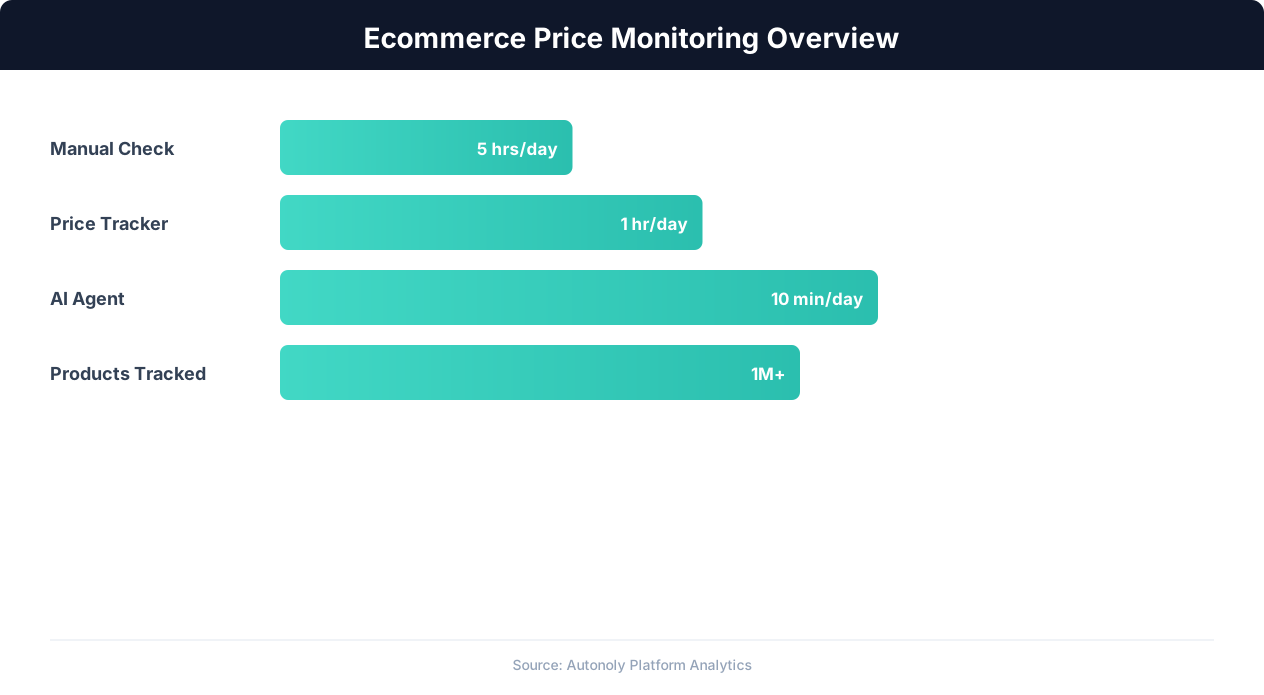
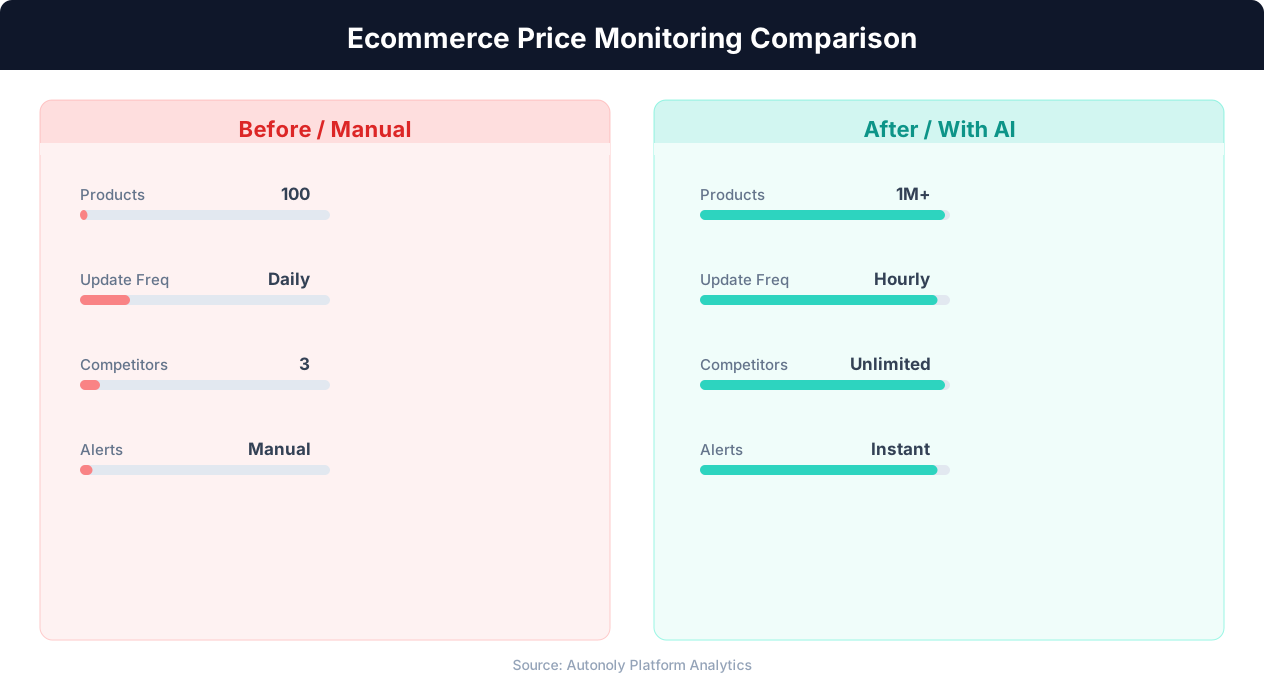
Without automated monitoring, price intelligence relies on manual checking — a team member visiting competitor websites, copying prices into a spreadsheet, and updating the data weekly or monthly. For a business tracking 100 products across 5 competitors, that is 500 price checks per cycle. At 2 minutes per check, it takes over 16 hours per cycle — a significant time investment that produces data that begins aging the moment it is collected.
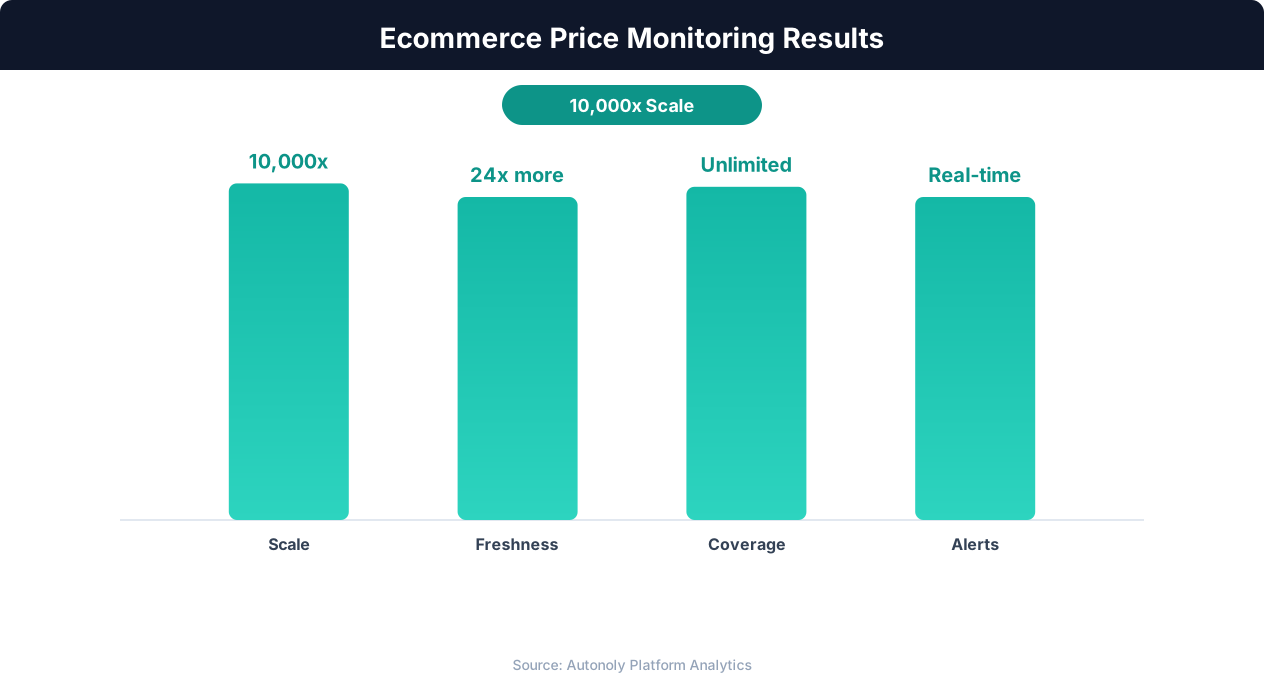
Automated price monitoring performs the same 500 checks in minutes, runs daily (or more frequently), costs a fraction of the manual labor, and delivers the data directly into dashboards and alerting systems. The economics are compelling: automated monitoring costs $50-200/month depending on scale, versus $2,000-4,000/month in labor for equivalent manual monitoring.
What to Monitor: Competitors, Products, and Metrics
Effective price monitoring starts with defining exactly what to track. Monitoring everything is expensive and overwhelming. Monitoring too little leaves blind spots. The right monitoring scope balances coverage with actionability.
Selecting Competitors to Monitor
Not all competitors deserve equal monitoring attention. Prioritize competitors based on three factors:
- Market overlap: How many products do you share? A competitor selling 80% of the same products as you has more pricing influence on your business than one sharing 10% of your catalog.
- Customer overlap: Do you compete for the same customers? A premium retailer and a discount retailer may sell similar products but target different customer segments. Monitor competitors that your customers actually consider as alternatives.
- Pricing aggressiveness: Some competitors are price leaders who actively undercut the market. Others are price followers who match the lowest available price. Monitor the leaders most closely because their actions trigger market-wide price changes.
For most e-commerce businesses, the optimal monitoring set is 3-8 direct competitors plus 1-2 marketplace platforms (Amazon, Walmart Marketplace) that set baseline price expectations for customers.
Selecting Products to Monitor
Prioritize products for monitoring based on their revenue contribution and price sensitivity:
- Revenue drivers: Your top 20% of products by revenue (which typically generate 80% of revenue) should be monitored daily. Price changes on these products have the largest impact on your bottom line.
- High-competition products: Products where you face the most competitor alternatives have the highest price sensitivity. A customer comparing 10 sellers for the same product will almost always choose the lowest price (assuming equivalent shipping and reviews).
- Promotional targets: Products you plan to promote or that competitors frequently promote need monitoring to time your promotions effectively.
- New launches: Monitor competitor pricing for products you are about to launch to set your initial pricing strategy based on current market data rather than assumptions.
Metrics Beyond Price
Price is the primary metric, but comprehensive monitoring also tracks:
- Availability/stock status: When a competitor goes out of stock, their customers need alternatives — an opportunity to capture demand. When a competitor restocks, the competitive dynamic changes.
- Shipping cost and speed: Total delivered cost (price + shipping) determines true competitiveness. Free shipping with a higher product price may be more competitive than a lower price with paid shipping.
- Promotions and coupons: Track not just the listed price but also active promotional discounts, coupon codes, and bundle offers that affect the effective price.
- Product ratings and review counts: Pricing power correlates with product reputation. A product with 4.8 stars and 5,000 reviews can command a premium over a 4.2-star product with 200 reviews.
Data Collection: Scraping Competitor Prices at Scale
The technical foundation of price monitoring is automated data collection — scraping competitor websites and marketplaces on a scheduled basis to capture current prices, availability, and promotional information.
Website Scraping for Direct Competitors
For competitors with their own e-commerce websites (not marketplaces), web scraping is the primary data collection method. The scraper navigates to each product page, extracts the current price and availability, and records the data with a timestamp.
The technical challenge varies by competitor: some retailer websites are simple HTML pages where price extraction is straightforward, while others are React or Angular SPAs that require JavaScript rendering. Anti-bot measures range from minimal (small retailers) to aggressive (major retailers using Cloudflare or PerimeterX). For a deep dive on handling these challenges, see our web scraping best practices guide.
Marketplace Data Collection
Amazon, Walmart Marketplace, and other platforms require specialized approaches. Amazon scraping involves navigating product pages with anti-bot measures, handling dynamic pricing that varies by session, and extracting data from complex page layouts with multiple sellers per product. Marketplace scraping is more technically demanding than scraping individual retailer websites, but it provides the broadest competitive view since most products have multiple sellers competing on price.
Using Autonoly for Price Data Collection
Autonoly's AI agent and workflow builder simplify price data collection significantly. Here is a typical setup:
- Create a product list: In a Google Sheet, create a list of products to monitor with columns for product name, your price, and competitor URLs. This sheet serves as both the input (URLs to scrape) and the output (competitor prices) for the monitoring workflow.
- Build the scraping workflow: In Autonoly's workflow builder, create a workflow that reads the product list from Google Sheets, visits each competitor URL, extracts the current price and availability, and writes the data back to the Sheet with a timestamp.
- Configure the AI agent: For each competitor site, describe the extraction goal: "On this page, extract the current product price, the original price if there is a discount, the availability status, and any active promotional text." The agent handles the site-specific navigation and extraction.
- Schedule daily runs: Set the workflow to run daily at a consistent time (early morning works well — prices are often updated overnight). The workflow runs automatically, and fresh competitor data is in your Sheet every morning.
Data Quality Considerations
Price scraping can produce inconsistent data if not handled carefully. Common data quality issues include: currency formatting differences ("$49.99" vs. "49.99" vs. "USD 49.99"), sale prices versus regular prices (extracting the wrong one), multi-pack pricing (price per unit versus price per pack), and marketplace seller variations (which seller's price is captured when multiple sellers offer the same product). Build validation rules into your workflow to catch these issues: verify that prices are within expected ranges, flag sudden large changes for manual review, and standardize currency formatting.
Building Price Monitoring Dashboards
Raw price data becomes actionable intelligence when presented in a dashboard that highlights competitive position, trends, and opportunities. A well-designed price monitoring dashboard answers the question every e-commerce manager asks: "Where do I stand versus my competitors, and what should I change?"
Dashboard Design Principles
An effective price monitoring dashboard follows three principles: current state visibility (where do I stand right now?), trend awareness (how is the competitive landscape changing?), and action orientation (what should I do about it?).
Essential Dashboard Views
1. Competitive Price Matrix: A table showing your products in rows and competitors in columns, with each cell containing the competitor's current price. Color-code cells: green where your price is lower (competitive advantage), red where your price is higher (vulnerability), and yellow where prices are within 5% (parity). This matrix provides an instant visual assessment of your competitive position across the entire monitored product set.
2. Price Position Summary: A high-level summary showing: number of products where you are the lowest price, number where you are within 5% of the lowest, and number where you are significantly above the lowest. Track these counts over time to measure whether your competitive position is improving or deteriorating.
3. Price History Charts: Line charts showing price trends for key products over the past 30, 60, or 90 days. Overlay your price line with competitor price lines to visualize competitive dynamics. These charts reveal patterns: competitors who consistently undercut you, seasonal pricing cycles, and the speed at which competitors respond to your price changes.
4. Opportunity Alerts: A filtered view showing only the products and competitors where actionable opportunities exist: competitors who recently raised prices (you can increase margin), competitors who went out of stock (you can capture their demand), and products where your price is significantly below all competitors (you may be leaving margin on the table).
Building with Google Sheets
For small to medium monitoring operations (under 500 products), Google Sheets is a surprisingly effective dashboard platform. Use your automated data collection Sheet as the data source and build dashboard tabs that reference the data with formulas. QUERY functions aggregate and filter data, conditional formatting provides visual coding, and SPARKLINE functions add in-cell trend charts.
Building with BI Tools
For larger operations or more polished visualizations, connect your price data to a business intelligence tool. Google Looker Studio (free) connects directly to Google Sheets and creates interactive dashboards with filters, charts, and geographic maps. Tableau and Power BI offer more advanced visualization for teams that need professional-grade reporting.
Sharing and Collaboration
Price monitoring dashboards should be accessible to everyone involved in pricing decisions: e-commerce managers, category managers, marketing teams (for promotional planning), and executive leadership (for strategic pricing oversight). Share Google Sheets dashboards via link, schedule automated screenshots or PDF exports of key views, or embed Looker Studio dashboards in internal wikis or Slack channels.
Setting Up Price Change Alerts That Drive Action
Dashboards show the current state; alerts notify you when the state changes in meaningful ways. Price change alerts transform passive monitoring into active intelligence by pushing notifications when conditions warrant attention or action.
Designing Alert Rules
Effective alerts balance sensitivity with noise. Too many alerts cause fatigue and get ignored. Too few miss important changes. The key is alerting on actionable changes — situations where you would actually modify your pricing or strategy in response.
High-priority alerts (immediate notification):
- Competitor undercuts by more than 10%: A significant price drop by a direct competitor on a key product requires immediate evaluation. Are they running a temporary promotion, clearing inventory, or permanently repositioning?
- Key competitor out of stock: When a major competitor's popular product goes out of stock, you have a time-limited window to capture their customers. Raise prices slightly (if you were price-matching) or increase ad spend to capture the demand shift.
- Your price is lowest by more than 15%: If you are significantly cheaper than all competitors, you may be leaving money on the table. Consider a modest price increase that improves margin while maintaining competitiveness.
Medium-priority alerts (daily digest):
💡 Key Insight
E-commerce businesses using automated price monitoring increase margins by 2-5% through optimized competitive pricing.
- Any competitor price change on top 20 products: Track all movements on your most important products, delivered as a daily summary rather than individual notifications.
- New seller or competitor enters the market: A new competitor appearing for a product you sell changes the competitive dynamics.
- Promotional activity detected: Competitor launches a sale, adds a coupon code, or starts a "buy one get one" promotion.
Low-priority alerts (weekly summary):
- Gradual price drift: Products where competitor prices have moved 5-10% over the past 30 days without any single large change. These slow drifts are easy to miss without automated tracking.
- Rating or review changes: Significant changes in competitor product ratings that may affect their pricing power.
Alert Delivery Channels
Route alerts to the channels where they will be seen and acted on:
- Slack or Teams: Best for high-priority alerts that the pricing team needs to see immediately. Create a dedicated #price-alerts channel.
- Email: Best for daily and weekly digests that summarize multiple changes. Use automated email reports to deliver formatted summaries.
- SMS: Reserve for the most critical alerts only — competitor out of stock on your best-selling product, or a major price war triggering on a key category.
Configuring Alerts in Autonoly
In Autonoly's workflow builder, add conditional nodes after the price extraction step. The conditional node compares the newly scraped price against the previous price (stored in Google Sheets) and triggers notification actions based on the change magnitude. Configure Slack, email, or SMS notification nodes downstream of the condition to deliver alerts through your preferred channels.
Turning Price Intelligence into Revenue Growth
Collecting and monitoring competitor prices is only valuable if it informs better pricing decisions. Here are proven strategies for using price intelligence to increase revenue and protect margins.
Strategy 1: Dynamic Competitive Pricing
The most direct application of price monitoring is dynamic pricing that responds to competitor movements. When competitors raise prices, you can either match (maintaining your competitive position while increasing margin) or hold (gaining a relative price advantage that attracts price-sensitive customers). When competitors lower prices, you decide whether to match (protecting volume), partially match (splitting the difference between margin and volume), or hold (accepting some volume loss to protect margins).
The right response depends on the product's price elasticity — how much volume changes for a given price change. Products with high price elasticity (commodity items, products with many substitutes) require closer price matching. Products with low price elasticity (differentiated products, strong brands) can maintain price premiums without significant volume loss.
Strategy 2: Value-Based Price Positioning
Price monitoring reveals not just competitor prices but also the entire price distribution for a product category. Understanding where your products sit in this distribution helps you position them strategically:
💡 Key Insight
Competitors change prices an average of 2.5 million times daily across major e-commerce platforms.
- Premium positioning: Price 10-20% above the category average. Justified by better reviews, faster shipping, superior customer service, or brand perception. Price monitoring ensures your premium does not become too large (causing volume loss) or too small (leaving margin on the table).
- Value positioning: Price at or slightly below the category average. Competes on total value — not the cheapest, but good quality at a fair price. Monitor to ensure you stay within the value tier and do not drift into either the premium or budget segment.
- Penetration positioning: Price at or near the lowest competitor to gain market share. Useful for new products entering competitive categories. Monitor to ensure you are actually the lowest (or close to it) — penetration pricing that is not actually competitive is the worst of both worlds.
Strategy 3: Promotional Intelligence
Price monitoring reveals competitor promotional patterns: when they run sales, how deep their discounts go, which products they promote, and how long promotions last. Use this intelligence to optimize your own promotional calendar:
- Counter-program: When a competitor runs a major promotion on Category A, run your promotion on Category B. This avoids a head-to-head price war while still driving volume.
- Gap fill: After a competitor's promotion ends and their prices return to normal, run your promotion. You capture the price-sensitive customers who are still shopping around.
- Bundle strategy: If competitors frequently discount a product you also sell, bundle it with complementary products instead of matching the discount. The bundle offers perceived value while protecting the individual product's price perception.
Strategy 4: MAP (Minimum Advertised Price) Monitoring
If you are a brand with MAP policies, price monitoring ensures your authorized retailers comply with minimum advertised price agreements. Automated monitoring detects MAP violations within 24 hours rather than weeks, allowing swift enforcement action. This protects your brand's price integrity and maintains equitable conditions for all authorized sellers.
Measuring Impact
Track the revenue impact of your pricing intelligence program: changes in average selling price, margin improvements from reduced unnecessary discounting, market share gains from faster competitive responses, and revenue captured from out-of-stock competitor opportunities. Most e-commerce businesses that implement systematic price monitoring see a 3-8% improvement in gross margin within the first quarter.
Tools, Setup, and Getting Started
Setting up a price monitoring system does not require a massive investment. Start with a focused monitoring scope, a straightforward tool stack, and a systematic approach to expanding coverage over time.
Recommended Tool Stack
For most e-commerce businesses, the following stack provides comprehensive price monitoring at reasonable cost:
| Component | Recommended Tool | Purpose |
|---|---|---|
| Data collection | Autonoly | Scrape competitor prices automatically with AI-powered browser automation |
| Data storage | Google Sheets | Store price data, track history, and serve as the dashboard data source |
| Dashboard | Google Sheets or Looker Studio | Visualize competitive position and price trends |
| Alerts | Autonoly + Slack/Email | Notify team when significant price changes occur |
| Reporting | Autonoly email automation | Distribute daily/weekly price intelligence summaries |
Setup Checklist
- Define your monitoring scope: List the competitors, products, and metrics you want to track. Start with your top 20-50 products across 3-5 competitors. You can always expand later.
- Create the data structure: Set up a Google Sheet with tabs for: product list (your products mapped to competitor URLs), raw price data (timestamped scraping output), dashboard (formulas and charts that analyze the data), and alerts log (record of triggered alerts).
- Build the scraping workflow: In Autonoly, create a workflow that reads your product list, visits each competitor URL, extracts price and availability data, and writes results to the raw data tab. Test the workflow manually to verify extraction accuracy.
- Configure scheduling: Set the workflow to run daily. Early morning (6-7 AM your local time) works well for most e-commerce businesses — you start the day with fresh competitor data.
- Build the dashboard: Create dashboard formulas that calculate your competitive position: price comparisons, price indices (your price divided by the average competitor price), and day-over-day changes.
- Set up alerts: Configure Slack or email notifications for the high-priority alert conditions described in the previous section.
- Establish a review cadence: Schedule a weekly pricing review meeting where the team reviews the dashboard, discusses alerts from the past week, and makes pricing decisions based on the data.
Expanding Over Time
After the initial setup is running smoothly (give it 2-4 weeks to stabilize), expand gradually: add more products to monitoring, add new competitors, increase scraping frequency for high-priority products (twice daily instead of once), and build additional dashboard views for specific categories or business questions.
The goal is a self-sustaining pricing intelligence system that runs unattended, delivers fresh data daily, alerts you to important changes, and provides the foundation for data-driven pricing decisions. Combined with Google Sheets automation and automated reporting, the entire system operates on autopilot while your team focuses on strategy rather than data gathering.