
ChatGPT
미정
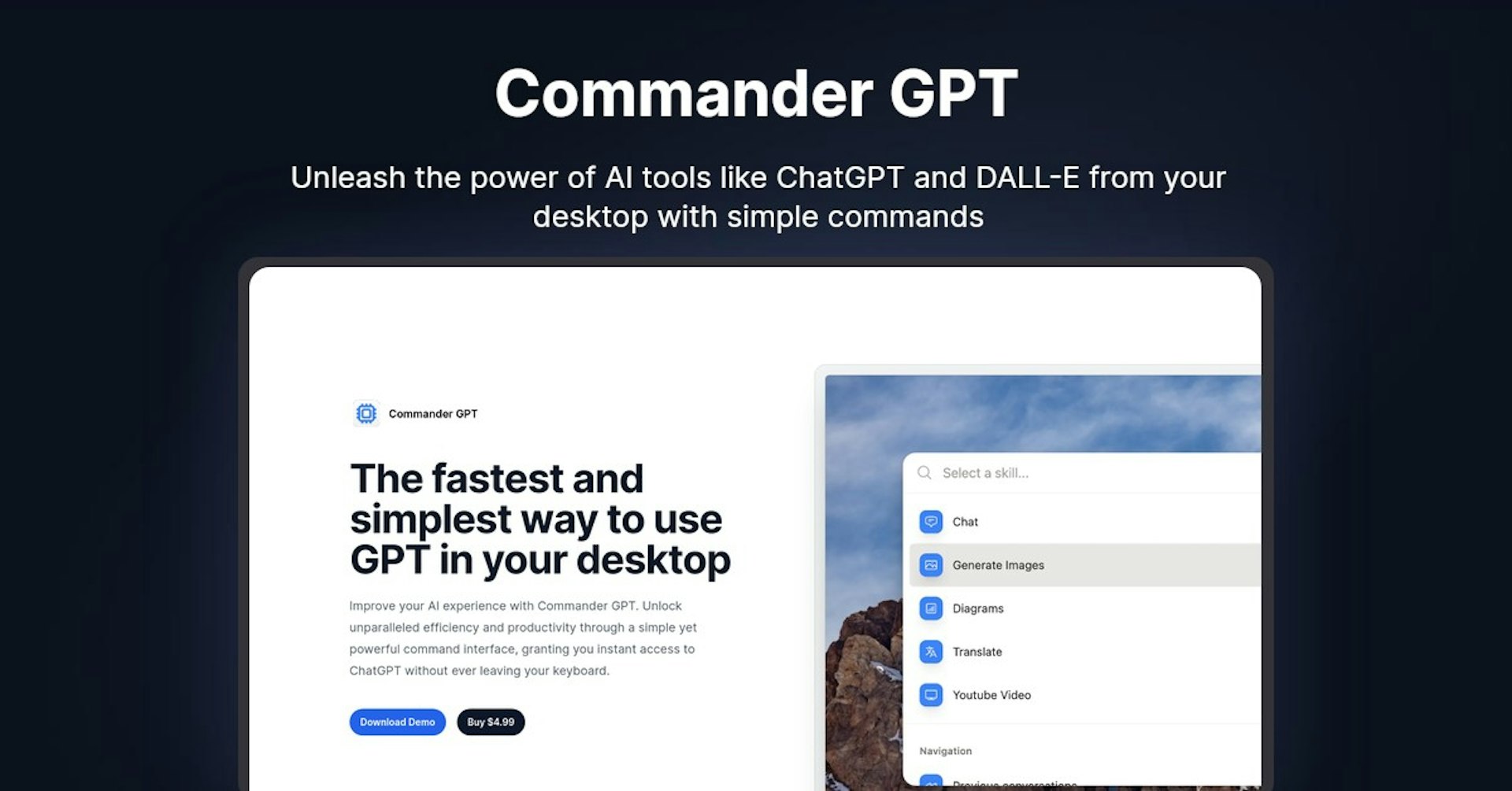
Commander GPT
Unleash the power of AI tools like ChatGPT and DALL-E from your desktop with simple commands
4.5
(42 reviews)
개요
기능
설정
Why Choose Commander GPT?
AI 기반
최첨단 AI 기술을 활용하여 우수한 결과를 제공합니다
간편한 사용
모든 수준의 사용자를 위해 설계된 직관적인 인터페이스
원활한 통합
기존 도구 및 워크플로우와 완벽하게 작동합니다
About Commander GPT
Overview of Commander GPT: The Fastest and Easiest Way to Use AI on Your Desktop
Commander GPT is a desktop application that provides instant access to ChatGPT and other AI tools without leaving your keyboard. It allows you to chat with ChatGPT, generate images with DALL-E, translate text, and more using simple keyboard commands.
How Does It Work?
Commander GPT runs in the background on your desktop. When you use the keyboard command (Command+Shift+G on Mac), it opens a window where you can type commands and get AI-generated responses instantly.
Some key features and how they work:
-
Chat with ChatGPT : Type your prompt and get a response from ChatGPT. Commander sends your message to ChatGPT API and displays the response.
-
Generate Images : Use text prompts to generate images with DALL-E integration.
-
Translate Text : Highlight text in any app, use the translate command in Commander, and get an instant translation powered by GPT.
-
YouTube Transcript Q &A: Provide a YouTube URL, ask a question based on the video, and get an answer summarized from the transcript.
Key Features and Benefits
-
Work Faster : Get AI assistance without switching contexts or leaving your work. Boost productivity.
-
Simple and Convenient : No complex setup, just launch with a keyboard shortcut and type commands.
-
Save History : Commander saves transcripts of all your sessions locally so you can refer back.
-
Customizable : Pass custom prompts to alter ChatGPT's tone and personality.
-
Generate Images : Create images from text prompts with DALL-E integration.
-
Translate Text : Get instant translations powered by GPT.
-
YouTube Q &A: Ask questions about video contents based on auto-generated transcripts.
Use Cases and Applications
Commander GPT is useful for:
-
Writing Help : Get AI-generated ideas, phrases, and grammar fixes as you write docs, emails, articles etc.
-
Research : Ask questions and get summarized answers without leaving your work.
-
Creative Work : Generate images for design projects, thumbnails, mood boards etc.
-
Language Learning : Instantly translate unfamiliar phrases by highlighting text.
-
Video Analysis : Ask questions about video contents without manually transcribing.
Who is Commander GPT For?
Commander GPT is useful for:
-
Writers : Enhance writing with AI-generated ideas and corrections.
-
Researchers : Get quick answers and summarized information.
-
Designers : Create images and mockups for projects.
-
Developers : Quickly translate documentation in other languages.
-
Students : Ask questions and summarize information from lecture videos.
-
Language Learners : Translate unfamiliar phrases instantly.
Pricing and Plans
-
Free Version : Limited functionality
-
Pro Version : $4.99 one-time purchase. Full access to all features.
Support
-
Documentation : Usage guides and prompt examples
-
Twitter : Get assistance from the developer @nicolaslopezj
-
Email : [email protected] for any issues
Integrations
-
ChatGPT API - Powers conversational features
-
DALL-E API - Generates images from text prompts
-
YouTube Transcripts API - Extracts transcripts for video Q&A
-
Google Translate API - Translates selected text
API Access
Commander GPT doesn't currently offer an API for third-party integrations. It is a desktop app focused on end users.
What Users Are Saying
Based on reviews, users love Commander GPT for:
-
Convenient access to AI assistance without context switching
-
Simple and intuitive interface
-
Ability to save chat history
-
DALL-E integration for easy image generation
-
The affordable one-time pricing
Frequently Asked Questions
Does it work on Windows?
Yes, Windows and Linux versions are coming soon. Currently Mac-only.
Is my chat history private?
Yes, all data stays local on your machine and is not uploaded anywhere.
Can I customize ChatGPT's responses?
Yes, you can pass custom prompts to alter ChatGPT's tone, personality and knowledge.
Does Commander GPT have a free version?
Yes, you can access basic features for free. Pro unlocks full functionality.
Useful Links
Autonoly로 Commander GPT을 더 강력하게
Commander GPT을 200개 이상의 앱과 연결하고 전체 워크플로우를 자동화하세요
AI 자동화로 10배 빠른 워크플로우
코딩 불필요 - 비주얼 드래그 앤 드롭
운영 비용 75% 절감
엔터프라이즈급 보안 및 안정성
유사한 AI 도구

PortraitAI
AI generates elegant 18th century-style portraits from your photos for impressive custom art.

Kaedim
Instantly create stunning 3D models from photos with AI, no expertise needed.

Blockadelabs
Craft captivating virtual worlds from text with our magical AI skybox generator

Polycam
Transform everyday photos into stunning 3D models with this popular scanning app.