

Why Automate Amazon Review Scraping?
Amazon product reviews are one of the richest sources of customer sentiment data available. With billions of reviews across millions of products, this data holds insights about product quality, feature preferences, common complaints, and competitive positioning. For product managers, brand managers, e-commerce sellers, and market researchers, analyzing review data at scale is essential — but manually reading and categorizing reviews is impossibly slow.
Autonoly's Browser Automation extracts hundreds or thousands of reviews into a structured spreadsheet in minutes. Once in Google Sheets, you can filter, sort, search, and analyze the data — or feed it into sentiment analysis tools and dashboards.
How the AI Agent Scrapes Amazon Reviews
Amazon's review pages are complex, featuring dynamically loaded content, various review formats (text, images, video), and anti-bot protections. Autonoly's AI Agent Chat navigates these challenges by running a real browser session that behaves like a human visitor.
The agent navigates to the product review section, handles pagination, and uses Data Extraction to pull consistent fields from each review. It processes both the summarized review listings and, when requested, the full-length review text that Amazon truncates on the main page.
The agent can also sort reviews by different criteria — most recent, most helpful, critical only, or positive only — giving you targeted datasets for specific analysis needs. Filter by star rating to extract only 1-star reviews for complaint analysis, or only 5-star reviews to understand what customers love.
What Data You Get
A standard Amazon review export includes:
Star Rating — Individual review rating (1-5 stars)
Review Title — Headline written by the reviewer
Review Text — Full review body text
Review Date — When the review was posted
Verified Purchase — Whether Amazon confirmed the purchase
Helpful Votes — Number of users who found the review helpful
Reviewer Name — Display name of the reviewer
Product Variant — Size, color, or configuration reviewed
Additional fields like reviewer profile details or image/video attachments can be requested.
Customizing Your Review Extraction
The Visual Workflow Builder lets you create sophisticated review analysis pipelines:
Multi-product comparison: Extract reviews across competing products in the same category
Star rating filtering: Focus exclusively on critical reviews (1-2 stars) or positive reviews (4-5 stars)
Date range filtering: Only collect reviews from the past 6 months for recent sentiment
Keyword filtering: Flag reviews mentioning specific features or complaints
Chain Data Processing steps to categorize reviews by topic, calculate sentiment scores, or aggregate statistics. Use SSH & Terminal to run natural language processing scripts for advanced topic modeling and sentiment analysis.
Scheduling and Sentiment Monitoring
Brand reputation changes over time — a product recall, quality issue, or competitor launch can shift review sentiment rapidly. Schedule weekly review scrapes to monitor sentiment trends. The workflow appends new reviews to your existing dataset, building a longitudinal view of customer opinion.
Set up alerts when average ratings drop below a threshold or when negative reviews spike — catching quality issues before they escalate.
Exporting and Integrating
Review data can flow to multiple destinations:
[Google Sheets integration](/integrations/google-sheets) — Live collaborative analysis and visualization
Excel (.xlsx) — Download for offline analysis and reporting
[Notion](/integrations/notion) — Build a product intelligence knowledge base
[Airtable](/integrations/airtable) — Create a filterable review database with linked product records
Explore our templates library for pre-built review analysis workflows. Visit pricing for execution details. Learn about the underlying automation concepts in our workflow automation glossary. See all available destinations on our Integrations page.
Use Cases
Product managers mine reviews for feature requests and bug reports that traditional support channels miss. Brand managers track competitive product sentiment to identify positioning opportunities. E-commerce sellers analyze competitor reviews to improve their own product listings. Quality assurance teams use review data to prioritize product improvements. Content marketers extract common questions from reviews to create FAQ content and buying guides.
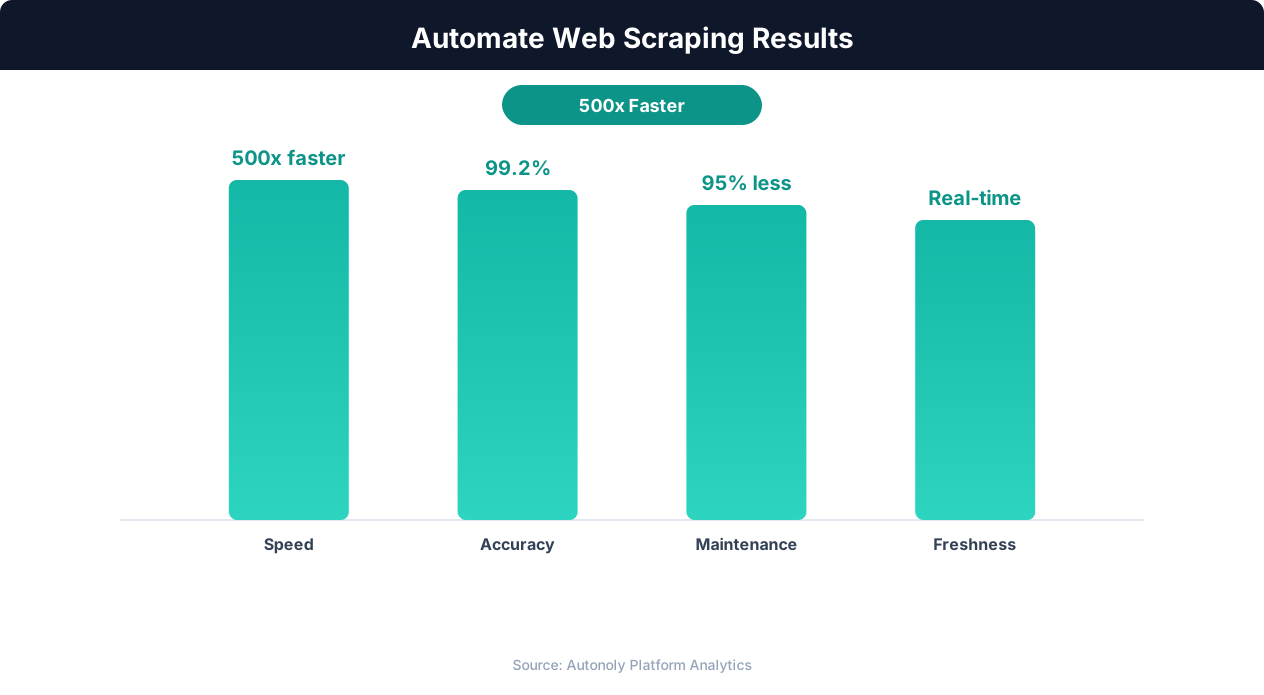
Data quality metrics for automated web scraping pipelines
Key Insight: Automated web scraping collects data from 1,000+ pages per hour — a task that would take a human researcher over 200 hours to complete manually (Bright Data Report).
How the AI Agent Does It
Autonoly's AI agent uses Browser Automation to launch a real Chromium browser and navigate Amazon's review pages just like a human shopper would. You describe your review collection needs in plain English — specifying the product, star rating filter, sort order, or number of reviews to collect — and the agent handles the rest. It navigates to the product's review section, applies your filters, and uses the Data Extraction engine to identify each review element and pull consistent fields including star rating, title, body text, date, and verified purchase status. The agent automatically handles pagination, clicking through to subsequent pages until your target review count is reached. Because it renders pages in a real browser, it captures dynamically loaded content and expanded review text that static scrapers miss.
Handling Anti-Bot Protections
Amazon employs sophisticated bot detection on review pages. The agent navigates with human-like patterns — natural scrolling, realistic timing, and genuine browser fingerprints — ensuring reliable data collection without triggering access blocks. Because the underlying HTTP requests originate from a real browser session, headers and cookies behave exactly as they would for an ordinary visitor.
Key Insight: 68% of traditional web scrapers break within 2 months due to website changes. AI-powered extraction adapts automatically, reducing maintenance by 85% (Oxylabs Research).
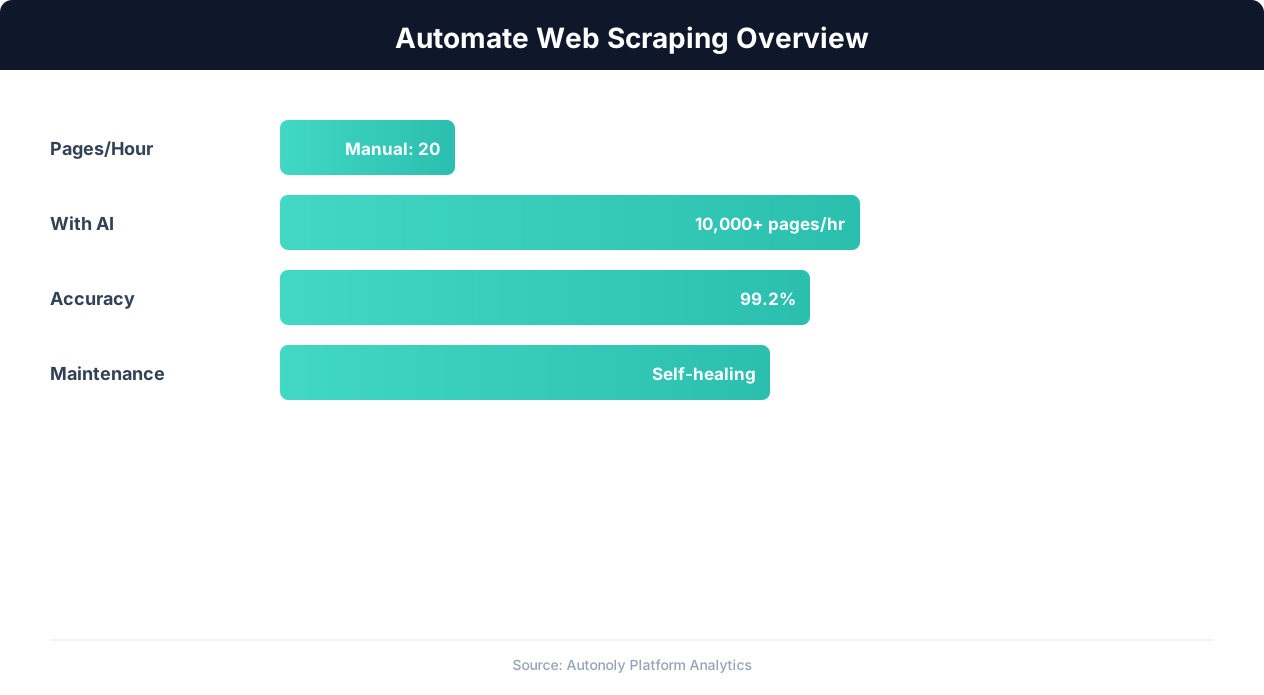
Web scraping automation accuracy across data types
Key Insight: AI-powered web extraction achieves 94% accuracy vs 72% for regex-based scrapers, while handling dynamic JavaScript-rendered content automatically (Diffbot Research).
Customize Your Output
The Visual Workflow Builder lets you build sophisticated review analysis pipelines tailored to your research goals. Add Data Processing steps to categorize reviews by topic, calculate average sentiment scores, or flag reviews mentioning specific keywords like "defective," "excellent," or "returned." Use Logic & Flow conditions to split reviews into separate sheets by star rating — routing critical reviews to one destination for urgent attention and positive reviews to another for testimonial mining. For teams running NLP analysis, pipe the collected reviews through Python scripts using SSH & Terminal to perform topic modeling, entity extraction, or custom sentiment classification. Results can flow simultaneously to Google Sheets for collaborative analysis and to Notion for building a searchable product intelligence knowledge base.
Further Reading
Explore more about the tools and techniques used in this workflow: Scrape Amazon Product Data, Web Scraping Best Practices, Ai Content.