


Why Automate App Store Chart Scraping?
The Apple App Store charts are a critical data source for mobile product managers, app marketers, venture capitalists, and competitive intelligence teams. Tracking which apps are rising and falling in the rankings reveals market trends, competitive dynamics, and emerging categories. Manually checking charts daily across dozens of categories is simply not scalable. Automating with Autonoly's Browser Automation gives you a living dataset that updates itself.
App store optimization (ASO) professionals need historical ranking data to measure the impact of their efforts. Investors track chart movements to identify breakout consumer apps early. Game studios monitor competitor launches to time their own releases strategically. All of these workflows depend on reliable, structured chart data.
How the AI Agent Scrapes App Store Charts
The Apple App Store's web interface renders content dynamically with JavaScript, making it invisible to simple HTTP scrapers. Autonoly's AI Agent Chat launches a full browser session that renders the page completely before extracting data. The agent navigates to the App Store charts section, selects the chart type and category you specified, and identifies the repeating app listing pattern.
The Data Extraction engine pulls consistent fields from each ranked app: position, name, developer, star rating, number of ratings, price, and category. For deeper data, the agent can click into individual app pages to extract descriptions, screenshots, version history, and in-app purchase details.
Because the agent uses genuine browser navigation rather than API scraping, it sees exactly the same rankings a human visitor would see — including regional differences based on the store locale you target.
What Data You Get
A standard App Store chart export includes:
Rank — Current chart position (1 through 200)
App Name — Display name on the App Store
Developer — Publisher or studio name
Rating — Average star rating
Rating Count — Total number of user ratings
Price — Free, paid amount, or subscription indicator
Category — Primary App Store category
App Store URL — Direct link to the listing
You can request additional data points by describing them to the agent. Want the app's age rating, file size, or last update date? Just ask.
Customizing Your Extraction
Use the Visual Workflow Builder to create sophisticated chart tracking workflows:
Multi-chart extraction: Scrape Top Free, Top Paid, and Top Grossing in a single run
Multi-category tracking: Cover Games, Productivity, Health & Fitness, and more simultaneously
Multi-region comparison: Track charts across US, UK, Japan, and other storefronts
Historical tracking: Append timestamped data to build ranking trend datasets
Add Data Processing steps to calculate rank changes between snapshots, flag new entrants, or identify apps that dropped out of the charts. For advanced analysis, pipe data through a Python script using SSH & Terminal to generate trend visualizations or predictive models.
Scheduling and Trend Analysis
App Store charts update throughout the day. Schedule your workflow to run daily at a consistent time for reliable trend data. Weekly runs work well for strategic overviews, while daily runs are better for competitive monitoring.
Over time, your Google Sheet becomes a powerful ranking history database. Combine it with chart tools in Google Sheets to visualize rank trajectories, identify seasonal patterns, and measure the impact of competitor marketing campaigns.
Exporting and Integrating
While this task targets Google Sheets integration as the primary destination, you can add parallel outputs:
Excel (.xlsx) — Download snapshots for offline analysis
[Notion](/integrations/notion) — Feed app intelligence into your product research database
[Slack](/integrations/slack) — Post daily chart summaries to a team channel
[Airtable](/integrations/airtable) — Build a filterable app database with linked records
Browse our templates library for pre-configured App Store tracking workflows. See pricing for execution costs. For context on automation concepts, visit our workflow automation glossary.
Use Cases
Product managers use chart data to benchmark their app against competitors and measure the impact of feature releases on rankings. Marketers correlate ad spend with chart movements. Investors screen for fast-rising apps in hot categories. Journalists use chart data to identify trending apps for stories. ASO consultants deliver ranking reports to clients automatically, freeing up time for strategic recommendations rather than manual data collection.
By combining App Store data with other Autonoly automations — like scraping Google Play charts or pulling app review sentiment — you build a comprehensive mobile market intelligence platform without writing a single line of code. The Integrations ecosystem connects your data to wherever your team already works.
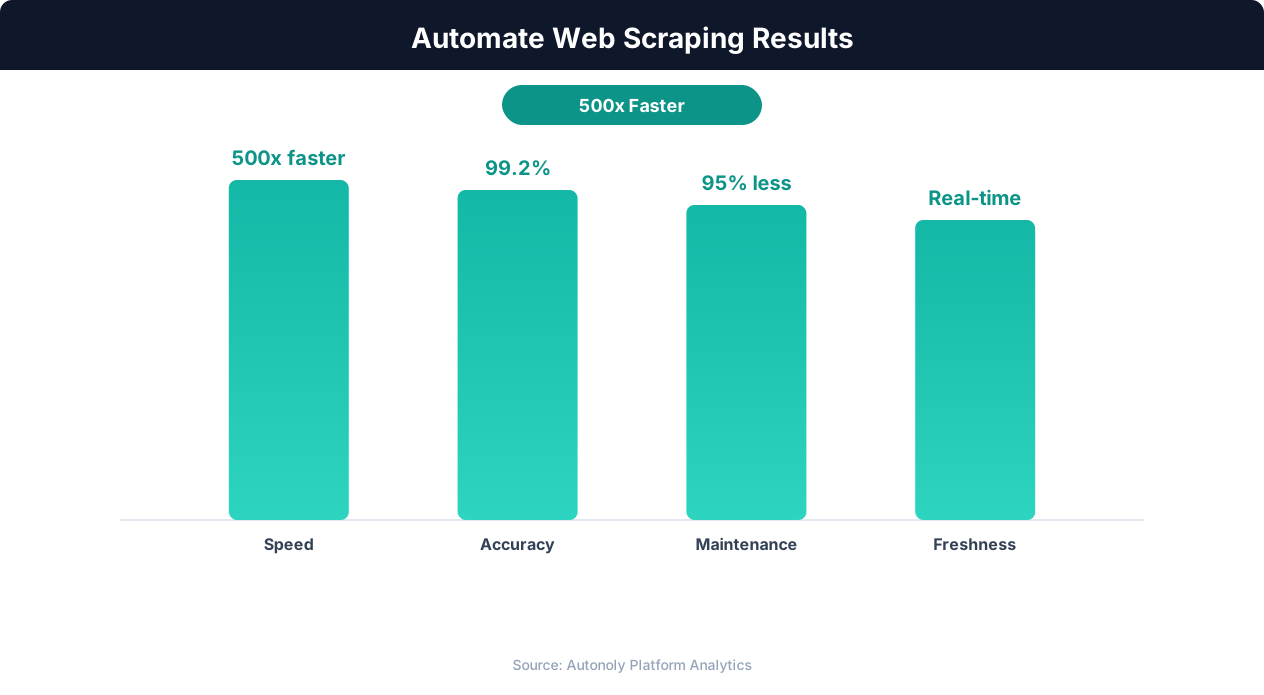
Data quality metrics for automated web scraping pipelines
Key Insight: 68% of traditional web scrapers break within 2 months due to website changes. AI-powered extraction adapts automatically, reducing maintenance by 85% (Oxylabs Research).
How the AI Agent Does It
Autonoly's AI agent takes a fundamentally different approach to App Store data collection compared to API-based tools or static scrapers. The agent uses Browser Automation to launch a real Chromium browser and navigate the App Store web interface exactly as a human would. It renders all JavaScript content, handles dynamic chart loading, and reads the fully rendered page to identify app listing patterns. You simply describe what charts and categories you want in plain English, and the agent builds the navigation plan automatically. The Data Extraction engine detects repeating app card elements and extracts consistent fields from each entry without requiring you to write any selectors or configure any parsing rules.
Multi-Region Support
Because the agent uses real browser navigation, it can switch between App Store regions by adjusting the storefront URL — giving you access to US, UK, Japan, Germany, and dozens of other regional charts in a single workflow run.
Key Insight: Companies using automated data collection make strategic decisions 4x faster by having real-time competitive and market data instead of quarterly manual reports (Gartner).
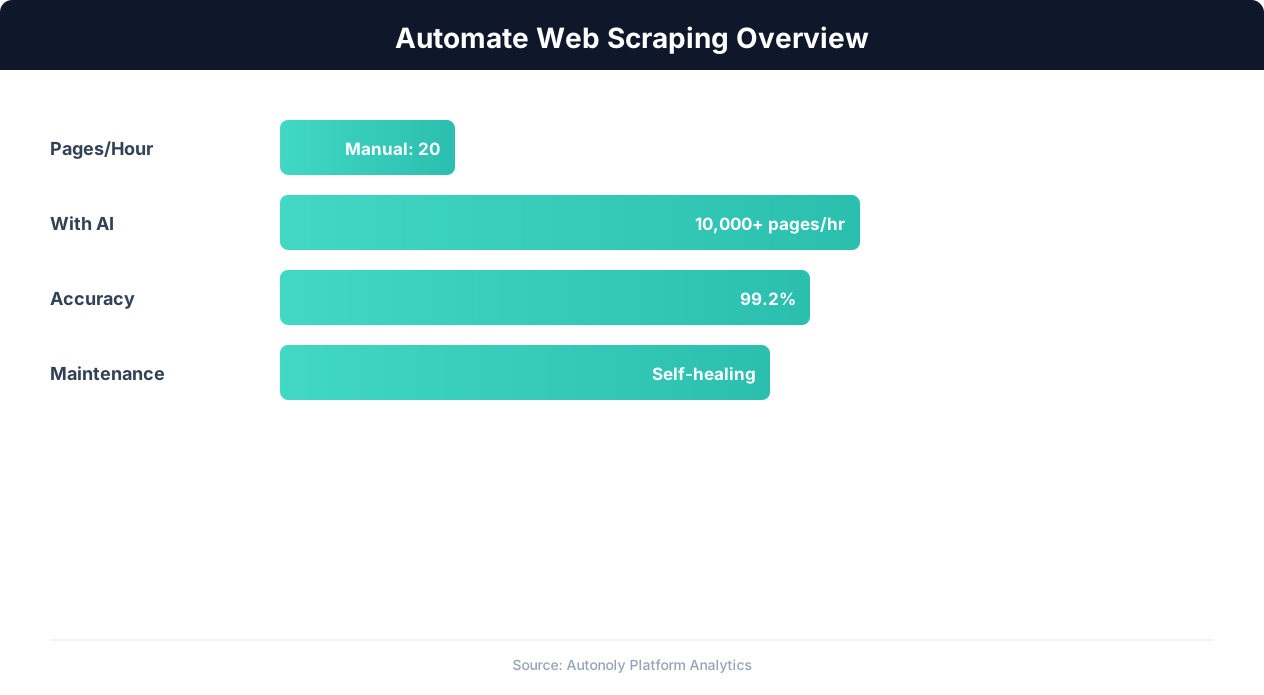
Web scraping automation accuracy across data types
Key Insight: Automated web scraping collects data from 1,000+ pages per hour — a task that would take a human researcher over 200 hours to complete manually (Bright Data Report).
Common Use Cases
Mobile product managers track their own app's chart position relative to key competitors over time, correlating ranking changes with feature releases and marketing campaigns. ASO consultants automate weekly ranking reports for multiple client apps, freeing up time for strategic analysis. Venture capital firms screen for breakout apps in trending categories to identify early-stage investment opportunities. Game studios monitor competitor launch timing and chart performance to optimize their own release schedules. Market research teams use Data Processing steps and Logic & Flow conditions to flag new chart entrants and calculate week-over-week rank changes automatically, turning raw chart data into actionable competitive intelligence dashboards.
Further Reading
Explore more about the tools and techniques used in this workflow: Scrape Dynamic Websites, Best Web Scraping Tools.