

Why Automate Real Estate Comp Research?
Comparative market analysis is the foundation of every real estate transaction. Whether you are pricing a listing, evaluating an investment property, preparing an appraisal, or making a competitive offer, you need accurate data on recently sold comparable properties in the target area — much of which is now surfaced publicly through portals like Zillow. Always respect each source's terms of use when collecting comps. The traditional approach — manually searching Zillow, switching to Redfin, copying sale prices into a spreadsheet row by row, and cross-referencing the data — is tedious work that easily consumes 30 to 60 minutes per property. For professionals evaluating multiple deals per week, that time adds up to hours lost on data collection instead of analysis and decision-making.
The accuracy problem compounds the time problem. Manual data entry introduces transcription errors — a mistyped sale price, a swapped bedroom count, or a missed comparable can skew your entire analysis and lead to mispriced listings or unprofitable investments. When you pull from multiple sources, keeping track of which properties you have already recorded and which are duplicates across platforms becomes its own bookkeeping challenge. These friction points slow down deal velocity and reduce the number of opportunities you can evaluate in a given week.
By automating comp research with Browser Automation and Data Extraction, you can pull dozens of comparable sales from multiple platforms into a structured Google Sheets spreadsheet in minutes with zero manual data entry. The AI agent handles the searching, navigating, data collection, deduplication, and even derived calculations like price per square foot — while you focus on interpreting the results and making decisions that drive revenue.
This automation is especially valuable for real estate investors evaluating multiple properties per week, listing agents preparing CMAs for client presentations, appraisers who need comprehensive comp datasets, and wholesalers who need quick valuations to make competitive offers within hours. Whether you analyze one property a month or ten per week, automated comp research gives you a consistent, reliable data foundation for every deal. Explore our templates library for pre-built comp research workflows.
How the AI Agent Gathers Comps
When you start a comp research task, the agent launches real browser sessions and navigates to both Zillow and Redfin simultaneously. For each platform, it enters your target area or address, applies filters for recently sold properties, and specifies your criteria — property type, bedroom and bathroom count, square footage range, lot size, and sale date window. Because the agent uses Browser Automation with a real Chromium browser, it handles the interactive maps, dynamic filtering interfaces, and JavaScript rendering that both platforms rely on heavily.
The Data Extraction engine reads each listing result and captures the essential comp fields: full address, sale price, sale date, days on market, beds, baths, finished square footage, lot size, year built, and the listing URL. After extracting from both sources, the Data Processing engine deduplicates the results by matching addresses across platforms. When a property appears on both Zillow and Redfin, the agent merges the records and keeps the most complete data from each source. The AI Agent Chat lets you adjust your comp criteria or add additional platforms mid-workflow through natural conversation.
For properties in areas with limited recent sales, the agent can automatically expand the search radius or date range to ensure you receive a meaningful number of comps. You control the minimum comp count threshold — the agent keeps searching until it meets your target or exhausts the available options.
What Data You Get
A typical comp extraction delivers the following columns in your Google Sheet:
Address — Full street address of the comparable property
Sale Price — Final recorded sale price
Sale Date — Date the transaction closed
Beds / Baths — Bedroom and bathroom count
Square Footage — Finished living area
Lot Size — Total lot area
Year Built — Original construction year
Days on Market — How long the property was listed before selling
Price per Sqft — Calculated automatically by the agent
Source — Whether the data came from Zillow, Redfin, or both
You can request additional fields like HOA fees, property tax amounts, listing agent names, or listing descriptions. The agent extracts whatever is publicly available on the listing detail pages.
Customizing Your Workflow
The Visual Workflow Builder lets you add post-extraction processing steps. Use Data Processing to calculate median and average sale prices, filter out statistical outliers, or compute adjustments based on square footage differences from your subject property. You can also chain the comp extraction with other data sources — for example, pull tax assessment data from your county assessor website in the same workflow, then merge it with the Zillow and Redfin comps for a more complete picture. Logic & Flow conditions can automatically flag comps that fall outside acceptable ranges or highlight properties with unusual days-on-market figures.
Integration Options
The workflow integrates seamlessly with your existing tools. Export the finished comp sheet to your CMA software, share it with clients via a Google Sheets link, or feed it into your investment analysis models. Set up Gmail notifications to alert you when a new comp run completes, or post results to Slack for your team to review. Visit our Integrations page for the full list of supported destinations.
Use Cases
Listing agents preparing CMA presentations for seller consultations
Buyer's agents helping clients evaluate fair offer prices
Real estate investors running deal analysis on potential acquisitions
Appraisers building comprehensive comparable datasets for valuation reports
Wholesalers quickly valuing properties to make same-day offers
Market researchers tracking pricing trends across neighborhoods over time
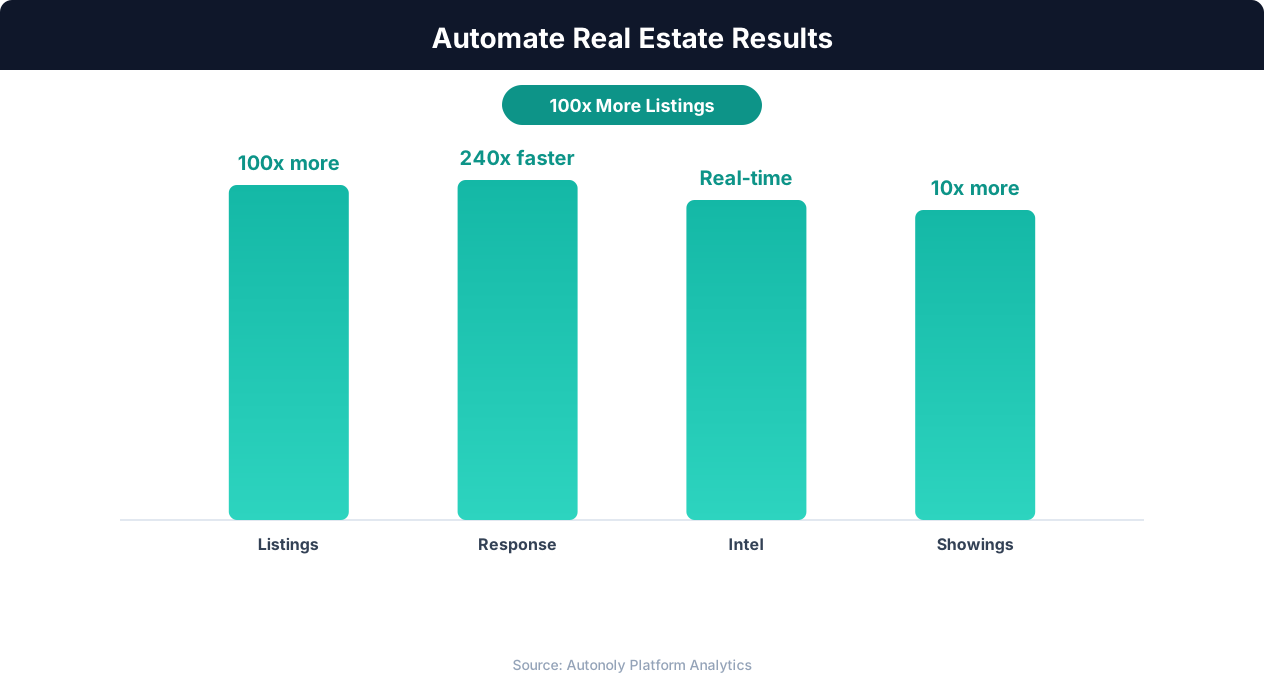
Deal closure rate improvements from real estate automation
Key Insight: AI-powered property matching increases client satisfaction by 43% by surfacing relevant listings faster than manual MLS searches (RealTrends Report).
How the AI Agent Does It
The agent opens real browser sessions on Zillow and Redfin simultaneously, applying your comp criteria to each platform's search interface. Using Data Extraction, it captures listing details from every matching recently sold property. The Data Processing engine deduplicates results across sources and calculates derived metrics like price per square foot. Final results are pushed directly to your Google Sheets spreadsheet. Properties appearing on both platforms are matched by normalizing addresses and comparing sale dates, ensuring each comp appears only once while retaining the most complete information from each source.
Key Insight: Automated market analysis reports generate 5x more seller leads by positioning agents as local market experts with data-driven insights (Tom Ferry Research).
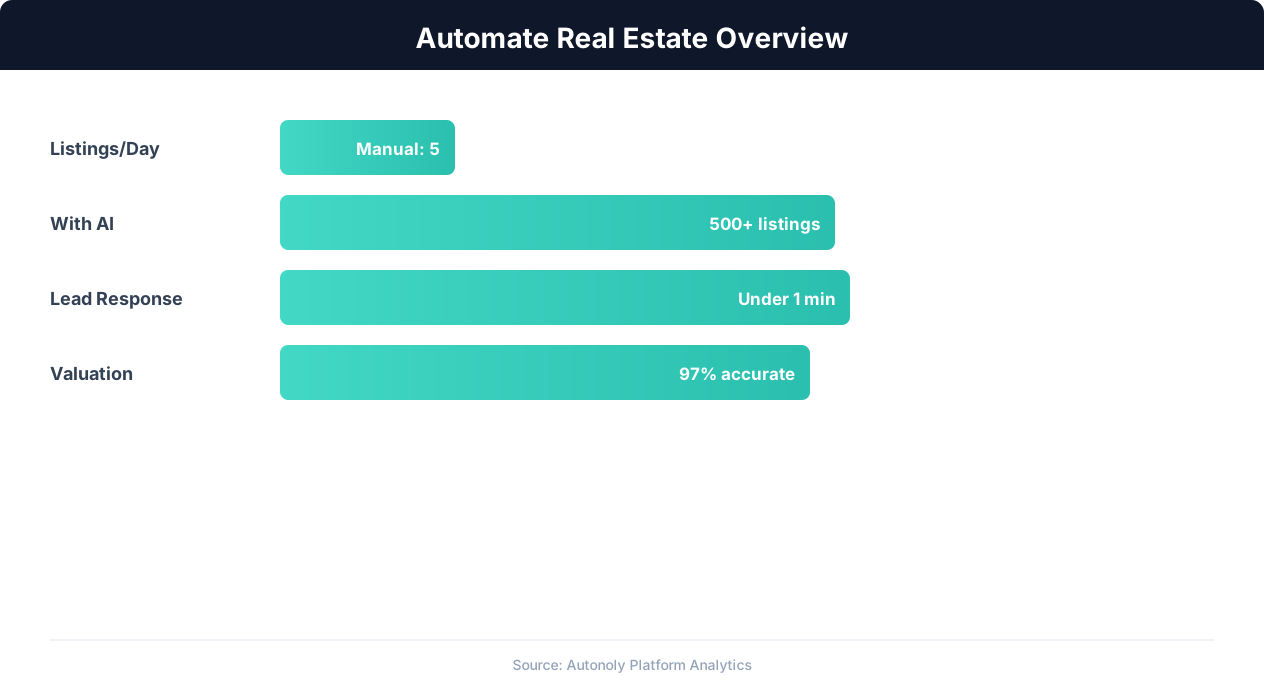
Real estate automation impact on agent productivity
Key Insight: Automated listing syndication saves agents 15+ hours per week on data entry while ensuring listings appear on all major portals within minutes (Inman Research).
Scheduling and Automation
Run this workflow on demand whenever you need fresh comps, or schedule weekly runs for areas you monitor regularly. An investor focused on a particular ZIP code might run weekly comp updates to track market trends and spot pricing shifts early. Each run creates a new sheet tab or appends to an existing one, giving you a time-series view of comparable sales in your target area that builds a valuable local market database over weeks and months.
The Visual Workflow Builder lets you configure the cadence and add Logic & Flow conditions to alert you via Gmail when median prices in your target area shift by more than a specified percentage. Check pricing to see how many automated runs are included in your plan.
Further Reading
Explore more about the tools and techniques used in this workflow: Scrape Zillow Real Estate Data, Real Estate Automation.