


Why Automate Lab Result Notifications?
Waiting for lab results creates significant anxiety for patients. From the moment they leave the lab, patients begin wondering when they will hear back — and the longer the silence, the more anxious they become. When patients do not hear from their doctor within a few days, they start calling the office, tying up phone lines and front desk staff with repetitive status inquiries. A single lab result inquiry call may seem minor, but across 20 to 30 patients per day waiting on results, these calls become a major operational burden that crowds out other patient needs and inflates hold times.
The communication bottleneck usually occurs on the provider side. Results arrive at the practice, but providers review them in batches between patients — sometimes the same day, sometimes days later. Once reviewed, the results sit waiting for someone to call the patient or post a message in the portal. In busy practices, this relay step is where communication breaks down. Staff may forget, prioritize other tasks, or assume someone else is handling it. The patient calls again, the front desk checks with the provider, and the cycle repeats — wasting everyone's time.
Automating lab result notifications with Google Sheets and Gmail eliminates this bottleneck entirely. The moment a provider marks results as reviewed in your tracking spreadsheet, the patient automatically receives an email letting them know their results are ready and how to access them. This reduces inbound phone calls dramatically, improves patient satisfaction, and ensures consistent, timely communication. Patients stop calling because they trust the system — they know they will be contacted proactively.
This workflow is valuable for primary care practices, specialty clinics, pathology labs, endocrinology offices, oncology practices, and any healthcare setting where patients are waiting on test results. The automation is especially impactful for practices that order high volumes of lab work — a primary care practice with 50 lab orders per week sees immediate relief in phone volume and staff workload. Browse our templates library for pre-built lab notification workflows.
How the AI Agent Sends Notifications
Your lab results tracking sheet in Google Sheets maintains a log of pending and reviewed results. Each row includes the patient's name, email, test or panel name (e.g., CBC, lipid panel, HbA1c), date the sample was collected, date results were received, provider who reviewed them, review status, and notification status. The agent runs daily and scans for rows where the review status is "Reviewed" but the notification status is still "Pending."
For each qualifying row, the Data Processing engine generates a notification email personalized with the patient's name, the test name, and instructions for how to access their results — whether through a patient portal, by calling the office, or by scheduling a follow-up visit. The email is carefully worded to inform without alarming — it tells the patient that results are available and provides a clear next step, without including the actual results in the email body. This privacy-first approach maintains patient confidentiality while delivering timely, actionable communication.
Emails are sent through Gmail from your practice's email address. After sending, the agent updates the notification status column to "Sent" with a timestamp, preventing duplicate notifications on future runs. Use the AI Agent Chat to customize notification templates or adjust result-type routing through natural conversation.
What Data You Get
Your lab results tracking spreadsheet provides end-to-end visibility:
Patient Name — Who the results belong to
Test / Panel Name — CBC, lipid panel, HbA1c, TSH, etc.
Collection Date — When the sample was taken
Results Received — When results arrived at the practice
Reviewed By — Which provider reviewed the results
Review Date — When the provider completed their review
Result Category — Normal, abnormal, or critical
Notification Sent — Timestamp of when the patient was notified
Turnaround Days — Calculated from collection to notification
Customizing Your Workflow
The Visual Workflow Builder lets you build different notification paths based on result characteristics. Use Logic & Flow conditions to send reassuring emails for normal results with next routine test scheduling, route abnormal results to the provider or nurse for personal phone calls with clinical context, and flag critical values for immediate provider review without automated notification. Add a provider summary step — each day after notifications go out, generate a summary for each provider listing notified patients, pending reviews, and how many days results have been waiting. For practices with patient portals, include a direct link in the notification email for immediate access.
Integration Options
Send notifications through Gmail with your practice's professional branding. Track all results data in Google Sheets for compliance and turnaround analysis. Add Slack alerts to notify providers when results have been pending review for more than a specified number of days. The Data Processing engine generates monthly turnaround reports helping identify bottlenecks. Visit the Integrations page for all connection options.
Use Cases
Primary care practices notifying patients about routine blood work, cholesterol panels, and annual screening results
Endocrinology clinics communicating thyroid, HbA1c, and hormone level results to chronic disease patients
Oncology practices managing high-anxiety result communication with provider-reviewed notification paths
Pathology labs alerting referring providers and patients when biopsy and tissue results are available
Pediatric practices notifying parents when children's lab results are ready for review
Specialty clinics handling imaging, allergy testing, and genetic testing result communication
Reducing Phone Volume
Practices that implement automated lab notifications typically see a 40 to 60 percent reduction in inbound phone calls about result status. Patients appreciate knowing they will be contacted proactively, so they are less likely to call preemptively. This frees front desk staff for higher-value interactions and reduces hold times for callers with other needs.
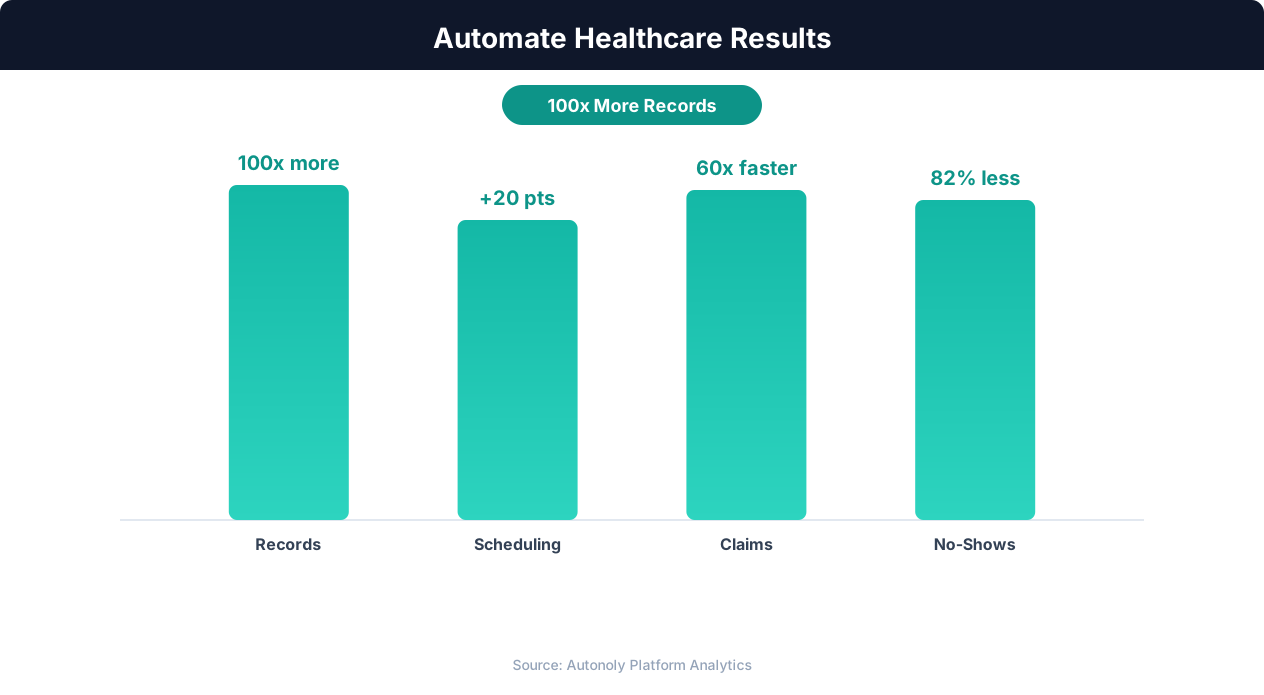
Cost savings from healthcare workflow automation
Key Insight: Automated appointment scheduling reduces no-show rates by 38% through timely reminders and easy rescheduling options (MGMA Research).
How the AI Agent Does It
The agent scans your lab results tracking sheet in Google Sheets daily for newly reviewed results. The Data Processing engine generates personalized notification emails for each patient, sent through Gmail. Notification status is updated in the spreadsheet to prevent duplicates. The Logic & Flow engine routes abnormal results to providers for personal follow-up instead of automated notification. Notification emails never include actual lab values — only that results are available and how to access them.
Key Insight: AI-powered medical data extraction achieves 97% accuracy on standard clinical documents, reducing transcription errors that affect 1 in 5 manual entries (AHIMA).
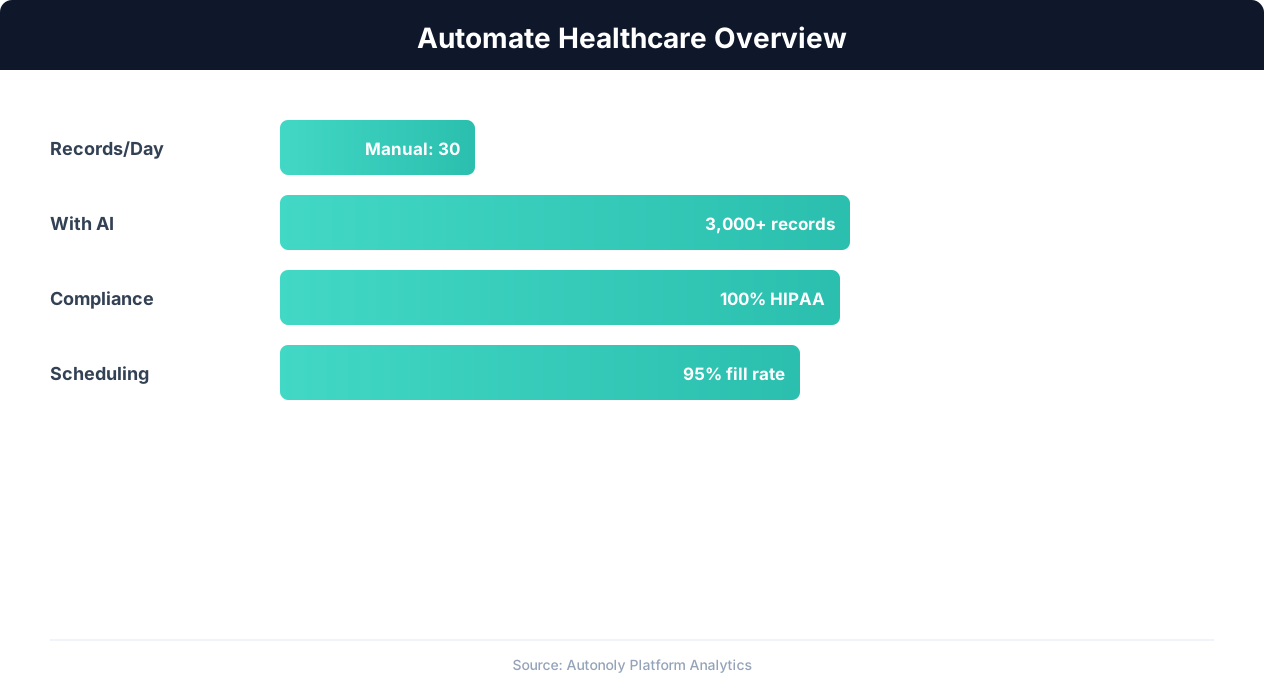
Healthcare automation impact on administrative efficiency
Key Insight: Healthcare organizations spend 34% of total revenue on administrative tasks. Automation can reduce this overhead by up to 50% (McKinsey Healthcare Report).
Scheduling and Automation
The notification workflow runs daily, typically in the late morning after providers have had time to review incoming results. The Visual Workflow Builder lets you set the exact time. Some practices run it twice daily — morning and afternoon — to minimize the delay between provider review and patient notification. Each run processes only newly reviewed results, and the agent's stateful tracking prevents duplicate notifications.
Add Logic & Flow conditions to route abnormal results to providers, generate daily review summaries, flag results pending review for too long, and track turnaround metrics. Over time, the tracking spreadsheet becomes a complete log of lab result turnaround for quality improvement. Check pricing to see how many automated runs are included in your plan.
Further Reading
Explore more about the tools and techniques used in this workflow: No Code Automation Guide, Automate Email Reports, Email Campaigns.