


Why Automate Contract Generation?
Legal and sales teams spend significant time preparing contracts — copying client details into templates, adjusting terms for each deal, double-checking that names and numbers are correct, and exporting the final document as a PDF. For a single contract, this process takes 15-30 minutes when everything goes smoothly. But for businesses that close dozens or hundreds of deals per month, this manual process becomes a serious bottleneck. A sales team closing 80 deals per month spends 20-40 hours — essentially one person's entire work week — on contract preparation alone. That is a full headcount devoted to a task that is fundamentally about copying data from one place to another.
The risk of human error grows with volume. A single typo in a client name creates embarrassment. An incorrect pricing figure creates legal liability. A wrong start date delays onboarding. A missing clause exposes your business to risk. These are not theoretical concerns — contract errors are one of the leading causes of deal delays, and studies show that 36% of businesses have experienced financial loss due to contract management errors. When the same person generates their 50th contract of the month, fatigue-driven mistakes become almost inevitable. The consequences range from awkward corrections to genuine legal exposure that could have been entirely avoided.
Beyond the errors, manual contract preparation creates a dependency bottleneck. If the one person who knows how to prepare contracts is on vacation, deals stall. If the sales team closes a deal on Friday evening but the contracts team does not work weekends, the client waits until Monday to receive their agreement — and enthusiasm can fade over a weekend. Speed matters in sales, and contract preparation should never be the constraint. Every hour between verbal agreement and signed contract is an hour where the deal is at risk of losing momentum.
Automated contract generation removes human error and bottleneck risk from the process. The AI agent reads client details from Google Sheets, merges them with your approved contract template, and produces a correctly formatted PDF ready for signature. Each contract is identical in structure but personalized in content. A batch of 100 contracts generates in under 5 minutes, with zero typos and zero omissions. Your sales team can close a deal and have the contract in the client's inbox within minutes, not hours or days.
How the AI Agent Generates Contracts
Autonoly's AI Agent Chat works with a contract template that contains placeholder fields. These can be simple merge fields (like {{clientname}}, {{contractdate}}, {{monthly_rate}}) or conditional sections that appear only for certain deal types.
The agent reads your Google Sheet where each row represents a deal:
| Client Name | Service Tier | Monthly Rate | Start Date | Payment Terms | |
|---|---|---|---|---|---|
| Acme Corp | [email protected] | Enterprise | $5,000 | 2026-04-01 | Net 30 |
| StartupCo | [email protected] | Growth | $2,000 | 2026-04-15 | Net 15 |
For each row, the agent populates every placeholder in the template, formats dates and currency values correctly, and renders the final document as a PDF. The Data Processing engine handles edge cases: formatting multi-line addresses, calculating totals from line items, inserting the correct legal entity name based on the client's jurisdiction, and computing annual values from monthly rates. Using Data Extraction, the agent can also pull supplementary data from other sheets or sources to complete fields that are not in the primary deal sheet — such as standard terms from a master agreement library or jurisdiction-specific clauses from a legal reference sheet.
Template Flexibility
Your contract template can be as simple or complex as your business requires:
Standard service agreement: Fixed template with client name, dates, and pricing swapped in
Statement of work: Dynamic scope sections generated based on selected services in the spreadsheet
Multi-party agreements: Templates that accommodate two or more parties with separate detail blocks
Conditional clauses: Sections that appear only when certain conditions are met — for example, an NDA clause included only for enterprise clients, or a jurisdiction-specific arbitration clause
Tiered pricing tables: Dynamic pricing sections that adjust based on the selected service tier, with the correct rates, inclusions, and overage terms for each level
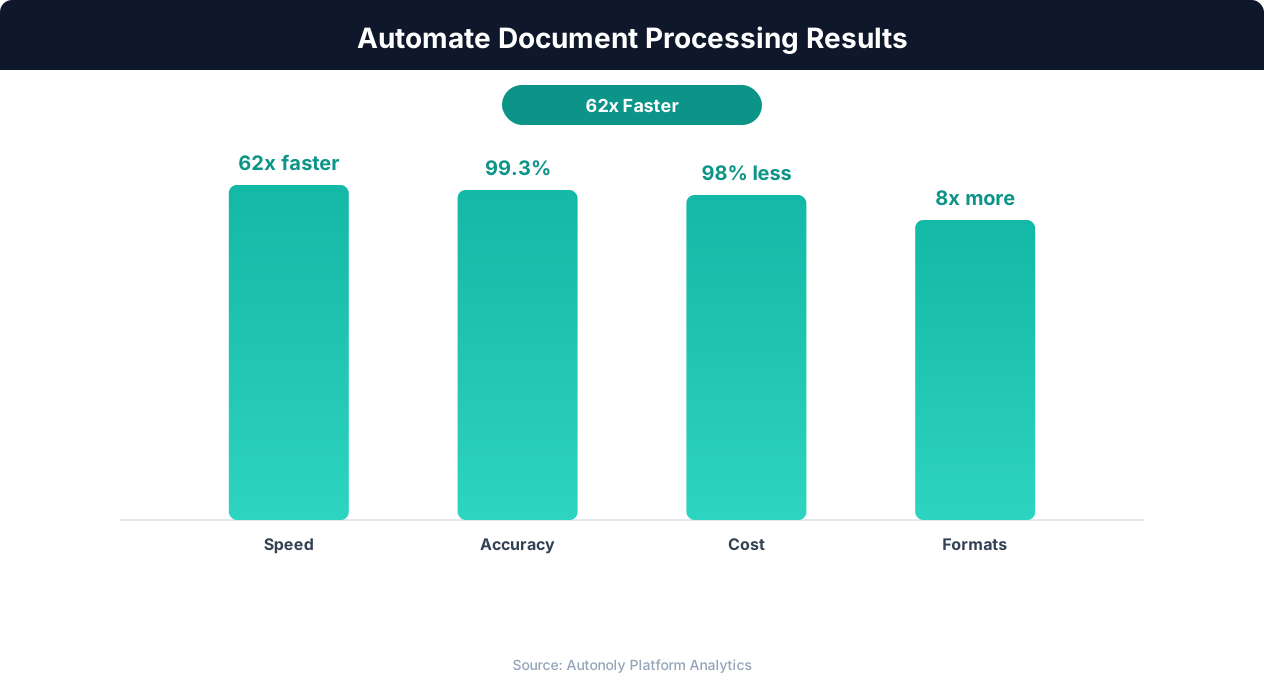
ROI timeline for document automation implementation
Key Insight: Companies automating document workflows see a 90% reduction in processing time, cutting invoice handling from 12 days to less than 24 hours (Ardent Partners).
The Visual Workflow Builder lets you manage multiple templates for different contract types. Add Logic & Flow conditions to automatically select the right template based on deal size, client type, or service category. Browse the templates library for pre-built contract generation workflows for common agreement types. When your legal team updates a template, all future contracts automatically use the new version — no need to notify the sales team or update any process documentation.
Quality Assurance and Review
Before generating final PDFs, the agent runs a validation pass to ensure all required fields are populated. Missing data — like an empty email field, a zero-dollar amount, or an invalid date — is flagged rather than silently merged into the contract. This catches data entry errors in your spreadsheet before they become contractual problems. The validation report shows exactly which rows have issues and what is missing, so your team can fix the source data quickly. Additional validation rules can check for logical consistency — ensuring the start date is not in the past, the contract value matches the selected tier's standard pricing, and the payment terms are within your approved range.
Generate contracts in preview mode first to review a sample before bulk production. Once you are satisfied with the output, trigger the full batch. Each generated PDF is named systematically (e.g., "ContractAcmeCorp2026-04-01.pdf") for easy organization and retrieval. Use Browser Automation to upload generated contracts to your e-signature platform automatically, eliminating one more manual step in the closing process.
Distribution and Follow-Up
After generation, the agent can distribute contracts automatically:
Email delivery: Send each contract to the respective client via Gmail with a personalized cover message that references the deal terms
Google Drive: Save all generated contracts to a shared folder organized by client or date for easy team access
Slack notification: Alert your sales team via Slack when contracts are generated and ready for follow-up
E-signature integration: Upload to your signing platform via Browser Automation for immediate client action
Chain this with Autonoly's follow-up email workflow to automatically remind clients who have not returned their signed contracts after a configurable period. Log all generated contracts in a Google Sheets tracker with generation date, delivery status, and signature status for complete pipeline visibility. Use Browser Automation to check e-signature platform status and update the tracker when contracts are signed.
Customizing Your Workflow
The Visual Workflow Builder makes the entire contract pipeline visual and configurable. Add approval gates where a manager reviews the contract data before generation. Insert conditional steps that select different email templates based on deal size or client tier. Include a Data Processing step that calculates annual contract values, prorates partial-month charges, or formats jurisdiction-specific legal language. Use SSH & Terminal to query your CRM database for additional client data that enriches the contract. Browse the templates library for pre-built contract generation workflows for SaaS agreements, consulting contracts, and service-level agreements.
Scheduling and Execution
This task runs as a one-time operation by default — connect your sheet, generate contracts, and distribute. For teams that close deals continuously, schedule it to run daily or weekly using cron-style scheduling to process new rows added to the spreadsheet since the last run. The agent uses differential processing to track which rows have been processed, avoiding duplicate contract generation. A status column in your sheet updates automatically as each contract moves through generation, delivery, and signing stages.
Each run produces a summary showing contracts generated, emails sent, and any rows that failed validation, delivered via Slack notification or the Autonoly dashboard. The summary includes total contract value generated in the batch, giving leadership instant visibility into pipeline velocity. See pricing for batch size limits and storage details per plan.
Further Reading
Explore more about the tools and techniques used in this workflow: No Code Automation Guide, Ai Workflow Automation, Ai Content, Integrations.