


Why Automate Maintenance Request Tracking?
Tenant maintenance requests arrive unpredictably — a leaking faucet at midnight, a broken heater on a holiday weekend, a pest issue that has been building for weeks. When these requests land in your email inbox mixed with newsletters, invoices, and personal messages, important repairs get buried and response times suffer. A plumbing emergency that sits unread for 12 hours can escalate into water damage costing thousands of dollars. A heating failure that is not addressed promptly during winter months creates habitability concerns and potential legal liability.
The consequences of disorganized maintenance tracking go beyond individual repair costs. Delayed responses are the number one complaint tenants cite when choosing not to renew their lease. Tenant turnover is one of the most expensive events in property management — vacancy costs, cleaning, repairs, marketing, and screening for each unit can easily exceed several months of rent. Preventing just one turnover per year by improving maintenance responsiveness pays for the entire cost of automation many times over.
By automating the intake process with Gmail and Google Sheets, every maintenance request is immediately captured, categorized, and logged in a centralized tracker. Nothing falls through the cracks, and you have a clear view of all open, in-progress, and completed requests across your entire portfolio. The system creates accountability — every request has a timestamp, a category, a priority level, and a status that is visible to your entire team. There is no ambiguity about what was reported, when it was received, or what action was taken.
This system is critical for property managers handling multiple buildings, landlords who manage their own properties, and maintenance coordinators who need to assign and track vendor work orders. Whether you receive five requests a month or fifty, the automated tracker ensures consistent, professional handling of every issue. Visit our templates library for pre-built maintenance tracking workflows.
How the AI Agent Processes Requests
The workflow runs every four hours, checking your maintenance email inbox for new messages. The agent uses Data Extraction to parse each email and identify the key information: which tenant sent it, which unit or property the request is for, a description of the issue, and any urgency indicators in the language. The Data Processing engine categorizes each request by type — plumbing, electrical, HVAC, appliance, structural, pest control, or general — and assigns a preliminary priority level based on keywords. Mentions of flooding, no heat, or gas smell trigger high-priority classification, while cosmetic issues like paint touch-ups or squeaky doors are marked as low priority.
Each processed request is added as a new row in your Google Sheets maintenance tracker with complete details: date received, tenant name, unit number, issue category, description, priority level, assigned vendor (initially blank), status (initially "Open"), and a link to the original email. When a tenant's email is vague or missing key details, the agent logs what it can determine and flags the row for manual review. It can also send a follow-up email to the tenant asking for clarification on the unit number or issue specifics. The AI Agent Chat lets you configure categorization rules and priority keywords through natural conversation.
You can also automate tenant acknowledgment. When a request is logged, the agent sends a confirmation email back to the tenant through Gmail letting them know their request was received and providing a reference number. This professional touchpoint reassures tenants that their issue is being addressed and reduces follow-up phone calls asking about status.
What Data You Get
Your maintenance tracker spreadsheet captures the following for every request:
Date Received — When the request email arrived
Tenant Name — Who submitted the request
Unit / Property — Which unit is affected
Issue Category — Plumbing, electrical, HVAC, appliance, structural, pest, or general
Description — Summary of the reported issue
Priority Level — High, medium, or low based on keyword analysis
Assigned Vendor — Who is handling the repair
Status — Open, in progress, completed, or awaiting parts
Resolution Date — When the issue was resolved
Email Link — Direct link to the original request email
Customizing Your Workflow
The Visual Workflow Builder lets you add automation beyond basic intake. Use Logic & Flow conditions to route high-priority requests to immediate notification channels — an emergency plumbing issue triggers an instant Slack message to your on-call maintenance person, while routine requests are batched into a daily summary. For properties with preferred vendor lists, the agent matches the issue category to the appropriate vendor from your contacts spreadsheet and sends work order details automatically.
Integration Options
Connect the intake workflow with Slack for instant team alerts on urgent issues, Gmail for tenant confirmations and vendor notifications, and Google Sheets for comprehensive tracking and reporting. Generate weekly summary reports via the Data Processing engine showing open requests, average resolution time, and maintenance costs by category, delivered to property owners via email. Visit the Integrations page for all connection options.
Use Cases
Property management companies tracking maintenance across multiple buildings with centralized visibility
Independent landlords organizing tenant requests that would otherwise get lost in a personal email inbox
Maintenance coordinators dispatching vendors automatically based on issue type and property location
Commercial property managers tracking tenant improvement requests and building system maintenance
HOA managers processing common area repair requests from homeowners
Building a Maintenance History
Over months and years, your automated tracker becomes a valuable maintenance database. Analyze trends — which units require the most repairs, which issue categories are most common, whether certain seasons bring more HVAC or plumbing requests. This data informs capital improvement decisions, vendor negotiations, and preventive maintenance schedules. The complete request history also protects you in tenant disputes, providing timestamped evidence of when requests were received and addressed.
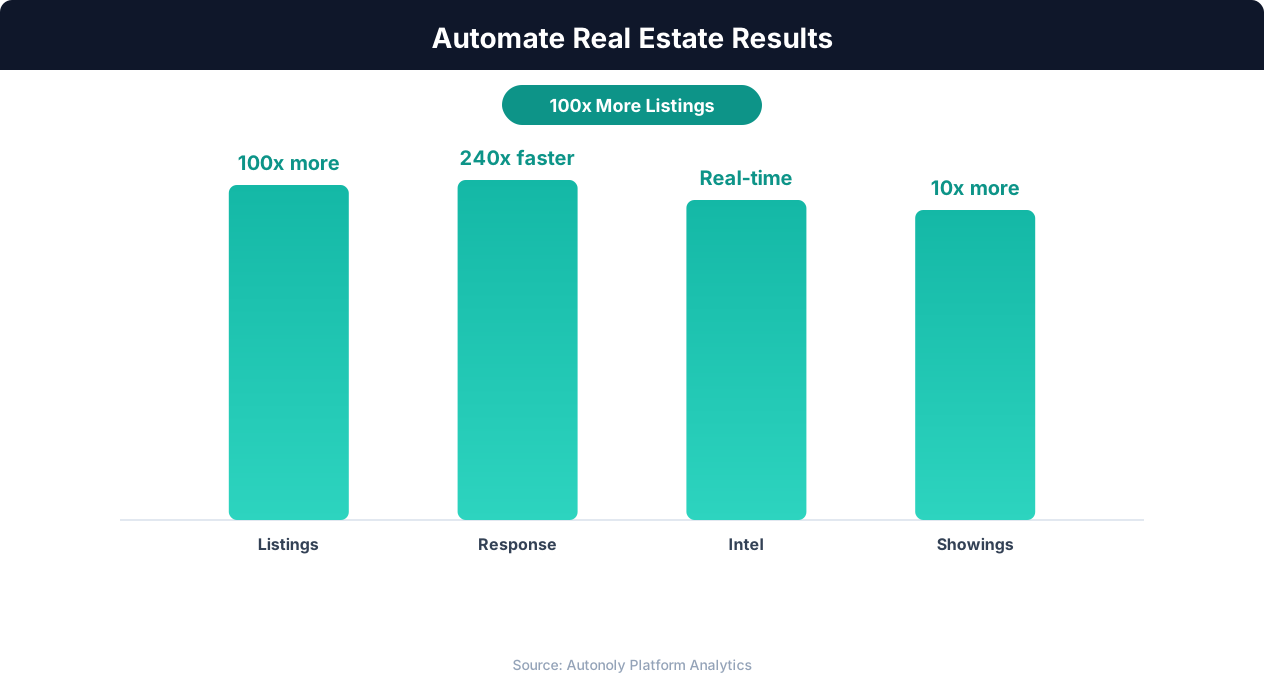
Deal closure rate improvements from real estate automation
Key Insight: Automated listing syndication saves agents 15+ hours per week on data entry while ensuring listings appear on all major portals within minutes (Inman Research).
How the AI Agent Does It
The agent monitors your designated maintenance email inbox using Gmail integration. It parses each incoming request with Data Extraction to identify tenant details, unit, issue type, and urgency. The Data Processing engine categorizes and prioritizes each request, then logs it as a new row in your Google Sheets tracker. Confirmation emails are sent back to tenants automatically. Each run processes only new emails that have not been previously logged, and the agent marks processed emails with a label in Gmail to prevent duplicate entries.
Key Insight: AI-powered property matching increases client satisfaction by 43% by surfacing relevant listings faster than manual MLS searches (RealTrends Report).
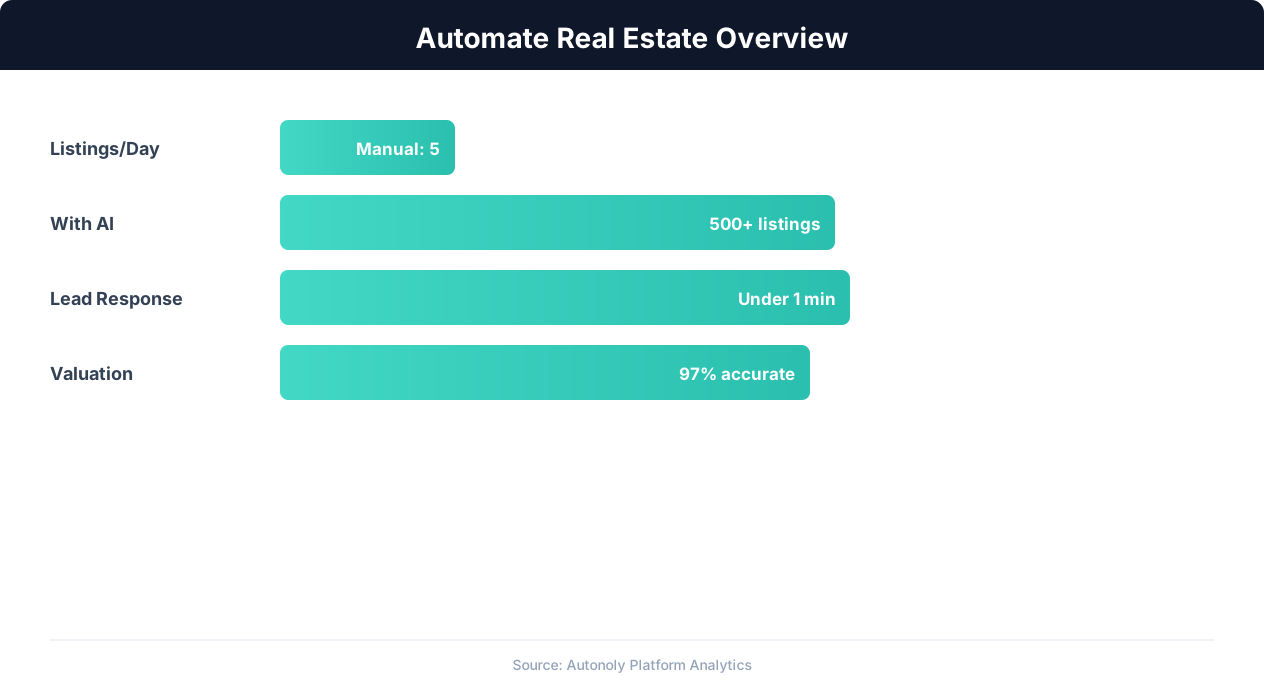
Real estate automation impact on agent productivity
Key Insight: Real estate agents using automation close 26% more deals by eliminating manual listing management and lead follow-up delays (NAR Technology Report).
Scheduling and Automation
The workflow checks for new maintenance emails every four hours using the Visual Workflow Builder. For properties where maintenance emergencies require faster response, increase the frequency to hourly to match your service level commitments. High-priority issues trigger immediate Slack alerts to your maintenance team regardless of the regular schedule.
Add Logic & Flow conditions to auto-assign vendors based on issue category, send weekly summary reports to property owners, and generate monthly maintenance cost analysis by unit and category. The Data Processing engine aggregates your tracker data into actionable reports delivered via Gmail. Check pricing to see how many automated runs are included in your plan.
Further Reading
Explore more about the tools and techniques used in this workflow: Real Estate Automation, No Code Automation Guide, Form Automation.