


Why Scrape Twitter Hashtag Data?
Twitter/X remains one of the most important platforms for real-time public discourse, brand conversations, and trend analysis. Hashtags organize conversations around topics, events, campaigns, and movements, making them a rich data source for marketers, researchers, and analysts. However, Twitter's native analytics tools are limited, and the API has become increasingly restrictive and expensive since pricing changes in 2023.
By scraping hashtag data into Excel, you gain a structured dataset that can be analyzed with standard spreadsheet tools, shared with team members, and combined with data from other sources. This is essential for campaign performance analysis, brand monitoring, competitive research, and academic or market research. Browser-based extraction bypasses API pricing tiers entirely, making it the practical choice for teams that need tweet data without enterprise-level budgets.
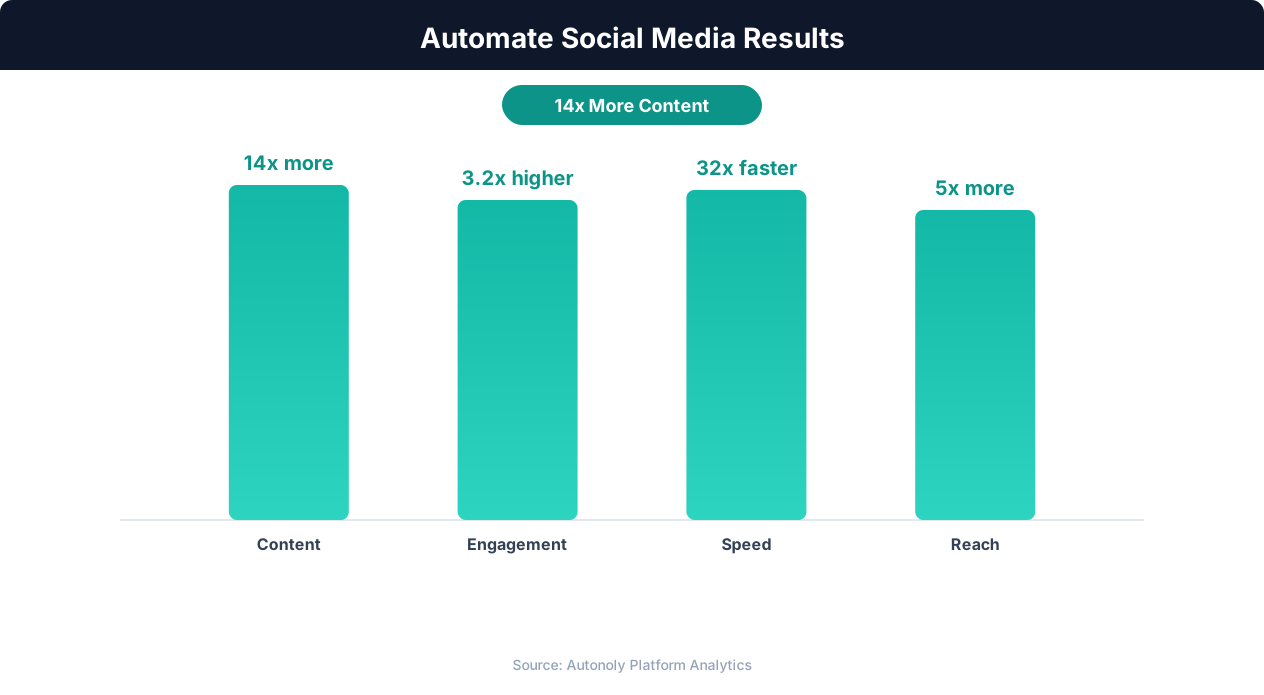
Audience growth rates with social media automation
Key Insight: Social media managers spend 6+ hours per day on repetitive tasks. Automation reclaims 75% of that time for strategy and creative work (Hootsuite Social Trends).
How Autonoly Scrapes Twitter
Twitter's interface is highly dynamic — infinite scrolling, real-time updates, lazy-loaded media, and complex JavaScript rendering make it one of the more challenging platforms to automate. Autonoly's Browser Automation engine uses a full Playwright browser that handles all of this complexity, scrolling through search results and extracting data exactly as a human would see it. Because Twitter/X renders content dynamically with JavaScript, a real browser is essential — static HTTP scrapers cannot access this content at all.
The AI Agent Chat lets you configure the scrape naturally. Specify hashtags like #AIAutomation, search queries with advanced operators, or a combination of both. The agent navigates to Twitter's search interface, applies your filters (Latest, Top, People), and scrolls through results extracting data.
What Data Gets Captured
The Data Extraction engine pulls comprehensive data from each tweet — the full tweet text, author name and handle, verified status, follower count, likes, retweets, replies, bookmarks, timestamp, media attachments (images, videos, links), quoted tweets, and whether it is a reply or original post.
For marketing campaigns, this data reveals which messages resonate (high engagement), who the influential participants are (high followers + engagement), and how conversations evolve over the hashtag's lifetime. The Data Processing feature can calculate engagement rates, identify top contributors, and segment tweets by content type.
Advanced Search Capabilities
Twitter's advanced search operators are powerful but underused. Autonoly supports queries like:
#AIAgents since:2026-01-01— Hashtag filtered by date"browser automation" min_faves:50— Exact phrase with engagement floorfrom:username lang:en— Tweets from specific accounts in English(Autonoly OR "workflow automation") -is:retweet— Boolean logic excluding retweets
These targeted queries produce focused, high-quality datasets rather than overwhelming raw feeds. The Visual Workflow Builder lets you chain multiple search queries into a single workflow, merging results into one spreadsheet with a source column indicating which query matched.
Excel as an Analysis Platform
The Excel output is structured for immediate analysis. Sort by engagement to find the most impactful tweets. Filter by date to analyze campaign phases. Use pivot tables to summarize engagement by day, author, or content type. The data is clean and consistent, with proper data types for numbers, dates, and text.
Common analyses teams build from this data include hashtag volume over time (tweets per hour or day), top influencers by total engagement within a hashtag, sentiment distribution across a product launch conversation, and competitive share of voice across branded hashtags.
For teams that prefer collaborative analysis, the Google Sheets integration provides a cloud-based alternative. Results can also be sent to the Slack integration for team alerts.
Data Processing and NLP
After extraction, Data Processing nodes can transform the raw data before export. Common transformations include sentiment scoring to classify tweets as positive, negative, or neutral, engagement rate calculation using likes plus retweets divided by follower count, spam filtering to remove tweets from bot-like accounts, and language detection for multi-lingual campaigns.
For advanced analysis, use SSH & Terminal to run Python NLP pipelines — topic modeling with BERTopic, named entity extraction, or network analysis of mention graphs.
Competitive Hashtag Analysis
Track competitor campaign hashtags alongside your own to benchmark performance. How many tweets did their campaign generate versus yours? What was the average engagement? Who were the top participants? The Logic & Flow feature lets you create comparative reports that put your campaign data side by side with competitor campaigns.
Scheduling for Ongoing Monitoring
For hashtags around ongoing topics (industry conversations, brand mentions), scheduled daily or weekly scrapes build a time-series dataset showing how the conversation evolves. A weekly extraction builds a longitudinal dataset showing how conversation volume and sentiment shift over time. Visit the templates library for pre-built Twitter scraping workflows, check the pricing page for plan details, and explore the Integrations ecosystem. For more on data collection from web platforms, see the web scraping glossary.
Further Reading
Explore more about the tools and techniques used in this workflow: Best Web Scraping Tools, Marketing Automation.