Why This Comparison Matters
The workflow automation market has exploded. Businesses of every size are automating repetitive tasks, and there's no shortage of tools promising to help. But choosing the wrong platform can mean months of wasted effort, unexpected costs, and workflows that break the moment your needs get slightly more complex. Before comparing tools, it helps to understand what automation is and review our workflow automation guide to clarify what you actually need.
Today, four platforms stand out as the most talked-about options, each representing a fundamentally different philosophy:
- Zapier — the original no-code integration platform with the largest app ecosystem
- Make (formerly Integromat) — a visual builder for people who need more logic and branching
- n8n — an open-source, self-hosted option beloved by developers
- Autonoly — an AI-native platform where you describe what you want and an AI agent builds the workflow for you
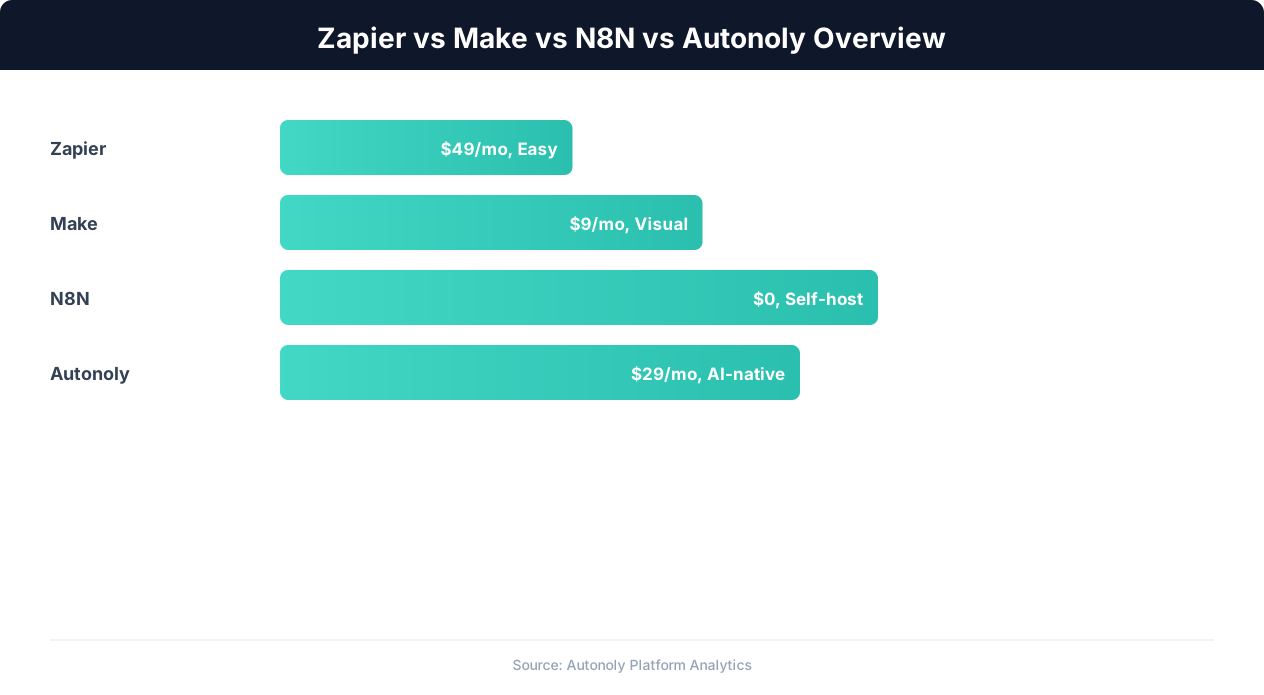
These tools aren't interchangeable. They serve different users, different budgets, and different complexity levels. Zapier is built for speed and simplicity. Make is built for visual thinkers who need complex logic. n8n is built for developers who want full control. And Autonoly is built for people who'd rather describe a task in plain English than drag nodes around a canvas.
We'll be honest throughout this comparison. Every tool has genuine strengths, and none is perfect for every situation. Our goal isn't to convince you that Autonoly is always the answer — it's to help you pick the right tool for your specific use case, budget, and technical comfort level.
By the end of this guide, you'll have a clear picture of what each platform does best, what it costs, and exactly when you should choose one over the others.
Zapier: The Integration Giant
Zapier launched in 2012 and essentially created the no-code automation category. It remains the most widely used automation platform in the world, and for good reason: it has the largest integration library by far and the simplest learning curve.
How Zapier Works
Zapier uses a trigger-action model. You pick a trigger event ("When a new row is added to Google Sheets") and one or more actions ("Create a contact in HubSpot and send a Slack message"). Zapier calls these connections "Zaps." The interface is linear and straightforward — you configure steps from top to bottom, and data flows in one direction.
Key Strengths
- 7,000+ app integrations — by far the largest ecosystem. If a SaaS product has an API, Zapier almost certainly has a connector for it.
- Extremely easy to learn. Non-technical users can build their first Zap in under 10 minutes. The interface is intentionally simple.
- Reliable infrastructure. Zapier runs millions of tasks daily with strong uptime. Their error handling and retry logic is mature.
- Tables and Interfaces. Zapier has expanded beyond simple automations with Tables (a built-in database) and Interfaces (forms and dashboards), making it more of a low-code app builder.
- AI features. Zapier now offers AI-powered Zap suggestions and natural language Zap creation, though these features are still relatively basic compared to dedicated AI-native tools.
Limitations
- Linear workflows only. Zapier struggles with complex branching logic, loops, and conditional paths. Multi-path Zaps are possible but clunky compared to Make or n8n.
- Pricing scales with volume. Zapier charges per task (each action counts as a task). High-volume automations get expensive fast.
- Limited data transformation. Built-in formatters handle basic operations, but anything beyond simple text manipulation requires workarounds or code steps.
- No self-hosting option. Your data flows through Zapier's cloud. For businesses with strict data residency requirements, this can be a dealbreaker.
- No browser automation. Zapier connects APIs, but it can't interact with websites that don't have APIs. If your workflow involves logging into a legacy portal and clicking buttons, Zapier can't help.
Zapier Pricing (the current year)
| Plan | Monthly Price | Tasks/Month | Key Features |
|---|---|---|---|
| Free | $0 | 100 | Single-step Zaps, 5 Zaps |
| Starter | $19.99 | 750 | Multi-step Zaps, filters, formatters |
| Professional | $49 | 2,000 | Paths, webhooks, custom logic |
| Team | $69 | 2,000 | Shared workspaces, permissions, SSO |
| Enterprise | Custom | Custom | Advanced admin, SAML, dedicated support |
Additional tasks beyond your plan's limit are billed at overage rates. For a business running 10,000+ tasks per month, Zapier can easily cost $100-300/month depending on the plan tier and multi-step complexity.
Best For
Zapier is ideal for non-technical users who need simple, reliable integrations between popular SaaS apps. If your automation needs are straightforward — "when X happens in App A, do Y in App B" — Zapier is the fastest way to get it done. It's the Toyota Camry of automation: reliable, popular, and gets the job done without surprises.
Make (Integromat): The Visual Logic Builder
Make (rebranded from Integromat in 2022) has carved out a strong position as the go-to platform for users who need more power than Zapier offers but don't want to write code. Its visual, node-based editor is genuinely different from Zapier's linear approach.
How Make Works
Make uses a visual scenario builder where you drag modules onto a canvas and connect them with lines. Unlike Zapier's top-to-bottom flow, Make lets you create branching paths, loops, error handlers, and parallel routes visually. It's closer to a flowchart than a checklist.
Key Strengths
- Powerful visual editor. The drag-and-drop canvas makes complex logic intuitive. You can see the entire flow at a glance, including branches, error paths, and iterators.
- 2,000+ integrations. Fewer than Zapier, but growing fast and covering all the major apps. Make also has a strong HTTP/webhook module for connecting to any API.
- Better value at scale. Make charges per operation (similar to Zapier's tasks), but pricing is significantly cheaper — often 3-5x less for the same volume.
- Advanced data manipulation. Built-in functions for arrays, text, math, dates, and JSON are far more capable than Zapier's formatters. You can reshape data mid-flow without code.
- Error handling. Make has dedicated error-handling routes. If a step fails, you can retry, ignore, send an alert, or run an alternate path — all configured visually.
- Scenarios with complex logic. Iterators, aggregators, routers, and filters let you build workflows that rival what you'd write in code.
Limitations
- Steeper learning curve. The visual editor is powerful but not simple. New users often feel overwhelmed by the number of options and the unfamiliar canvas-based interface.
- Smaller app library. At 2,000+ integrations, Make covers the essentials but you'll occasionally find apps that have a Zapier connector but no Make module.
- Complex scenarios can get messy. Very large workflows with 30+ modules become hard to read and maintain on the canvas.
- No self-hosting. Like Zapier, Make is cloud-only. No on-premise deployment option.
- No browser automation. Same as Zapier — Make connects APIs, not browsers. Legacy systems without APIs are out of reach.
Make Pricing (the current year)
| Plan | Monthly Price | Operations/Month | Key Features |
|---|---|---|---|
| Free | $0 | 1,000 | 2 active scenarios, 5-minute intervals |
| Core | $10.59 | 10,000 | Unlimited scenarios, 1-minute intervals |
| Pro | $18.82 | 10,000 | Custom variables, priority execution |
| Teams | $34.12 | 10,000 | Team collaboration, roles, shared connections |
| Enterprise | Custom | Custom | SSO, audit logs, dedicated support |
Make's pricing is notably more affordable than Zapier for equivalent volume. The 10,000 operations on the Core plan at $10.59/month compares favorably to Zapier's 2,000 tasks at $49/month. Additional operations can be purchased in bundles.
Best For
Make is ideal for power users and teams who need complex automation logic without writing code. If your workflows involve branching, loops, conditional routing, or complex data transformations, Make gives you significantly more control than Zapier at a lower price. Think of it as the Swiss Army knife — more tools, more capability, but you need to know which blade to pull out.
n8n: The Developer's Open-Source Choice
n8n (pronounced "nodemation") has built a passionate community since its launch by offering something the others don't: full source code access and self-hosting. For developers and technically minded teams, this is a significant differentiator.
How n8n Works
n8n provides a visual workflow editor similar to Make's canvas, but with a developer-first mindset. You connect nodes to build flows, and at any point you can drop into a code node to write custom JavaScript or Python. The self-hosted version runs on your own infrastructure, giving you complete control over data flow and execution.
Key Strengths
- Open source and self-hostable. Run n8n on your own servers, in your own VPC, behind your own firewall. Your data never leaves your infrastructure. The source code is on GitHub with an active contributor community.
- 500+ integrations with a growing community-contributed library. The HTTP Request node lets you connect to any REST API.
- Full code access. The Code node supports JavaScript and Python with full npm/pip package access. When visual nodes aren't enough, you write code directly in the flow.
- AI workflow support. n8n has invested heavily in AI nodes — LangChain integration, vector store connections, and AI agent nodes for building AI-powered workflows.
- No operation limits (self-hosted). The self-hosted version has no artificial limits on executions. You pay for your infrastructure, not per operation.
- Version control friendly. Workflows are stored as JSON and can be committed to Git, enabling proper CI/CD workflows.
Limitations
- Requires technical knowledge. Self-hosting means managing servers, databases, updates, and security. Even the cloud version assumes comfort with technical concepts.
- Smaller integration library. 500+ nodes is respectable but far behind Zapier's 7,000+. You'll spend more time building custom HTTP integrations.
- Community support vs enterprise support. The free self-hosted version relies on community forums. Enterprise-grade support requires the paid cloud plan.
- UI is less polished. The interface is functional but not as refined as Make's or Zapier's. It's clearly built by developers for developers.
- Self-hosting overhead. Running n8n reliably requires monitoring, backups, scaling, and maintenance. This is a hidden cost that non-technical teams often underestimate.
- No built-in browser automation. Like the others, n8n is primarily an API connector. It doesn't natively browse websites or interact with UIs.
n8n Pricing (the current year)
| Plan | Monthly Price | Executions | Key Features |
|---|---|---|---|
| Community (self-hosted) | Free | Unlimited | Full features, self-managed, community support |
| Starter (cloud) | $24 | 2,500 | Managed hosting, basic support |
| Pro (cloud) | $60 | 10,000 | Execution log, global variables, external secrets |
| Enterprise | Custom | Custom | SSO, LDAP, SLA, dedicated support, audit logging |
The self-hosted option is genuinely free with no feature gates, but factor in infrastructure costs ($20-100/month for a VPS) and your own time for maintenance. The cloud plans are competitively priced compared to Zapier but more expensive than Make for equivalent operation counts.
Best For
n8n is ideal for developers and technical teams who value data sovereignty, open source, and the ability to write custom code. If you have the engineering resources to self-host and maintain it, n8n gives you the most flexibility per dollar. It's the Linux of automation tools — incredibly powerful in the right hands, but you need to be comfortable at the command line.
Autonoly: The AI-Native Approach
Autonoly takes a fundamentally different approach to automation. Instead of asking you to manually connect apps, map fields, and configure triggers, you describe what you want in plain English and an AI agent figures out how to do it.
How Autonoly Works
You start a chat session with Autonoly's AI agent. Describe your task: "Every morning, scrape the top 10 trending products from Amazon in the electronics category, compare prices against our inventory spreadsheet, and send a Slack alert for anything where we're priced 10% higher than the competition." The AI agent then:
- Opens a real browser and navigates to the relevant websites
- Interacts with pages like a human — clicking, scrolling, filling forms, extracting data
- Processes and transforms data using built-in tools
- Connects to your apps via integrations (Google Sheets, Slack, Gmail, Airtable, etc.)
- Presents the results and offers to convert the entire task into a reusable visual workflow
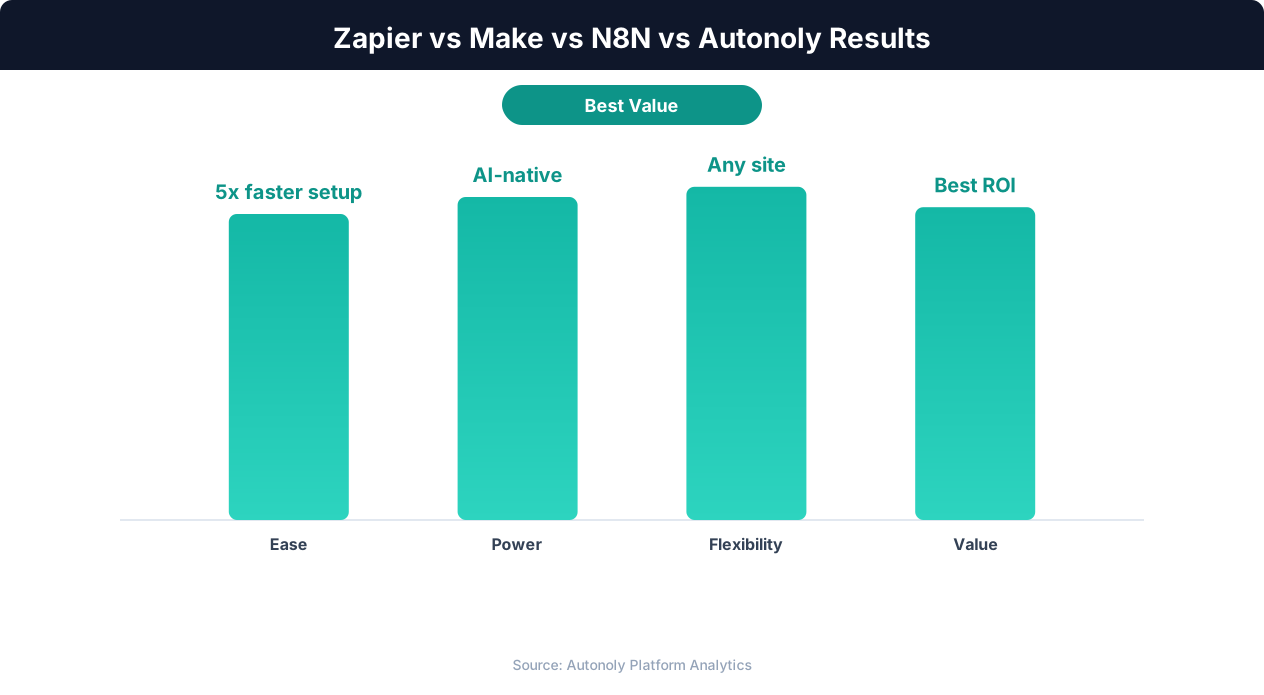
The key difference: with Zapier, Make, or n8n, you need to know how to build the automation. With Autonoly, you just need to know what you want automated.
Key Strengths
- AI-powered workflow creation. No drag-and-drop required. Describe your task in natural language and the AI agent builds the workflow. This isn't just AI-assisted — it's AI-driven.
- Real browser automation. Autonoly can interact with any website, not just apps with APIs. Legacy portals, government forms, competitor websites, internal tools without APIs — if a human can do it in a browser, Autonoly can automate it.
- Chat-to-workflow conversion. After the AI completes a task, you can convert the entire session into a repeatable visual workflow that runs on a schedule. The AI essentially builds the automation for you.
- Visual workflow builder. For users who want hands-on control, Autonoly includes a full visual workflow builder with a node-based canvas similar to Make or n8n.
- Web scraping built in. No need for separate scraping tools. The AI agent can extract structured data from any website and output it to spreadsheets, databases, or other apps.
- Growing integration library. Google Sheets, Gmail, Slack, Airtable, Notion, Discord, and more — with new integrations added regularly.
Limitations
- Smaller integration ecosystem. Autonoly's native integration library is smaller than Zapier's 7,000+ connectors. For simple app-to-app connections between popular SaaS tools, Zapier has more pre-built options.
- Newer platform. Zapier and Make have years of battle-tested reliability. Autonoly is newer, which means a smaller community, fewer templates, and ongoing feature development.
- AI isn't always predictable. An AI agent building a workflow can occasionally take unexpected paths or need guidance. For very precise, deterministic workflows, manually built automations may be more predictable.
- Browser-based tasks are slower. Automating through a real browser is inherently slower than direct API calls. A Zapier integration fires in milliseconds; a browser-based workflow takes seconds per step.
Autonoly Pricing (the current year)
| Plan | Monthly Price | Included | Key Features |
|---|---|---|---|
| Free | $0 | Limited agent sessions | AI agent chat, basic workflows |
| Starter | $29 | 50 agent sessions, 500 workflow runs | Browser automation, integrations, scheduled workflows |
| Pro | $79 | 200 agent sessions, 2,000 workflow runs | Advanced data extraction, priority execution |
| Business | $199 | Unlimited agent sessions, 10,000 workflow runs | Team collaboration, API access, custom nodes |
| Enterprise | Custom | Custom | Self-hosted option, SSO, SLA, dedicated support |
Best For
Autonoly is ideal for anyone who needs to automate tasks that involve websites without APIs, complex multi-step processes, or workflows they don't know how to build manually. If you've ever thought "I wish I could automate this but I don't know how to connect all these pieces," Autonoly's AI agent is designed exactly for that problem. It's the self-driving car of automation — tell it where you want to go and it figures out the route.
Feature-by-Feature Comparison Matrix
Here's how the four platforms stack up across the features that matter most for workflow automation:
| Feature | Zapier | Make | n8n | Autonoly |
|---|---|---|---|---|
| Native Integrations | 7,000+ | 2,000+ | 500+ | Growing (50+) |
| Visual Workflow Builder | Linear (top-to-bottom) | Canvas (nodes + lines) | Canvas (nodes + lines) | Canvas (nodes + lines) |
| AI Workflow Creation | Basic (AI suggestions) | Limited | AI nodes available | Core feature (agent builds entire workflows) |
| Browser Automation | No | No | No (requires external tools) | Yes (built-in Playwright-based) |
| Web Scraping | No | No | Via HTTP requests only | Yes (AI-powered, visual extraction) |
| Custom Code | JavaScript (limited) | JavaScript (limited) | JavaScript, Python (full) | Python (in-workflow) |
| Self-Hosting | No | No | Yes (open source) | Enterprise plan |
| Branching / Conditional Logic | Paths (limited) | Routers (powerful) | IF nodes (powerful) | Conditional nodes (powerful) |
| Error Handling | Basic retry | Visual error routes | Error triggers, retry | AI-assisted error recovery |
| Scheduling | 1-15 min intervals | 1-min intervals (paid) | Cron-based (flexible) | Cron-based + natural language |
| Team Collaboration | Team plan ($69+/mo) | Teams plan ($34+/mo) | Built-in (self-hosted) | Business plan ($199/mo) |
| Version Control | Version history | Scenario versioning | Git-compatible JSON | Workflow versioning |
| Learning Curve | Very easy | Moderate | Steep (technical) | Easy (chat interface) |
| Mobile App | Yes | No | No | No |
| SOC 2 Compliance | Yes | Yes | Self-managed | In progress |
A few observations from this comparison:
- Integration count isn't everything. Zapier's 7,000+ integrations are impressive, but most businesses use 5-15 apps. If your apps are covered by all four platforms, the integration count is irrelevant.
- Browser automation is a category differentiator. Only Autonoly can interact with websites that don't have APIs. If your workflow involves scraping data, filling web forms, or navigating legacy systems, this matters enormously.
- AI-native vs AI-augmented. There's a big difference between adding AI features to a traditional tool (what Zapier and n8n are doing) and building the entire platform around AI (what Autonoly does). The former helps you build workflows faster; the latter builds workflows for you.
Pricing Comparison: Real Costs at Scale
Pricing is where these platforms diverge the most. Let's look at what you'll actually pay for three common usage scenarios.
Scenario 1: Small Business (1,000 tasks/month)
| Platform | Plan Needed | Monthly Cost | Notes |
|---|---|---|---|
| Zapier | Professional | $49 | 750 tasks on Starter isn't enough; need Professional for 2,000 |
| Make | Core | $10.59 | 10,000 operations included; well within limits |
| n8n Cloud | Starter | $24 | 2,500 executions included |
| n8n Self-Hosted | Community | $0 + ~$20 infra | Free software plus VPS hosting costs |
| Autonoly | Starter | $29 | 50 agent sessions + 500 workflow runs |
Scenario 2: Growing Business (10,000 tasks/month)
| Platform | Plan Needed | Monthly Cost | Notes |
|---|---|---|---|
| Zapier | Professional + overage | $100-150 | 2,000 tasks base; overage charges for the remaining 8,000 |
| Make | Core | $10.59 | 10,000 operations included at base price |
| n8n Cloud | Pro | $60 | 10,000 executions included |
| n8n Self-Hosted | Community | $0 + ~$40 infra | May need a more capable VPS at this volume |
| Autonoly | Pro | $79 | 200 agent sessions + 2,000 workflow runs |
💡 Key Insight
AI-native platforms like Autonoly automate tasks that require zero pre-built integrations, covering the 80% of apps without API connectors.
Scenario 3: Scaling Team (50,000 tasks/month)
| Platform | Plan Needed | Monthly Cost | Notes |
|---|---|---|---|
| Zapier | Team + add-ons | $300-500+ | Overage costs add up significantly at this volume |
| Make | Teams + extra ops | $80-150 | Buy additional operation bundles as needed |
| n8n Cloud | Enterprise | Custom (~$200+) | Need enterprise plan for this volume with support |
| n8n Self-Hosted | Community | $0 + ~$80 infra | Dedicated server with proper resources |
| Autonoly | Business | $199 | Unlimited agent sessions + 10,000 workflow runs |
Key Pricing Takeaways
- Make is the cheapest cloud option at every tier. If cost is your primary concern and you don't need browser automation or AI agents, Make offers the best value per operation.
- n8n self-hosted is the cheapest overall — but only if you have the technical skill to manage infrastructure. Factor in at least 2-4 hours per month of maintenance time.
- Zapier is the most expensive at scale. The per-task pricing model works well for light usage but becomes costly as you grow.
- Autonoly pricing reflects a different model. You're not just paying for API calls — you're paying for an AI agent that can browse websites, extract data, and build automations autonomously. The value proposition is different from a pure integration platform.
- All platforms offer free tiers worth trying before you commit. Test your specific workflows on each before making a decision.
Use Case Recommendations
Rather than abstract feature comparisons, let's look at specific use cases and which platform handles them best:
Simple App-to-App Integrations
Example: "When someone fills out a Typeform, add them to Mailchimp and notify the sales team in Slack."
Best choice: Zapier. This is exactly what Zapier was built for. Three apps, a clear trigger, two actions. You'll have it running in 5 minutes. Make and n8n can do this too, but Zapier's simplicity wins for straightforward integrations.
Complex Multi-Branch Workflows
Example: "When an order comes in, check the value. Over $500 routes to the VIP team, under $500 checks inventory. If in stock, send confirmation. If out of stock, check three supplier APIs, pick the cheapest, and place a PO."
Best choice: Make or n8n. This requires branching, conditional logic, and multiple API calls. Make's visual router makes this intuitive. n8n's IF nodes handle it well too, with the bonus of custom code for complex supplier API parsing.
Web Scraping and Data Extraction
Example: "Every day, scrape competitor pricing from five e-commerce sites, compile the data into a spreadsheet, and flag any products where our price is more than 15% higher."
Best choice: Autonoly. None of the other three can browse websites. You'd need to pair Zapier or Make with a separate scraping tool (Apify, ScrapingBee, etc.), adding cost and complexity. Autonoly handles the entire flow — browsing, extracting, comparing, and outputting — in a single workflow.
Legacy System Automation
Example: "Log into our vendor's portal, download the daily inventory report, compare it against our system, and email discrepancies to the ops team."
Best choice: Autonoly. Legacy systems without APIs require browser automation. Autonoly's AI agent can navigate login pages, click through menus, download files, and process the data. The other tools simply can't interact with browser-based interfaces.
DevOps and Technical Workflows
Example: "When a GitHub PR is merged, run tests, deploy to staging, wait for a health check, then notify the team. If the health check fails, roll back and create a PagerDuty incident."
Best choice: n8n. Developer-focused workflows with webhooks, API calls, custom scripts, and infrastructure integrations are n8n's sweet spot. Self-hosting means the workflow runner has direct network access to internal services. Plus, the workflow itself can be version-controlled alongside your code.
Non-Technical Team Automation
Example: "Our marketing team wants to automatically collect social media mentions, pull them into a dashboard, and generate a weekly summary email for leadership."
Best choice: Autonoly or Zapier. For non-technical teams, ease of use is paramount. Zapier is the simplest if the social monitoring tool has an integration. Autonoly is better if the team needs to scrape mentions directly from social platforms or wants the AI to set up the entire workflow via the chat interface.
Data Entry and Form Filling
Example: "Take data from our CRM and fill out government compliance forms on three different state websites every quarter."
Best choice: Autonoly. Government websites rarely have APIs. This requires browser automation — navigating forms, selecting dropdowns, uploading documents, and handling CAPTCHAs. Autonoly's browser-based approach is the only option among these four that can handle this natively.
When to Choose Each Tool
Here's a straightforward decision framework. Choose based on your primary need:
Choose Zapier If:
- You need simple, reliable integrations between popular SaaS apps
- Your team is non-technical and needs the fastest possible setup
- You use a niche app that only has a Zapier connector
- Your workflows are linear (trigger → action → action) without complex branching
- You're willing to pay a premium for the largest app ecosystem and simplest UX
- You need a mobile app to monitor automations on the go
Choose Make If:
- You need complex logic — branching, loops, error handling — without writing code
- Budget matters and you want more operations per dollar than Zapier
- You think visually and want to see your entire workflow as a flowchart
- Your automations involve heavy data transformation (reformatting, aggregating, filtering)
- You want a good balance between power and usability
💡 Key Insight
Traditional automation platforms require an average of 3-5 hours to set up complex workflows that AI agents build in minutes.
Choose n8n If:
- You're a developer or have developers on your team
- Data sovereignty matters — you need self-hosting and full control over data flows
- You want to write custom code within your workflows
- You prefer open-source tools and want to contribute to or customize the platform
- You need to integrate with internal APIs and services on a private network
- Budget is tight and you're comfortable managing your own infrastructure
Choose Autonoly If:
- Your automation involves websites that don't have APIs (scraping, form filling, browser interaction)
- You don't know how to build the workflow and want AI to figure it out
- You need to automate complex, multi-step tasks that span both web interfaces and APIs
- You want to go from describing a task to having a working automation without learning a new tool
- Your current tools can't reach legacy systems, internal portals, or competitor websites
- You want AI-powered workflow automation that learns and adapts
Can You Use Multiple Tools Together?
Absolutely, and many businesses do. A common combination is using Zapier or Make for simple app-to-app integrations (they're fast and reliable for that) and Autonoly for anything that requires browser interaction or AI-driven automation. There's no rule that says you must pick one platform for everything.
For example, you might use Make to sync your CRM with your email marketing platform (a clean API-to-API connection) and Autonoly to scrape competitor data and fill out government compliance forms (tasks that require a browser). Each tool handles what it does best.
The Verdict: There's No Single "Best" Tool
After comparing all four platforms in detail, the honest answer is: the best automation tool depends entirely on what you're automating, who's building the automation, and what your budget looks like.
Here's our honest assessment:
- Zapier remains the king of simple, reliable SaaS integrations. If your needs are straightforward and you value ease of use above all else, it's still a great choice despite its higher per-task pricing.
- Make offers the best balance of power and price for teams that need complex automation logic without writing code. It's our recommendation for cost-conscious power users.
- n8n is unbeatable for developers who want full control, self-hosting, and open-source transparency. If you have engineering resources, it offers the most flexibility per dollar.
- Autonoly represents a fundamentally different approach. By putting AI at the center of workflow creation and adding browser automation that the others lack, it opens up automation possibilities that simply weren't accessible before. Tasks that would require chaining together three or four separate tools (a scraper, an integration platform, a data transformer, and custom code) can be handled in a single Autonoly agent session.
The automation landscape today isn't about choosing one tool to rule them all. It's about understanding what each tool does best and matching the right tool to the right job.
If you've been held back from automation because your workflows involve websites without APIs, legacy systems, or complex multi-step tasks you didn't know how to build — try Autonoly's AI agent. Describe what you need, and let the AI figure out the rest. You might be surprised at how much you can automate when you stop thinking about triggers and actions and start thinking about outcomes.
And if you're already using Zapier, Make, or n8n and running into their limitations, Autonoly isn't asking you to switch — it's designed to handle the automations your current tools can't reach. Start with the tasks that have been sitting on your "I wish I could automate this" list. Those are exactly the tasks Autonoly was built for.
Compare directly: Best Zapier alternatives · Best Make alternatives · Best n8n alternatives.