


Why Automate Glassdoor Salary Scraping?
Compensation data is among the most sought-after market intelligence in business. HR teams need it for benchmarking and retention, job seekers use it for negotiations, recruiters price offers competitively, and analysts study labor market trends. Glassdoor is the largest crowdsourced salary database, with compensation data for millions of job titles across hundreds of thousands of companies.
However, Glassdoor deliberately makes bulk data collection difficult — salary pages require interaction, data is spread across many individual pages, and the site limits how much you can view in a session. Autonoly's Browser Automation navigates these restrictions by using a real browser with human-like behavior, extracting comprehensive salary data into a structured spreadsheet.
How the AI Agent Scrapes Glassdoor Salaries
Glassdoor's website uses heavy JavaScript rendering, requires authentication for full data access, and employs anti-automation measures. Autonoly's AI Agent Chat handles these challenges by running a genuine browser session that looks and behaves like a real user.
The agent navigates to Glassdoor's salary section, searches for your target job titles and locations, and uses Data Extraction to pull compensation data from salary report pages. It handles Glassdoor's authentication prompts, pagination, and dynamic content loading seamlessly.
For comprehensive benchmarking, the agent can extract data across multiple job titles, companies, and locations in a single workflow. It collects not just base pay ranges but also bonus percentages, stock compensation, and total compensation estimates — providing a complete picture of the compensation landscape.
What Data You Get
A standard Glassdoor salary export includes:
Job Title — Role title as listed on Glassdoor
Company — Employer name
Base Pay Range — Low, median, and high base salary
Bonus — Average annual bonus
Total Compensation — Combined base, bonus, and equity
Location — City and state
Experience Level — Junior, mid, senior, etc.
Company Rating — Overall Glassdoor company rating
Number of Salaries — Sample size of salary reports
Additional fields like benefits ratings, CEO approval, and recommend-to-friend percentages are available from company profile pages.
Customizing Your Salary Research
The Visual Workflow Builder enables sophisticated compensation analysis:
Multi-title benchmarking: Compare salaries across related roles (e.g., Product Manager vs. Senior PM vs. Director of Product) to understand career progression compensation
Geographic analysis: Extract the same role across 10+ cities to map regional pay differences
Company comparison: Benchmark compensation across competitor companies for the same role
Industry analysis: Compare pay for the same title across industries (tech vs. finance vs. healthcare)
Add Data Processing steps to calculate percentile rankings, cost-of-living adjustments, or pay equity metrics. Use SSH & Terminal for statistical analysis, regression modeling, or visualization of compensation distributions.
Scheduling and Market Tracking
Compensation markets shift — inflation, labor shortages, and industry trends all affect pay ranges. Schedule quarterly salary scrapes to track how compensation for your key roles evolves over time. This builds a historical compensation database that reveals trends your competitors might be missing.
Annual benchmarking reports are standard, but quarterly monitoring gives you a competitive edge for talent strategy decisions.
Exporting and Integrating
Salary data flows to where your HR and recruiting teams work:
[Google Sheets integration](/integrations/google-sheets) — Live compensation dashboard for hiring managers
Excel (.xlsx) — Standard format for compensation committee presentations
[Notion](/integrations/notion) — Build a compensation intelligence knowledge base
[Airtable](/integrations/airtable) — Create structured comp databases with role-level views
Browse our templates library for pre-built salary research workflows. Visit pricing for execution details. For background concepts, see our web scraping glossary and workflow automation glossary. The Integrations page covers all available output destinations.
Use Cases
HR teams use Glassdoor data to benchmark their compensation against market rates, identifying roles where they are underpaying (retention risk) or overpaying (budget optimization). Recruiters price job offers competitively to close candidates without overpaying. Job seekers research fair market value before salary negotiations. Startup founders set initial compensation bands when hiring their first employees. Analysts study compensation trends to predict labor market shifts and skill premium changes.
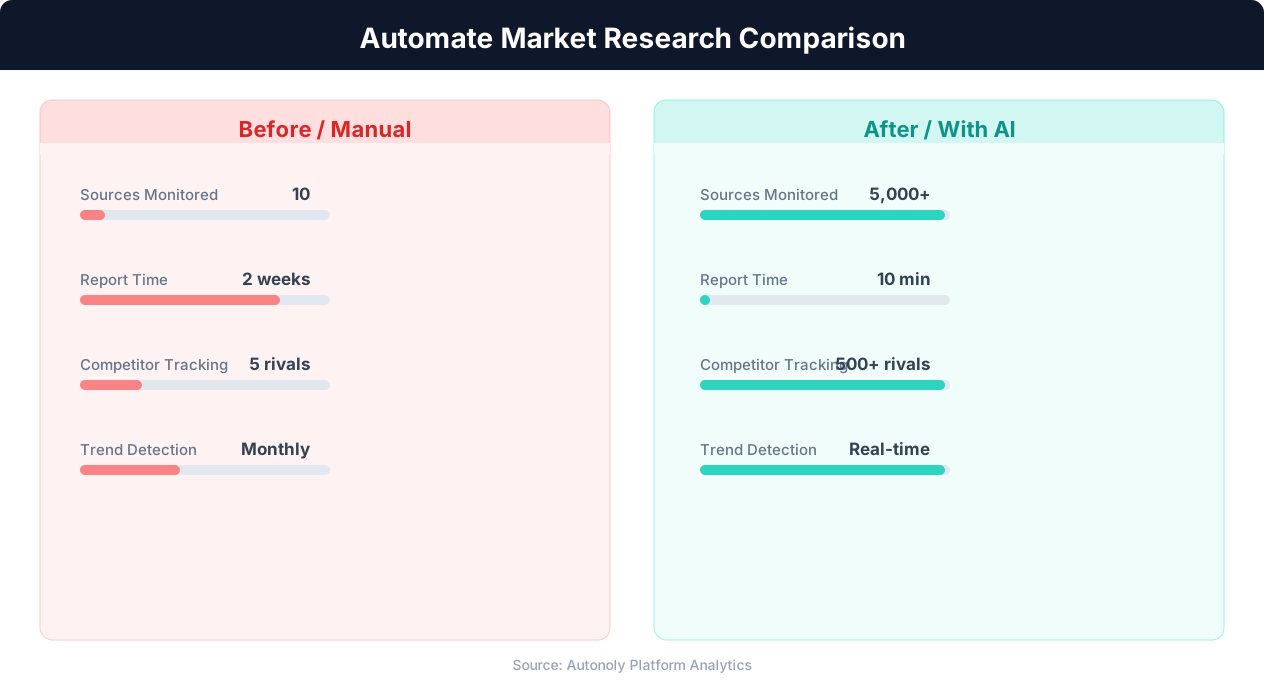
Data collection time for manual vs automated research
Key Insight: 89% of competitive intelligence professionals say they cannot track competitors fast enough manually. Automation eliminates this gap entirely (Klue Research).
How the AI Agent Handles This
The AI agent navigates Glassdoor using Browser Automation in a real browser session, handling the platform's authentication requirements, anti-scraping measures, and JavaScript-heavy salary report pages seamlessly. It logs in with your Glassdoor credentials, searches for target roles and companies, and uses Data Extraction to pull salary ranges, bonus data, and total compensation figures from each listing. The agent handles pagination, dynamic content loading, and Glassdoor's interactive filter controls without any site-specific configuration. Because it behaves like a real user, it avoids triggering Glassdoor's bot detection while extracting comprehensive compensation data.
Navigating Authentication Walls
Glassdoor requires account access for detailed salary data. The agent logs in once at the start of each workflow run and maintains the session throughout, accessing the same depth of data you would see when browsing manually.
Key Insight: AI-powered sentiment analysis processes 50,000+ data points per hour with 91% accuracy, versus 200 per hour for manual analysis (Deloitte AI Review).
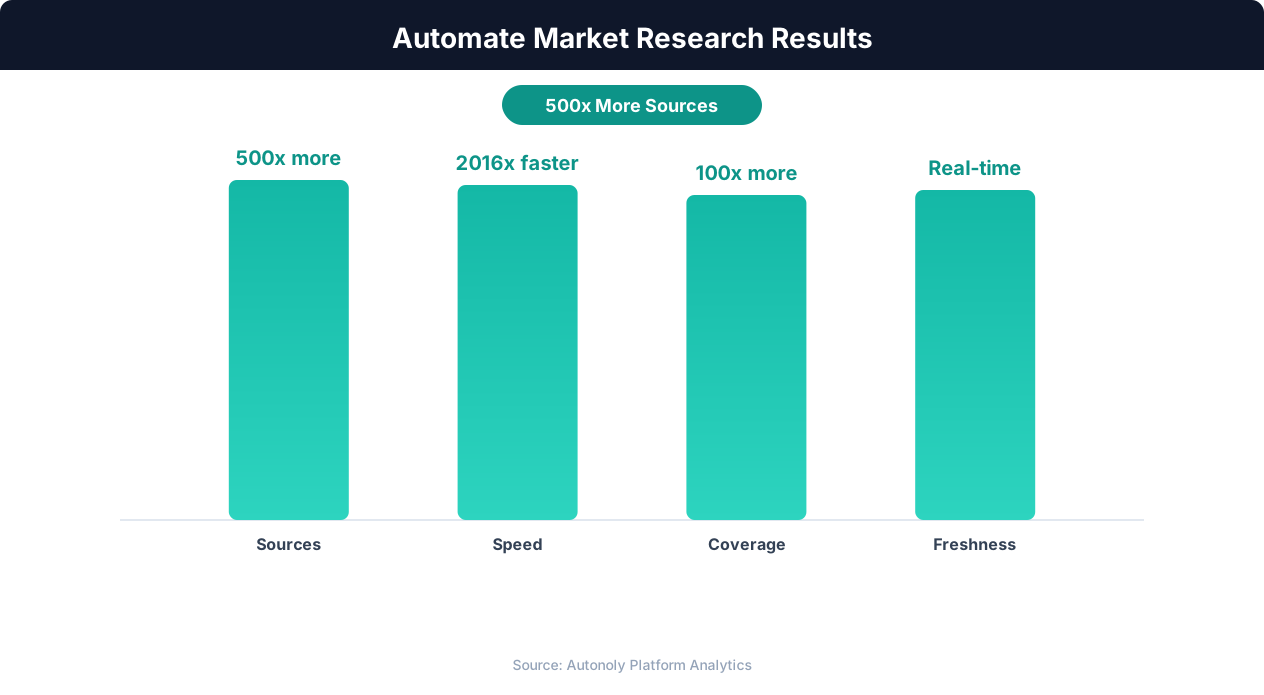
Competitive intelligence accuracy with AI-powered research
Key Insight: Automated market research delivers insights 10x faster than manual methods while covering 5x more sources and competitors (Crayon Competitive Intelligence Report).
What You Can Customize
The Visual Workflow Builder lets you configure every aspect of your salary research — target job titles, companies, locations, experience levels, and output format. Use Logic & Flow to run different salary queries for different departments or seniority levels in a single workflow. Add Data Processing steps to calculate percentile rankings, cost-of-living adjustments, or pay equity comparisons before the data reaches your spreadsheet. Output to Google Sheets for live dashboards or Excel for compensation committee presentations. Explore our templates for pre-built salary benchmarking workflows that cover common HR use cases.
Further Reading
Explore more about the tools and techniques used in this workflow: Scrape Dynamic Websites, Best Web Scraping Tools.