

Why Automate Order Status Notifications?
"Where is my order?" is the single most common customer support inquiry for e-commerce businesses, often accounting for 30% to 50% of all inbound support tickets according to e-commerce industry data. For a store processing five hundred orders per day, that translates to 150 to 250 daily support interactions that are entirely preventable. Each WISMO inquiry takes an agent three to five minutes to look up the order, check carrier tracking, and compose a response — adding up to eight to twenty hours of agent time per day spent answering a question that automation answers in seconds. The labor cost alone makes this one of the highest-ROI automations any e-commerce business can implement.
Beyond the direct cost savings, proactive status notifications fundamentally change the customer experience. Customers who receive regular shipping updates feel informed and in control, which translates directly into higher satisfaction scores and repeat purchase rates. Research from Narvar shows that 83% of online shoppers expect regular communication about their purchases, and 98% say that delivery experience influences whether they will buy from a brand again. The gap between what customers expect and what most e-commerce businesses deliver is enormous — and closing that gap with automated notifications builds loyalty that competitors who stay silent cannot match.
Automating order status notifications with Browser Automation and Gmail integration dramatically reduces your support ticket volume while improving customer satisfaction simultaneously. Customers feel informed and cared for when they receive timely updates at each stage of fulfillment — shipped, in transit, out for delivery, and delivered — and your support team reclaims hours previously spent answering repetitive WISMO emails. Those recovered hours can be redirected to complex issues that actually require human judgment, improving overall support quality across the board.
While Shopify has built-in notification emails, they are often generic, limited in customization, and identical across every Shopify store. Automating through Autonoly gives you full control over email content, branding, timing, and the ability to include personalized touches that Shopify's templates do not support — product care instructions, cross-sell recommendations based on what the customer ordered, loyalty program reminders, or personalized thank-you messages that build brand connection at the moment of highest customer excitement.
How the AI Agent Tracks Orders
Autonoly's AI Agent Chat opens your Shopify admin dashboard through Browser Automation and navigates to the orders section. The Data Extraction engine reads the order list, filtering for orders with recent status changes — new shipments, tracking number additions, delivery confirmations, and exception alerts.
For each order with a status change, the agent extracts:
Customer Name and Email — From the order record
Order Number — The Shopify order identifier
Items Ordered — Product names and quantities
Shipping Status — The current fulfillment status
Tracking Number — If a carrier tracking number is available
Tracking URL — Direct link to carrier tracking page
Estimated Delivery — If provided by the carrier
The agent compares current statuses against the previous run's snapshot to identify only genuine changes, avoiding duplicate notifications.
Personalizing Update Emails
Each status change triggers a different email template:
Shipped: "Great news! Your order #1234 has shipped. Track your package here: [tracking link]"
Out for Delivery: "Your order is out for delivery today! Keep an eye out for your package."
Delivered: "Your order has been delivered! We hope you love your purchase."
Exception: "There is an update about your order #1234. [Details and next steps]"
The Data Processing engine personalizes each email with the customer's name, specific order items, and relevant tracking information. The Visual Workflow Builder lets you design each template with your brand voice and formatting.
Handling Exceptions and Delays
Not all shipments go smoothly. When the agent detects a shipping exception — failed delivery attempt, customs hold, or return to sender — it sends a proactive notification to the customer explaining the situation and providing next steps. This preemptive communication prevents frustrated customers from reaching out to support.
Use Logic & Flow to also notify your fulfillment team via Slack when shipping exceptions occur, so internal resolution can start immediately alongside customer communication.
Reducing Support Volume
Track the impact of automated notifications by monitoring your "where is my order" ticket volume before and after implementation. Most e-commerce businesses see a 30% to 50% reduction in order-status-related support tickets within the first month. This frees up your support team to focus on complex issues that actually require human attention.
What Data You Get
Every notification event is tracked in your Google Sheets log:
Order Number — The Shopify order identifier
Customer Name and Email — Who was notified
Items Ordered — Product names and quantities for reference
Previous Status — What the order status was before the change
New Status — The current fulfillment status (shipped, in transit, out for delivery, delivered, exception)
Tracking Number — Carrier tracking reference
Tracking URL — Direct link to the carrier tracking page
Carrier — Which shipping carrier is handling the order
Notification Sent At — Timestamp of when the customer was emailed
Estimated Delivery — Projected delivery date if provided by the carrier
Customizing Your Workflow
The Visual Workflow Builder lets you design notification flows tailored to your brand and business model. Add conditional logic for different shipping methods — express orders get more frequent updates than standard shipping. Insert cross-sell recommendations in delivery confirmation emails based on what the customer purchased. Create special notification templates for gift orders that address the recipient differently than the purchaser.
Build exception-handling workflows that go beyond customer notification. When a shipping exception is detected, simultaneously notify the customer via email, alert your fulfillment team via Slack, and flag the order in your tracking spreadsheet for follow-up. Include pre-written resolution steps in the team notification so agents can take action immediately.
Multi-Carrier Support
The agent works with any shipping carrier visible in your Shopify dashboard — USPS, FedEx, UPS, DHL, and regional carriers. It extracts whatever tracking information Shopify displays, regardless of the carrier.
Integration Options
Connect order notifications with your broader e-commerce operations. Log all notification events to Google Sheets for delivery performance analytics — track carrier reliability, average delivery times by region, and exception rates. Post daily shipping summaries to Slack for your fulfillment team. Sync delivery confirmation data to Airtable or Notion for customer success dashboards. Chain with the CSAT survey workflow to send a satisfaction survey after delivery. Visit the Integrations page for all supported connections, or browse the templates library for pre-built order notification workflows.
Use Cases
Shopify stores reducing WISMO support tickets by 30-50% with proactive shipping updates
Subscription box companies notifying subscribers when their monthly box ships and when it arrives
Dropshipping businesses keeping customers informed despite longer and less predictable shipping times
Multi-warehouse retailers providing accurate updates across different fulfillment locations and carriers
Handmade and custom goods sellers communicating production completion, shipping, and delivery milestones
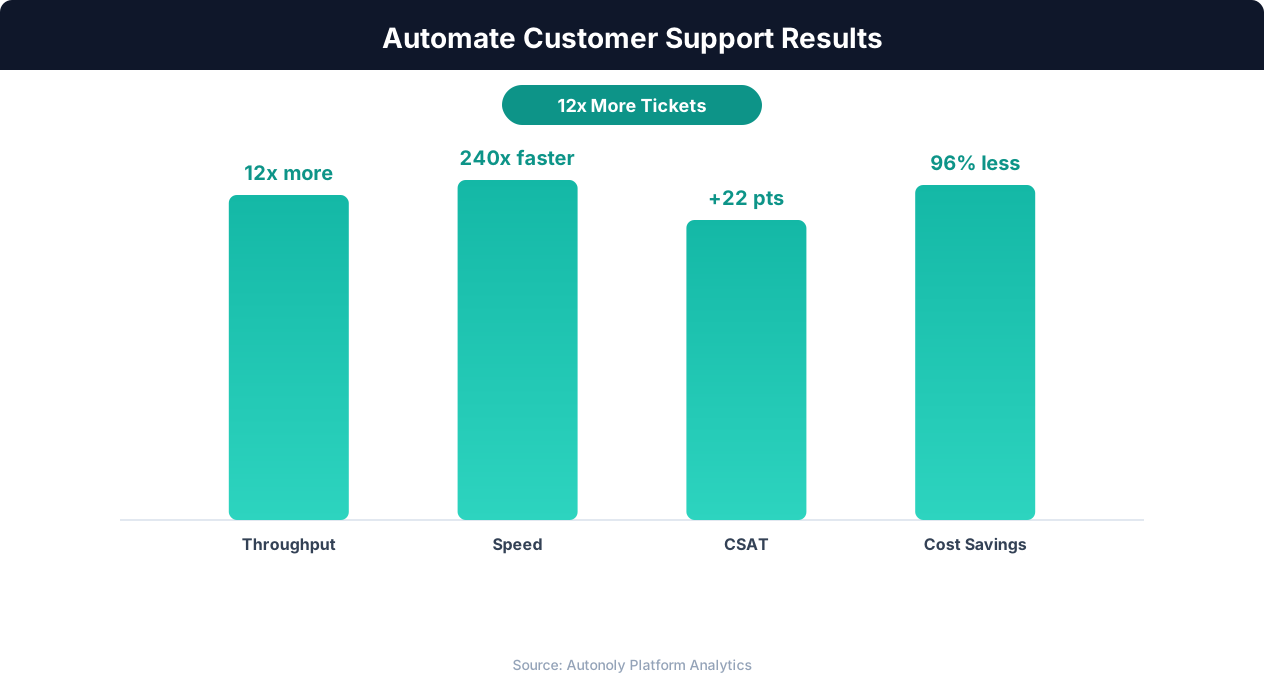
Customer satisfaction scores with AI-powered support automation
Key Insight: Automated ticket routing reduces average resolution time by 52% by ensuring issues reach the right specialist on the first assignment (Zendesk Benchmark).
How the AI Agent Does It
The agent opens your Shopify admin via Browser Automation, navigates to the orders section, and reads the fulfillment status of recent orders. The Data Extraction engine identifies status changes by comparing against the previous run. For each change, the Data Processing engine selects the appropriate email template and personalizes it with order details. The agent then opens Gmail and sends each notification individually.
Batch Processing
During high-volume periods (post-sale events, holiday season), the agent processes all status changes efficiently in a single run. It handles hundreds of notifications per session, spacing sends throughout the day to maintain natural email delivery patterns.
Key Insight: Companies using support automation report 35% higher customer satisfaction scores due to faster response times and 24/7 availability (Forrester Research).
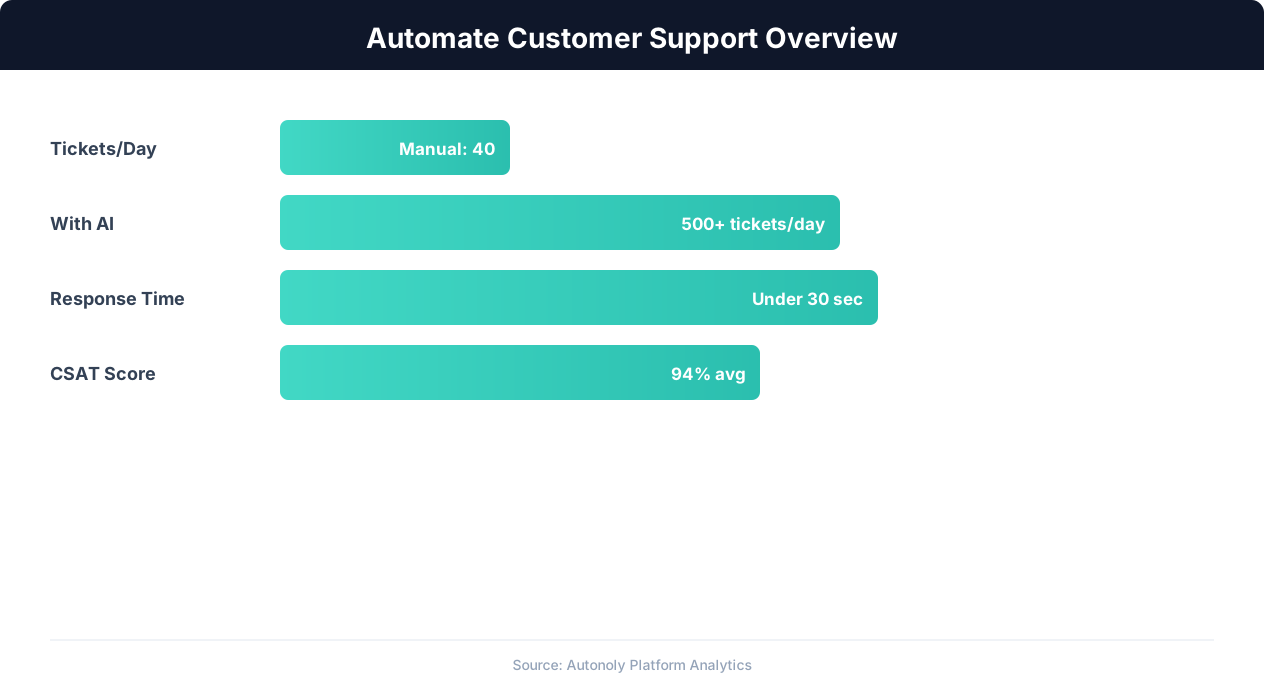
Customer support automation resolution rates by channel
Key Insight: AI agents resolve 80% of routine support inquiries automatically, freeing human agents for complex issues that require empathy and judgment (Gartner).
Scheduling and Automation
Run this workflow every four hours using the Visual Workflow Builder. The agent checks your Shopify orders for status changes and sends personalized update emails via Gmail. More frequent checks during peak seasons ensure customers get timely updates. Add Logic & Flow conditions to escalate shipping exceptions to Slack and to suppress notifications for local pickup orders. Log all sent notifications to Google Sheets for tracking and analytics.
Further Reading
Explore more about the tools and techniques used in this workflow: No Code Automation Guide, Automate Email Reports, Email Campaigns, Webhooks.