The Browser Automation Landscape: Why This Comparison Matters
Browser automation is the backbone of modern web scraping, end-to-end testing, and workflow automation. The framework you choose determines your development speed, execution reliability, maintenance burden, and the range of sites you can interact with. If you are weighing code-based frameworks against no-code options, our guide to what automation is and the workflow automation guide put the tradeoffs in context. For years, Selenium was the only serious option. Then Puppeteer arrived in 2017 and changed expectations for what browser automation should feel like. Playwright followed in 2020 and pushed the boundaries further. Today, all three coexist with significant usage, but they are not interchangeable. Each has distinct architectural advantages and tradeoffs that matter in production.
This comparison goes beyond feature checklists. We will examine the architectural differences that drive real-world performance, the practical implications for web scraping and automation projects, and the specific scenarios where each framework excels or struggles. Whether you are building a web scraping pipeline, testing a web application, or automating browser-based workflows, understanding these differences helps you make the right choice before investing significant development time.
The stakes of this choice are higher than they appear. Switching frameworks mid-project is expensive. The API differences are significant enough that migration is essentially a rewrite. Your selector strategies, waiting mechanisms, error handling patterns, and architecture decisions are all framework-specific. Choosing well at the start saves weeks or months of work later.
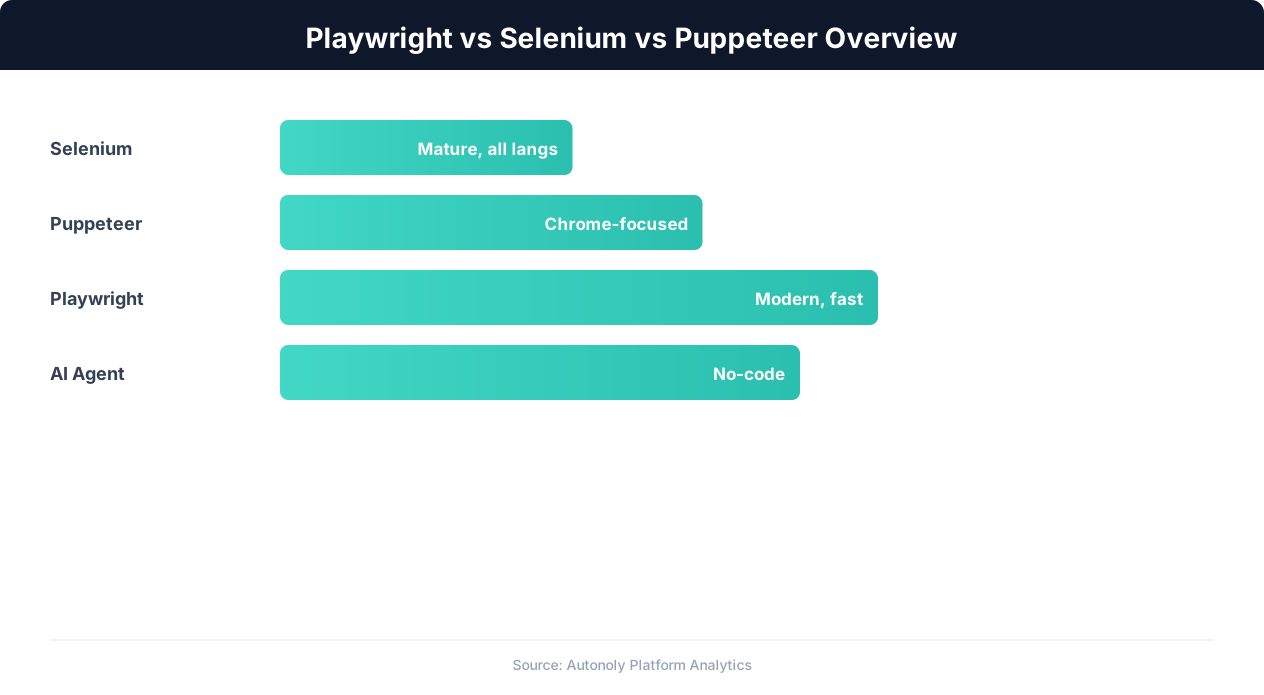
Quick Context: What Each Framework Is
Selenium WebDriver is the original browser automation framework, first released in 2004. It communicates with browsers through the W3C WebDriver protocol, an official web standard. Selenium supports every major browser (Chrome, Firefox, Safari, Edge, IE) and every major programming language (Python, Java, C#, JavaScript, Ruby, Kotlin). It has the largest community, the most documentation, and the deepest integration with testing ecosystems.
Puppeteer was created by the Google Chrome team and released in 2017. It communicates with Chrome and Chromium through the Chrome DevTools Protocol (CDP), a low-level debugging protocol that provides much richer control than WebDriver. Puppeteer is JavaScript/TypeScript only and was Chrome-only until recently (experimental Firefox support was added later). It dramatically improved the developer experience for browser automation with a modern async/await API and built-in features that Selenium required external tools for.
Playwright was created by Microsoft and released in 2020. Many of its core developers previously worked on Puppeteer at Google. Playwright uses a custom protocol that communicates with browser-specific implementations, giving it native support for Chromium, Firefox, and WebKit (Safari's engine) without the compromises of WebDriver. Like Puppeteer, it has a modern async API, but it adds multi-browser support, built-in auto-waiting, powerful selector engines, and test-specific features that go significantly beyond Puppeteer's capabilities.
Architecture Deep Dive: How Each Framework Talks to Browsers
The architectural differences between these frameworks are not academic. They directly determine speed, reliability, and what you can do with each tool. Understanding the communication protocols explains why Playwright feels faster than Selenium and why Puppeteer cannot natively control Firefox.
Selenium: WebDriver Protocol
Selenium communicates with browsers through the W3C WebDriver protocol, an HTTP-based protocol standardized as a W3C recommendation. When your Selenium script wants to click a button, here is what happens: your script sends an HTTP request to a WebDriver server (like ChromeDriver or GeckoDriver), the server translates that request into browser-native commands, the browser executes the command, and the result travels back through the same chain. This architecture has a significant advantage and a significant cost.
The advantage is universality. Because WebDriver is a W3C standard, every browser vendor implements it natively. This gives Selenium genuine cross-browser support, including Safari (through Apple's SafariDriver) and older versions of Internet Explorer. No other framework can match Selenium's browser coverage.
The cost is latency and granularity. Every interaction requires an HTTP round-trip through the driver server. A script that performs 100 actions generates 100 HTTP requests, and the overhead accumulates. More importantly, the WebDriver protocol is relatively coarse-grained: it was designed for testing user interactions, not for fine-grained browser control. Features like network interception, request modification, CDP access, and low-level JavaScript injection are either unavailable or require workarounds.
Puppeteer: Chrome DevTools Protocol (CDP)
Puppeteer communicates with Chrome through the Chrome DevTools Protocol over a WebSocket connection. CDP is the same protocol that Chrome's built-in developer tools use, which means Puppeteer has access to everything DevTools can do: network interception, performance profiling, JavaScript heap inspection, DOM manipulation, CSS coverage analysis, and much more.
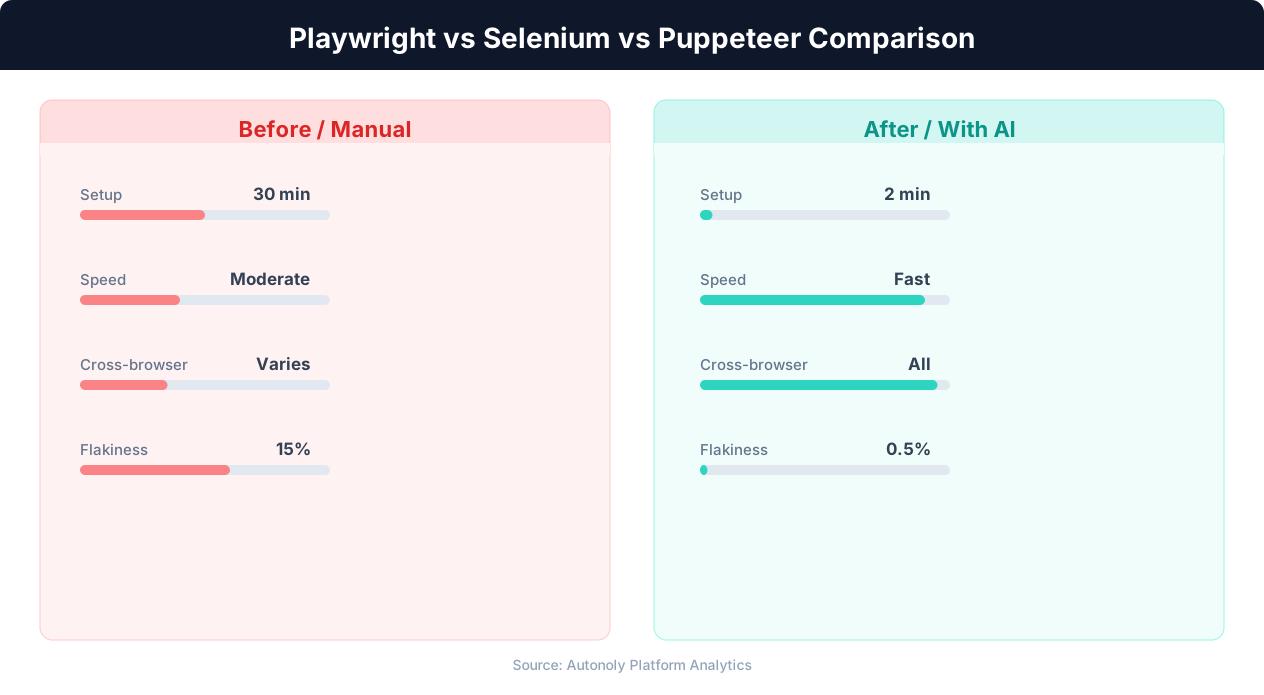
The WebSocket connection is persistent, not request-response like WebDriver's HTTP calls. This means lower latency per operation and the ability to receive real-time events from the browser (network requests, console messages, page errors) without polling. Puppeteer scripts feel noticeably snappier than equivalent Selenium scripts, and the richer protocol enables capabilities that are impossible with WebDriver.
The limitation is browser scope. CDP is a Chrome-specific protocol. Firefox has a different debugging protocol, and Safari has yet another. Puppeteer's experimental Firefox support uses a compatibility layer that does not provide the same depth of control as the native Chrome integration.
Playwright: Custom Protocol with Native Browser Patches
Playwright takes a different approach entirely. Instead of relying on either WebDriver or CDP, Playwright patches each browser engine (Chromium, Firefox, WebKit) to add a custom communication channel. These patches are minimal but targeted: they expose the specific capabilities Playwright needs (network interception, selector resolution, frame handling) at the browser engine level, before the browser's own UI or protocol layers get involved.
This architecture gives Playwright three critical advantages. First, true multi-browser support with equivalent capabilities across all browsers, unlike Puppeteer's Chrome-first approach or Selenium's lowest-common-denominator approach. Second, lower latency than WebDriver because the custom protocol avoids the HTTP overhead. Third, capabilities that neither WebDriver nor CDP provide natively, such as built-in support for multiple browser contexts (equivalent to incognito windows) sharing a single browser process, and native handling of multiple pages, frames, and workers within a single test.
The tradeoff is that Playwright ships its own browser binaries (patched versions of Chromium, Firefox, and WebKit) rather than using the browser already installed on the system. This means larger disk footprint and the need to keep Playwright's browser versions updated, but it also means guaranteed compatibility between the framework and the browser.
Performance Benchmarks: Speed, Memory, and Startup Time
Performance differences between these frameworks matter most for high-volume scraping, parallel execution, and CI/CD pipelines where speed directly impacts cost. Here is how they compare on the metrics that matter in production.
Startup Time
Browser startup time affects how quickly your automation begins executing. Playwright consistently starts browsers faster than Selenium, primarily because it avoids the WebDriver server process that Selenium requires. In benchmarks, Playwright typically launches a browser and navigates to a page in 1-2 seconds, Puppeteer is similar (1-2 seconds for Chrome), and Selenium takes 2-4 seconds because of the additional WebDriver server startup and HTTP handshake overhead.
For single-run scripts, this difference is negligible. For test suites running hundreds of tests or scraping pipelines that restart browsers periodically, the difference adds up. A CI pipeline running 500 tests that each launch a browser saves 10-15 minutes by switching from Selenium to Playwright or Puppeteer.
Action Execution Speed
The speed of individual actions (clicks, typing, navigation, element queries) is where architectural differences manifest most clearly. Playwright and Puppeteer execute individual actions 2-5x faster than Selenium for most operations. The persistent WebSocket connection eliminates the per-action HTTP overhead that slows Selenium down.
Concrete numbers from standardized benchmarks show: navigating to a URL and waiting for load completes in approximately 100-300ms with Playwright/Puppeteer versus 200-500ms with Selenium. Finding an element by CSS selector takes approximately 5-20ms with Playwright/Puppeteer versus 20-50ms with Selenium. Typing text into a field takes approximately 10-30ms per character with Playwright/Puppeteer versus 30-80ms per character with Selenium.
These per-action differences compound significantly in complex automations. A scraping workflow that performs 500 actions per page across 100 pages might complete in 15 minutes with Playwright and 35-45 minutes with Selenium. The difference is pure overhead, not functionality.
Memory Usage
Memory consumption matters for parallel execution, where you run multiple browser instances simultaneously. Each browser instance consumes 100-300MB of RAM depending on the pages loaded. The framework overhead on top of that is relatively small: Playwright adds approximately 30-50MB, Puppeteer adds approximately 20-40MB, and Selenium adds approximately 50-80MB (including the WebDriver server process).
The more meaningful memory difference is in how each framework handles multiple contexts. Playwright's browser contexts share memory within a single browser process, meaning 10 parallel contexts use significantly less memory than 10 separate browser instances. Selenium has no equivalent concept, requiring separate browser instances for isolation, which multiplies memory usage. Puppeteer's incognito contexts provide similar memory sharing to Playwright but only for Chrome.
Parallel Execution
Playwright has the strongest built-in support for parallel execution, with native worker-based parallelism in its test runner and efficient browser context management. Running 10 parallel scraping workers with Playwright typically uses 1-2GB of RAM total. Achieving the same parallelism with Selenium requires 10 browser instances and 3-5GB of RAM, plus external tooling (like Selenium Grid) for orchestration.
Puppeteer's parallelism story is between the two: better than Selenium because of efficient context handling, but without Playwright's built-in parallel orchestration, you need to manage worker pools yourself.
The Bottom Line on Performance
For single-browser, sequential automation (the most common use case), Playwright and Puppeteer are roughly equal and both significantly faster than Selenium. For parallel, high-volume execution, Playwright has the clearest advantage. Selenium's performance is adequate for most testing scenarios but becomes a bottleneck at scale for scraping and data extraction workloads.
Reliability: Auto-Waiting, Flakiness, and Error Recovery
In production automation, reliability matters more than speed. A framework that completes tasks in half the time but fails 20% of the time is worse than one that is slower but succeeds consistently. This is where Playwright has built its strongest competitive advantage.
The Flakiness Problem
Browser automation flakiness occurs when the same script produces different results on different runs. The most common cause is timing: the script tries to interact with an element before it is ready. A button might exist in the DOM but not yet be visible, clickable, or stable (still being animated into position). Traditional approaches address this with explicit waits (sleep(2)) or explicit wait conditions (wait until element is visible), both of which are fragile. Static sleeps waste time and still fail if the page is slower than expected. Explicit waits are better but require the developer to anticipate every possible timing issue.
Playwright's Auto-Waiting
Playwright takes a fundamentally different approach. Every action that interacts with an element automatically waits for the element to be actionable before proceeding. When you call page.click('button.submit'), Playwright automatically: waits for the element to exist in the DOM, waits for it to be visible (not hidden by CSS), waits for it to be stable (not being animated), waits for it to be enabled (not disabled), waits for it to receive pointer events (not obscured by another element), and scrolls it into the viewport if necessary. Only then does it perform the click.
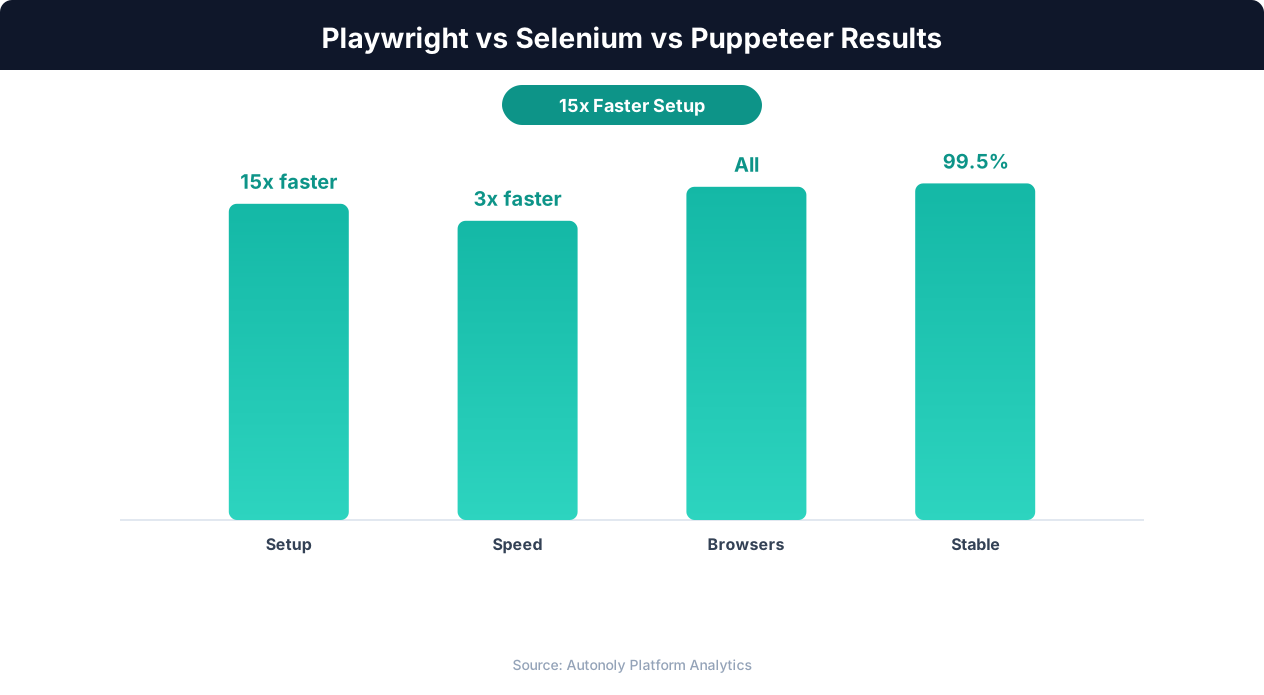
This auto-waiting eliminates the entire category of timing-related flakiness that plagues Selenium and, to a lesser extent, Puppeteer. Developers do not need to manually add wait conditions for every interaction. The framework handles it automatically, resulting in scripts that work reliably on fast machines, slow CI servers, and everything in between.
Selenium's Approach
Selenium provides explicit waits through WebDriverWait with expected conditions, but the developer must apply them manually to every interaction that might have timing issues. In practice, this means Selenium scripts require significantly more boilerplate code for reliability: every click, every text input, and every element assertion needs a preceding wait condition. Junior developers often skip these waits for simplicity and introduce flakiness that only manifests intermittently, making it difficult to debug.
Selenium 4 improved the situation with better implicit wait handling and the introduction of relative locators, but the fundamental model remains: the developer is responsible for timing management. This is a design philosophy difference, not a bug: Selenium trusts the developer to manage timing explicitly. Playwright takes the position that most timing should be handled by the framework because the framework can be more consistent than individual developers.
Puppeteer's Approach
Puppeteer sits between Selenium and Playwright on the reliability spectrum. It provides auto-waiting for navigation events and some element interactions, but its auto-waiting is less comprehensive than Playwright's. Puppeteer's waitForSelector waits for the element to exist in the DOM, but it does not automatically check for visibility, stability, or clickability the way Playwright does. This means Puppeteer scripts still occasionally fail on elements that exist but are not yet interactive.
Error Recovery and Debugging
When automation does fail, debugging speed determines how quickly you can fix the issue. Playwright provides the richest debugging tools: trace viewer (a visual replay of every action with before/after screenshots), inspector mode (step through actions interactively), and detailed error messages that explain why an action failed ("element was not visible" rather than "element not interactable"). Puppeteer provides good console output and CDP-level debugging. Selenium's error messages are often cryptic, and debugging typically requires adding screenshots and logs manually.
For production scraping and automation workflows, Playwright's reliability advantage is significant. Teams that switch from Selenium to Playwright consistently report 40-60% reductions in flaky test/script failures, primarily because auto-waiting eliminates the timing issues that cause the majority of intermittent failures.
Web Scraping Showdown: Which Framework Extracts Data Best?
Web scraping is one of the most demanding use cases for browser automation because it requires interacting with sites you do not control, handling unpredictable content, and running at scale. Here is how each framework performs for scraping-specific needs.
Dynamic Content Handling
Modern websites load content dynamically through JavaScript frameworks (React, Vue, Angular) and lazy-loading patterns. A scraper must wait for this dynamic content to render before extracting data. Playwright handles this most gracefully because its auto-waiting extends to content assertions: you can wait for specific text to appear, specific element counts to be reached, or specific network requests to complete. Puppeteer provides similar capabilities through explicit waits on network idle states and selectors. Selenium requires more manual orchestration to reliably wait for dynamic content, often resorting to time-based waits that are either too short (missing content) or too long (wasting time).
Network Interception
Network interception lets you monitor, modify, or block HTTP requests and responses during scraping. This is powerful for multiple reasons: you can block image and font downloads to speed up page loads (30-50% faster), intercept API responses that contain structured data (avoiding the need to parse HTML), and modify request headers to avoid detection. Playwright and Puppeteer both provide robust network interception through route handlers. Selenium's network interception is limited and requires external proxy tools like BrowserMob Proxy for equivalent functionality.
Selector Engines
Finding elements on a page is fundamental to scraping. Playwright offers the most powerful selector engine with support for CSS selectors, XPath, text-based selectors (text="Add to Cart"), role-based selectors (role=button[name="Submit"]), and chained selectors that combine multiple strategies. Text-based selectors are particularly valuable for scraping because they are resilient to HTML structure changes: selecting a button by its visible text works even if the CSS classes or DOM structure change.
Puppeteer supports CSS selectors, XPath, and a more limited text selector. Selenium supports CSS selectors, XPath, and various locator strategies (by ID, name, class, tag, link text), but lacks Playwright's text-based and role-based selectors. In practice, Playwright's richer selector engine means less time writing and maintaining brittle selectors that break when a website updates its CSS classes.
Anti-Bot Detection
Websites increasingly employ bot detection services like Cloudflare, PerimeterX, and DataDome. All three frameworks expose automation signals that these services can detect. The WebDriver protocol sets a navigator.webdriver flag that Selenium cannot easily hide. Puppeteer and Playwright set similar flags through CDP and their protocols respectively.
The community has developed stealth plugins for each framework. Puppeteer has puppeteer-extra-plugin-stealth, a well-maintained plugin that patches many detection vectors. Playwright has playwright-stealth and can also use the playwright-extra ecosystem. Selenium has various stealth approaches but they are more fragmented and less reliable. In anti-detection testing, Puppeteer with stealth plugins and Playwright tend to pass more bot detection challenges than Selenium, largely because their protocol-level control allows more thorough fingerprint management.
Data Extraction Performance at Scale
For large-scale scraping (thousands of pages), the performance differences discussed earlier compound significantly. A scraping pipeline processing 10,000 product pages might take 3-4 hours with Playwright running parallel contexts, 4-5 hours with Puppeteer, and 8-12 hours with Selenium (without Grid) or 4-6 hours with Selenium Grid. The setup complexity for Selenium Grid adds operational overhead that Playwright's built-in parallelism avoids.
Memory efficiency at scale also favors Playwright. Scraping 10,000 pages in parallel batches of 10 uses significantly less memory with Playwright's shared-process browser contexts than with Selenium's separate browser instances per parallel worker.
Language Support and Ecosystem: Libraries, Community, and Tooling
The framework's language support and surrounding ecosystem determine how easily you can integrate it into your existing tech stack and how quickly you can find solutions to problems you encounter.
Language Support
Selenium supports the widest range of languages: Python, Java, JavaScript/TypeScript, C#, Ruby, and Kotlin. This breadth is Selenium's strongest ecosystem advantage. Whatever language your team uses, Selenium has a first-class binding. Python is the most popular choice for scraping (due to the data processing ecosystem), Java dominates enterprise testing, and C# is common in .NET environments.
Playwright supports JavaScript/TypeScript, Python, Java, and C#. This covers the vast majority of use cases. The Python and JavaScript bindings are the most polished and feature-complete, with Java and C# slightly behind. Playwright's Python API is well-designed and feels natural for Python developers, not like a JavaScript API awkwardly ported to Python.
Puppeteer is JavaScript/TypeScript only. This is a significant limitation for teams whose primary language is Python, Java, or C#. The community has built unofficial ports (like Pyppeteer for Python), but these ports lag behind the official Puppeteer releases and lack some features.
💡 Key Insight
Playwright runs tests 3x faster than Selenium on average due to its auto-wait mechanism and parallel execution support.
Community and Documentation
Selenium has the largest community, the most Stack Overflow answers, the most blog posts, and the most third-party tools. For any problem you encounter with Selenium, someone has likely encountered and solved it before. This institutional knowledge is a genuine advantage, especially for teams without deep browser automation expertise.
Playwright's community is growing rapidly but is smaller than Selenium's. However, Playwright's official documentation is exceptional: well-organized, comprehensive, with working code examples for each supported language. The documentation quality partially compensates for the smaller community, because you are less likely to need to search for answers when the docs are this good.
Puppeteer's community is medium-sized, with strong representation in the JavaScript ecosystem. Google's backing ensures continued development, and the documentation is solid. The overlap between Puppeteer and Playwright concepts means that Playwright documentation and community resources are often helpful for Puppeteer users as well.
Testing Ecosystem Integration
If your use case includes testing (not just scraping), the testing ecosystem integration matters. Playwright ships with its own test runner (@playwright/test) that includes parallel execution, test retry, HTML reporting, and visual comparison out of the box. Selenium integrates with every major test framework (JUnit, TestNG, pytest, NUnit, RSpec) but requires you to assemble the testing infrastructure yourself. Puppeteer integrates with Jest and Mocha but does not have its own test runner.
Maintenance and Release Cadence
Playwright releases new versions roughly every month, with each release adding features and updating browser versions. The Microsoft backing ensures sustained investment and development. Puppeteer releases similarly frequently, backed by Google. Selenium's release cadence is slower (major versions every few years, minor versions every few months), reflecting its maturity and the W3C standardization process that governs its protocol. Slower release cadence is not necessarily negative: it means more stability and less frequent breaking changes.
When to Choose Each Framework: Decision Guide
With all the technical details covered, here are concrete recommendations based on your specific use case, team, and requirements.
Choose Playwright When:
You are starting a new project. For any greenfield browser automation project, whether scraping, testing, or workflow automation, Playwright is the strongest default choice. Its auto-waiting, multi-browser support, performance, and developer experience are the best in class. The learning curve is similar to Puppeteer and lower than Selenium.
You need cross-browser support with consistent behavior. Playwright is the only framework that provides genuinely equivalent capabilities across Chromium, Firefox, and WebKit. If your scraping targets render differently in different browsers, or your tests need to verify cross-browser compatibility, Playwright is the clear winner.
You are building high-volume scraping pipelines. Playwright's parallel execution, efficient memory management through browser contexts, and robust auto-waiting make it the best choice for scraping at scale. The built-in parallelism reduces the infrastructure complexity compared to Selenium Grid.
Reliability is your top priority. If flaky scripts are costing you time and confidence, Playwright's auto-waiting and detailed error messages dramatically reduce failure rates and debugging time.
Choose Puppeteer When:
You only need Chrome and you are a JavaScript team. If your automation targets Chrome exclusively and your team lives in the JavaScript ecosystem, Puppeteer's simpler API and lighter footprint (no multi-browser overhead) make it a solid choice. The API is slightly simpler than Playwright's for Chrome-only use cases.
You are working with a Chrome extension or Chrome-specific features. Puppeteer's deep Chrome DevTools Protocol integration makes it the best choice for tasks that require Chrome-specific capabilities: extension testing, DevTools feature automation, or Chrome performance profiling.
You have existing Puppeteer code. If you have a working Puppeteer codebase, migrating to Playwright provides real benefits but requires effort. The migration is straightforward (the APIs are similar, reflecting shared heritage) but not trivial. If your current Puppeteer setup works well and you are not hitting limitations, migration may not be worth the investment.
Choose Selenium When:
You need Safari testing with real Safari (not WebKit). Playwright's Safari support uses WebKit, Apple's rendering engine, but it is not actual Safari. For testing that requires real Safari behavior (particularly Safari-specific JavaScript engine quirks, Safari extensions, or iOS Safari behavior through Appium), Selenium with SafariDriver is the only option.
Your team uses Ruby, Kotlin, or an unsupported language. If your team primarily works in Ruby, Kotlin, or another language not supported by Playwright, Selenium is the only framework with first-class bindings for your language.
You are in an enterprise environment with existing Selenium infrastructure. If your organization has invested in Selenium Grid, Selenium-based reporting tools, and Selenium expertise across multiple teams, the cost of migrating to Playwright must be weighed against the benefits. In large organizations, the migration cost (retraining, rewriting tests, updating infrastructure) can be substantial.
You need a W3C-standardized protocol. For regulatory or compliance reasons, some organizations require W3C-standardized tools. WebDriver is a W3C recommendation. Playwright and Puppeteer use proprietary protocols.
The Autonoly Perspective
For users of platforms like Autonoly, the framework choice is abstracted away. Autonoly uses Playwright under the hood for its browser automation, which means users get Playwright's reliability, performance, and multi-browser support without needing to write code or manage the framework directly. The AI agent handles all browser interactions through Playwright's API, translating plain-English instructions into reliable automated actions.
Migration Guide: Moving Between Frameworks
If you have decided to switch frameworks, here is a practical guide to migration. The most common migration path is Selenium to Playwright, but we will also cover Puppeteer to Playwright since both are frequent.
Selenium to Playwright Migration
Selenium and Playwright have fundamentally different APIs, so migration is closer to a rewrite than a refactor. However, the concepts map clearly between frameworks, making the rewrite straightforward if you understand both APIs.
Driver setup to browser launch: Replace webdriver.Chrome() with playwright.chromium.launch(). Playwright's browser launch is simpler (no need to download and manage ChromeDriver separately) and provides more options (headless/headed, viewport size, user agent).
Element finding: Replace driver.find_element(By.CSS_SELECTOR, '.class') with page.locator('.class'). Playwright locators are more powerful (supporting text, role, and chained selectors) and more concise. An important difference: Playwright locators are lazy (they do not immediately query the DOM), while Selenium's find_element queries immediately. This means Playwright locators do not throw "element not found" errors at creation time, only when you try to interact with them.
Waits: Remove explicit WebDriverWait constructs. Playwright's auto-waiting handles most timing scenarios that Selenium requires explicit waits for. You may still need explicit waits for specific conditions (waiting for text to change, waiting for a network request), but the majority of wait code from Selenium scripts can be deleted.
💡 Key Insight
Playwright supports all major browsers out of the box, while Puppeteer is limited to Chromium-based browsers only.
Assertions: Replace Selenium assertions (which typically use the testing framework's assertions on extracted values) with Playwright's built-in assertions (expect(locator).to_have_text()). Playwright assertions have built-in retry logic, automatically waiting for the condition to be true within a timeout, which eliminates another category of flakiness.
Puppeteer to Playwright Migration
Puppeteer to Playwright migration is smoother because the APIs share a common heritage. Many method names are identical or very similar.
Launch: Replace puppeteer.launch() with playwright.chromium.launch(). The options are largely compatible. Add playwright.firefox.launch() or playwright.webkit.launch() if you want multi-browser support.
Page interactions: Most Puppeteer page methods have direct Playwright equivalents: page.goto(), page.click(), page.type(), page.evaluate(). The primary difference is that Playwright encourages using locators (page.locator()) rather than page-level methods (page.click()). Locators are more robust and composable.
Waiting: Replace Puppeteer's page.waitForSelector() and page.waitForNavigation() with Playwright's auto-waiting. In most cases, you can simply delete the wait calls because Playwright's action methods wait automatically. For explicit waits, use page.waitForSelector() (same API) or locator.waitFor().
Migration Strategy
Do not attempt a big-bang migration where you rewrite everything at once. Instead, migrate incrementally. Start by setting up the new framework alongside the old one. Migrate one script or test file at a time, starting with the simplest ones. Verify that each migrated script produces identical results. Once all scripts are migrated and verified, remove the old framework.
Expect the migration to take 1-3 days per 1,000 lines of automation code, depending on complexity. The investment pays back through reduced maintenance time, fewer flaky failures, and faster execution speed going forward. Teams that complete Selenium-to-Playwright migrations consistently report that the reliability improvement alone justified the migration effort.
The Future: Where Browser Automation Is Heading
The browser automation landscape continues to evolve rapidly. Understanding where each framework is heading helps you make a choice that will age well.
Playwright's Trajectory
Playwright is on the steepest growth curve. Its monthly releases consistently add significant features: component testing, API testing, accessibility testing, and improved debugging tools. Microsoft's investment shows no signs of slowing, and the developer community is growing exponentially. Playwright is also becoming the default choice for AI-powered browser automation tools, as its reliability and rich API make it the best foundation for autonomous agents that need to interact with arbitrary websites.
The integration of Playwright with AI agents is particularly noteworthy. Platforms like Autonoly, Anthropic's computer use feature, and numerous AI startups all chose Playwright as their browser automation layer. This creates a virtuous cycle: as more AI tools use Playwright, more edge cases are discovered and fixed, making Playwright even more reliable for both AI and human-directed automation.
Selenium's Trajectory
Selenium is not going away. Its W3C standardization, massive installed base, and broad language support ensure its continued relevance, particularly in enterprise environments and for Safari testing. Selenium 5 (in development) is expected to improve performance and add features that narrow the gap with Playwright, but the architectural differences (WebDriver protocol versus Playwright's custom protocol) mean that Selenium will likely remain slower and less feature-rich for the foreseeable future.
Selenium's most important strategic asset is the BiDi (Bidirectional) protocol effort, a new W3C specification that aims to bring real-time event streaming and richer browser control to the WebDriver standard. If BiDi is widely adopted by browser vendors, it could significantly close the capability gap between Selenium and Playwright. However, BiDi adoption is progressing slowly, and the specification is still evolving.
Puppeteer's Trajectory
Puppeteer faces an existential challenge: Playwright does everything Puppeteer does, plus multi-browser support, plus better auto-waiting, plus a richer API. Puppeteer's continued value comes from its tight Chrome/Google integration and its lighter footprint for Chrome-only use cases. Google continues to maintain and develop Puppeteer, but the feature gap with Playwright is widening rather than narrowing.
For new projects, the case for choosing Puppeteer over Playwright is increasingly narrow. For existing Puppeteer projects, the case for migrating to Playwright is increasingly strong, especially if you need multi-browser support or improved reliability.
The AI-Powered Automation Layer
The most significant trend in browser automation is the rise of AI-powered tools that abstract away the framework entirely. Instead of writing Playwright, Puppeteer, or Selenium scripts, users describe tasks in natural language and an AI agent translates those descriptions into browser actions. This trend does not eliminate the need for these frameworks (the AI tools use them under the hood) but it does shift the decision from "which framework should my team learn?" to "which framework does my automation platform use?"
For teams that are choosing between writing their own automation code and using an AI-powered platform like Autonoly, the framework comparison is less relevant. The platform handles the framework choice, the selector strategy, the error recovery, and the anti-detection measures. Your job is describing what you want to accomplish, not writing code to accomplish it.