Three Platforms, Three Philosophies
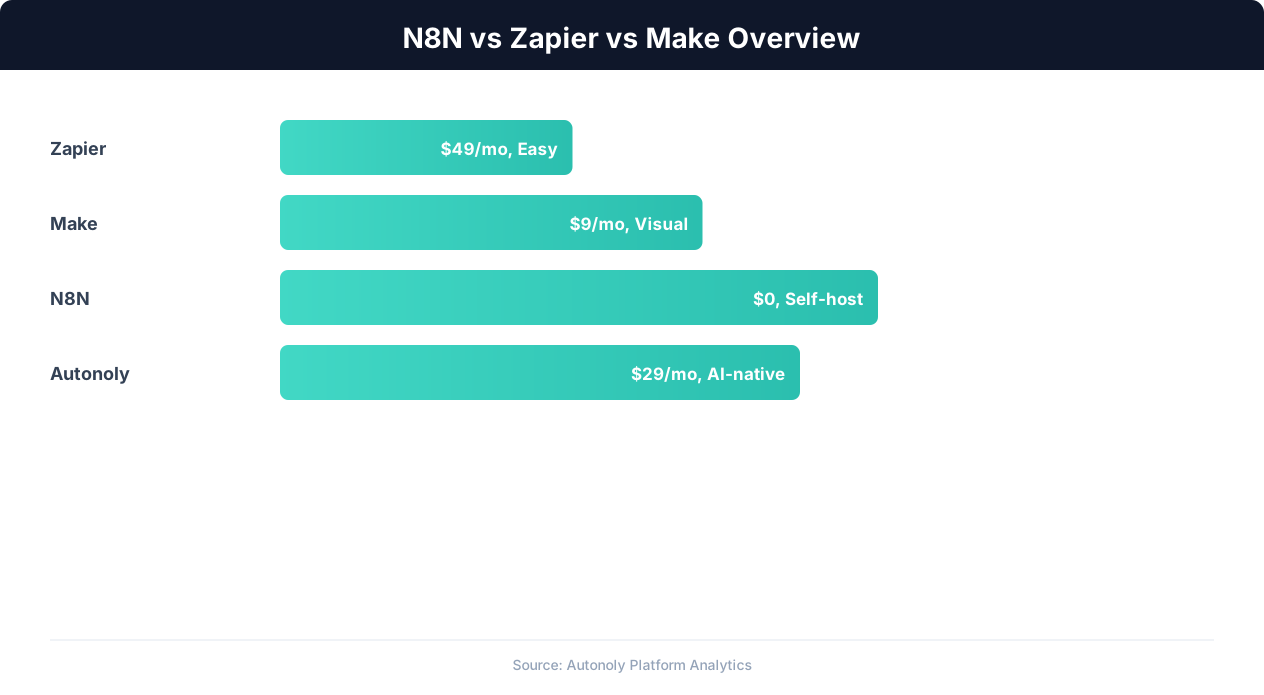
n8n, Zapier, and Make are the three most compared workflow automation platforms, yet each approaches the problem differently. Understanding their core philosophies explains why they make different tradeoffs and who they serve best. If you are new to the category, our explainer on what automation is and the workflow automation guide cover the fundamentals these platforms share.
Zapier: Simplicity and Breadth
Zapier was built on a simple premise: connect app A to app B without code. Its founding insight was that most business automation is straightforward — when something happens in one tool, do something in another tool. Zapier optimized relentlessly for this use case, building the largest integration library in the market (6,000+ apps) and the most approachable interface. You do not need to understand APIs, data structures, or programming concepts to use Zapier. The tradeoff is that Zapier is less capable when workflows become complex.
Make: Visual Power
Make (formerly Integromat) was built for users who need more control than Zapier provides but do not want to write code. Its visual scenario builder renders workflows as flowcharts, making branching logic, parallel execution, and data transformation visible and intuitive. Make bridges the gap between Zapier's simplicity and a developer tool's power, targeting power users, agencies, and technical operations teams.
n8n: Developer Freedom
n8n was built by developers, for developers (and technically-inclined non-developers). It is open source, self-hostable, and designed around the principle that you should never be limited by the platform. If an integration does not exist, you write it. If the built-in logic is not enough, you embed custom JavaScript. n8n sacrifices polish for power, serving users who want maximum control over their automation infrastructure.
These different philosophies mean there is no single "best" platform — only the best platform for your specific situation. This comparison helps you match your needs to the right tool.
Pricing: The Real Cost at Every Scale
Pricing is often the primary driver behind platform decisions, but headline prices can be misleading. The real cost depends on your usage volume, workflow complexity, and whether you can self-host.
Pricing Models Explained
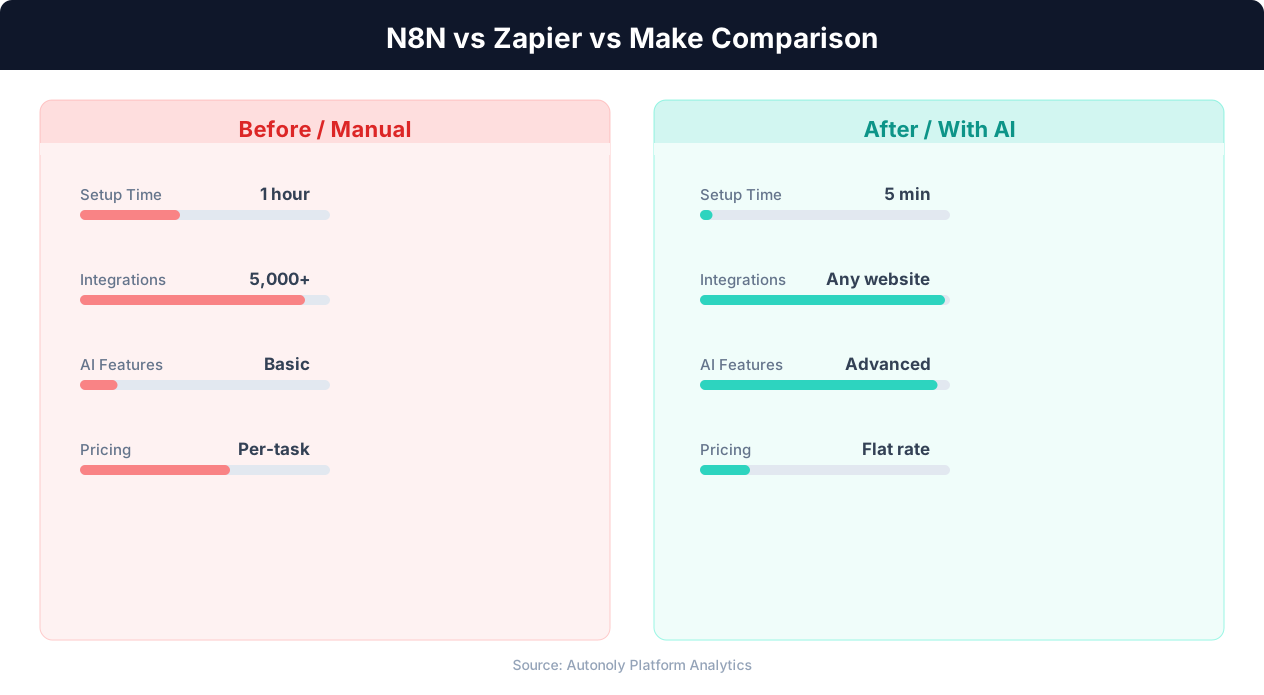
Zapier charges per "task" — each action step that executes in a Zap counts as one task. A three-step Zap that runs once consumes three tasks. Multi-step Zaps and advanced features require higher-tier plans.
Make charges per "operation" — similar to Zapier's tasks but counted slightly differently. Each module execution is one operation. Make generally provides more operations per dollar than Zapier.
n8n charges per "execution" on its cloud plans — one workflow run equals one execution regardless of how many nodes are in the workflow. Self-hosted n8n has no execution limits.
Price at Common Usage Levels
| Monthly Volume | Zapier | Make | n8n Cloud | n8n Self-Hosted |
|---|---|---|---|---|
| 500 tasks/ops | $19.99 (Starter) | Free (1,000 ops) | $20 (Starter) | $5-10 (server only) |
| 2,000 tasks/ops | $49 (Professional) | $9 (Core) | $20 (Starter) | $5-10 (server only) |
| 5,000 tasks/ops | $99 (Professional) | $16 (Core) | $20 (Starter) | $10-15 (server only) |
| 20,000 tasks/ops | $299 (Team) | $29 (Pro) | $50 (Pro) | $15-25 (server only) |
| 50,000 tasks/ops | $599 (Team) | $99 (Teams) | $50 (Pro) | $20-30 (server only) |
The Self-Hosting Factor
n8n's self-hosted option fundamentally changes the cost equation. At 50,000 monthly executions, Zapier costs $599/month ($7,188/year) while self-hosted n8n costs approximately $25/month ($300/year) for the server. That is a 95% cost reduction. The hidden cost is the time spent on server maintenance — perhaps 2-4 hours per month for updates, monitoring, and occasional troubleshooting.
For businesses where the monthly savings exceed the value of those maintenance hours (which is nearly always the case above 5,000 tasks/month), self-hosting is the clear economic winner. For smaller volumes or teams without any technical capacity, cloud-hosted options make more sense.
Hidden Costs to Watch
- Zapier: Multi-step Zaps require Starter ($19.99) or higher. Paths (conditional logic) require Professional ($49). These feature gates can double or triple your effective cost.
- Make: Data transfer limits on lower plans (100MB on free, 1GB on Core) can force upgrades for data-heavy workflows.
- n8n Cloud: The Starter plan limits active workflows to 5. Exceeding this requires the Pro plan.
- n8n Self-Hosted: Server costs, SSL certificate management, backup solutions, and the opportunity cost of maintenance time.
Ease of Use: From First Login to First Workflow
We tested each platform by building the same workflow: when a Google Form is submitted, add the response to a Google Sheet, send a confirmation email via Gmail, and post a notification to Slack. Here is how each platform handled it.
Zapier: 8 Minutes, No Confusion
Zapier's onboarding funnels you directly into creating your first Zap. The interface is a linear sequence: choose trigger → configure trigger → test trigger → choose action → configure action → test action → activate. Each step has clear instructions and inline help. The Google Forms trigger was found instantly (searching "Google Forms" in the app picker), and field mapping was automatic — Zapier detected the form fields and offered them as dropdown options in subsequent steps.
The only friction was adding the second and third action steps. Zapier's linear interface means you scroll down past configured steps to add new ones, which becomes awkward in longer workflows. But for this three-action workflow, it was quick and intuitive. Total time: 8 minutes from login to active Zap.
Make: 12 Minutes, More Control
Make's scenario builder opens with a blank canvas. You drag modules onto the canvas and connect them with lines. The initial experience is slightly disorienting compared to Zapier's guided flow — you need to know to right-click the canvas or use the module picker to add nodes. Once past this initial hurdle, Make's builder becomes intuitive.
Configuring each module involves more options than Zapier. The Google Sheets module, for example, exposes options for row numbering, header configuration, and value rendering that Zapier hides. This gives more control but requires more decisions. The visual layout — seeing all four modules connected on a canvas — made it easier to understand the overall workflow compared to Zapier's scrolling list. Total time: 12 minutes.
n8n: 18 Minutes, Some Technical Moments
n8n's workflow editor is similar to Make's canvas-based approach but with a more technical aesthetic. Adding nodes and connecting them is straightforward. Where n8n diverges is in configuration: credential setup required understanding OAuth flows (other platforms abstract this more), and data mapping uses a JSON-based expression system that is more powerful but less intuitive than dropdown field pickers.
The testing experience was superior to both Zapier and Make. n8n lets you execute individual nodes and see their output data immediately, making it easy to verify each step works before connecting them. The debugging panel shows raw JSON input and output, which is invaluable for troubleshooting but may overwhelm non-technical users. Total time: 18 minutes.
Ease of Use Verdict
Zapier is the fastest for simple workflows and the most approachable for non-technical users. Make offers a better balance of power and usability. n8n is the most powerful but requires comfort with technical concepts. For a platform that combines ease of use with power through AI assistance, Autonoly's AI agent lets you describe workflows in natural language — see our four-way comparison for details.
Integrations: Quantity vs Quality vs Flexibility
Integration count is the most cited metric in platform comparisons, but raw numbers tell an incomplete story. A platform with 400 deep integrations can be more useful than one with 6,000 shallow ones.
Integration Counts
| Platform | Native Integrations | HTTP/API Support | Custom Code |
|---|---|---|---|
| Zapier | 6,000+ | Webhooks by Zapier | Code by Zapier (JS/Python) |
| Make | 1,500+ | HTTP module | No native code |
| n8n | 400+ | HTTP Request node | Function node (JS) |
Where Zapier's Integration Count Matters
Zapier's 6,000+ integrations include niche apps that Make and n8n do not support: industry-specific CRMs, regional payment processors, obscure project management tools, and long-tail SaaS products. If your business relies on a niche app, check Zapier's integration library first — it is the most likely platform to have a pre-built connector.
However, many of Zapier's integrations are shallow — they support basic triggers and actions but miss advanced features. The Shopify integration, for example, supports "New Order" and "New Customer" triggers but lacks triggers for inventory changes, fulfillment updates, or refund events. Make's Shopify integration, with fewer total integrations, often supports more trigger and action types per app.
Where n8n's Flexibility Compensates
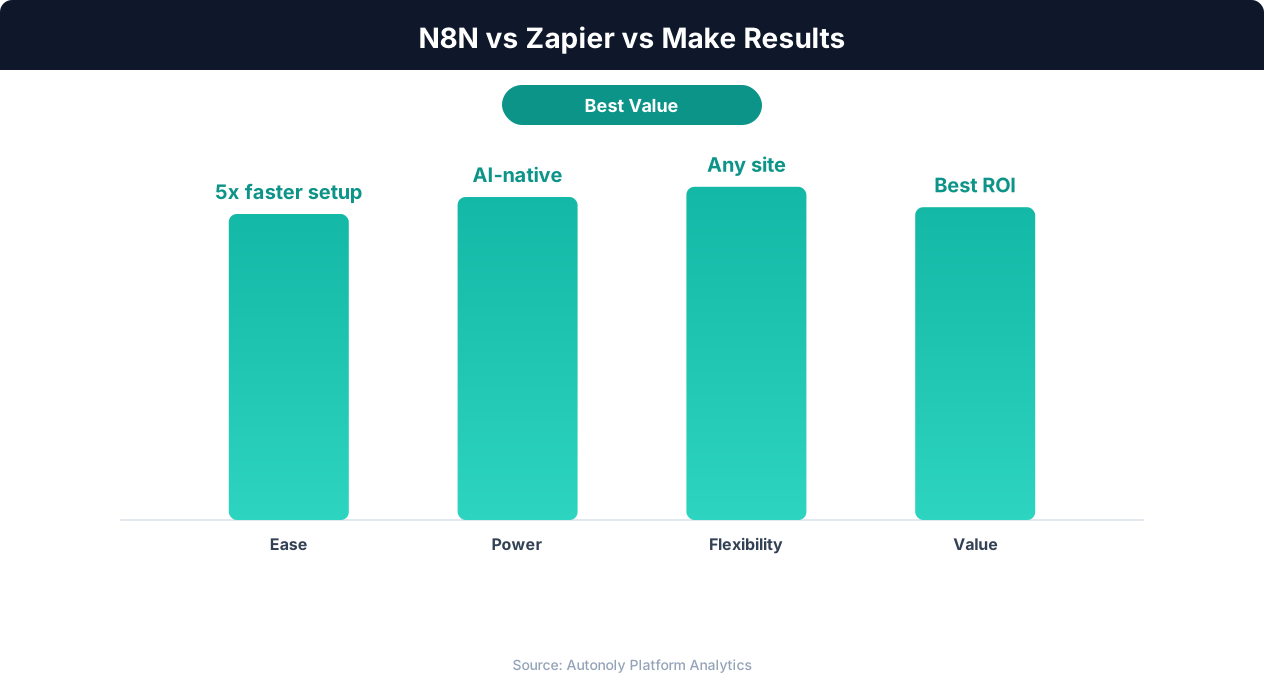
n8n's 400+ node library covers major platforms comprehensively. For everything else, the HTTP Request node connects to any REST API, and the Function node lets you write arbitrary JavaScript to transform data, calculate values, or implement custom logic. This means n8n's effective integration coverage is "anything with an API" — the tradeoff is that connecting to a new API requires understanding HTTP methods, authentication headers, and JSON payloads rather than clicking a pre-built integration.
The Integration Gap: Websites Without APIs
All three platforms share a fundamental limitation: they can only connect to systems that expose APIs. Legacy web applications, government portals, vendor dashboards, and many industry-specific tools do not have APIs and are not in anyone's integration library. For these systems, you need browser automation — a capability that n8n, Zapier, and Make all lack.
This gap is significant enough that many teams maintain a separate browser automation tool (like Selenium, Playwright, or an RPA platform) alongside their workflow automation platform. Autonoly eliminates this split by including browser automation natively within the workflow builder, connected to the same data pipeline as API-based integrations. See how this works in practice in our data entry automation guide.
Webhook and Real-Time Integration
All three platforms support webhooks as triggers, enabling real-time automation triggered by external events. Zapier's webhook handling is straightforward but limited (you cannot process the raw payload beyond basic field mapping). Make's webhook module allows complex payload parsing and validation. n8n's webhook node offers the most flexibility, including custom response codes, header manipulation, and the ability to respond with dynamic data — making it suitable for building lightweight API endpoints.
Handling Complex Workflows: Branching, Loops, and Error Handling
Simple automations work on any platform. The real differentiator is how each platform handles workflows that go beyond linear trigger-action chains.
Conditional Branching
Zapier supports branching through "Paths" — available on Professional plans and above. Each path has a condition (if order value > $100, if country = US, etc.) and a set of actions. Paths can be nested but quickly become difficult to read in Zapier's linear interface. You cannot easily see the overall branching structure at a glance.
Make uses Router modules to split workflows into multiple paths. Routes are visible on the canvas as separate branches emanating from the router, making the logic visually clear. Each route has a filter condition, and routes execute in order with an optional fallback route for unmatched conditions. This is the most visually intuitive branching implementation.
n8n handles branching through the IF node and Switch node. The IF node splits into true/false paths. The Switch node handles multiple conditions. Both are rendered as visual branches on the canvas. n8n also supports the Merge node, which recombines branches — something Zapier and Make handle less elegantly.
Loops and Iteration
Zapier added a Looping feature that processes items one at a time. It works for simple use cases (iterate through spreadsheet rows) but has limitations: loops cannot be nested, and you cannot break out of a loop based on a condition without workarounds.
💡 Key Insight
Zapier leads with 7,000+ integrations, while n8n offers unlimited free executions and Make provides the most visual workflow builder.
Make handles iteration natively — when a module outputs an array of items, subsequent modules automatically process each item. You can control this with Iterator and Aggregator modules. Make's iteration is the most intuitive: arrays flow naturally through the scenario, and you can see how many items are being processed at each stage.
n8n provides the most iteration flexibility. The SplitInBatches node processes items in configurable batch sizes. The Loop Over Items node handles standard iteration. Custom iteration logic can be implemented with the Function node. n8n's ability to write arbitrary loop logic in JavaScript means there are no iteration patterns it cannot handle.
Error Handling
Zapier offers basic error handling: when a step fails, you can configure the Zap to stop, continue, or run an alternative action. Error notifications are sent via email. There is no ability to build custom error recovery flows.
Make has the most sophisticated built-in error handling. Each module can have error handler routes that activate when the module fails. You can configure retry logic (retry the failed module up to 10 times with configurable delays), ignore errors and continue, commit partial data, or roll back the entire scenario. Error handling routes are visible on the canvas as red connections.
n8n handles errors through the Error Trigger node, which activates when any workflow fails, and per-node error outputs that route failed items to recovery paths. The flexibility of custom code means you can implement any error recovery strategy, but it requires more manual configuration than Make's point-and-click error handlers.
Complexity Verdict
For complex workflows, Make provides the best balance of visual clarity and built-in features. n8n is the most capable when custom logic is needed. Zapier is the weakest in this category — complex workflows are possible but awkward to build and difficult to debug.
Performance and Reliability in Production
Automation platforms need to be reliable — a missed trigger or failed action can mean lost orders, delayed responses, or corrupted data. Here is how each platform performs in production environments.
Execution Speed
Zapier: Free and Starter plans poll triggers every 15 minutes. Professional and above poll every 1-2 minutes. Webhook-based triggers execute near-instantly. Action execution is generally fast (under 5 seconds per step) but queues during peak hours can add latency. Zapier's infrastructure scales well — even complex Zaps execute reliably.
Make: Free plan polls every 15 minutes. Paid plans support intervals as low as 1 minute. Scenario execution is fast, and Make's parallel branch execution means multi-path scenarios complete faster than equivalent linear workflows on Zapier. Make has occasionally experienced platform-wide slowdowns during peak periods, though these are infrequent.
n8n Cloud: Similar polling intervals to Make on paid plans. Execution speed depends on the plan tier — higher plans get priority execution. Self-hosted n8n execution speed depends entirely on your server capacity, which means you can optimize for your specific workload.
n8n Self-Hosted: Performance is completely under your control. A properly configured server handles thousands of executions per hour without queuing. The tradeoff is that you are responsible for scaling — if traffic spikes, you need to upgrade the server yourself.
Uptime and Reliability
All three cloud platforms maintain high uptime (99%+ over rolling 12-month periods). Zapier has the longest track record and largest infrastructure, which generally translates to the highest reliability. Make has had occasional incidents that affected scenario execution. n8n Cloud is newer and still maturing its infrastructure.
Self-hosted n8n reliability depends on your infrastructure choices. Running on a reputable cloud provider with automated backups and monitoring achieves reliability comparable to or exceeding cloud platforms. Running on a cheap VPS without monitoring risks undetected downtime.
Execution Logging and Monitoring
Zapier: Task history shows execution status and basic input/output for each step. History retention depends on plan tier (7 days to indefinite). Search and filtering in the task history is limited.
Make: Execution logs are detailed, showing input/output data for every module in every execution. The visual execution view highlights the path taken through branching scenarios. Make retains execution data based on plan tier and allows re-running failed executions with original data.
n8n: Execution logs show complete input/output data for every node. The execution list is searchable and filterable. Self-hosted users control log retention indefinitely. n8n's execution replay feature lets you re-run any historical execution for debugging.
For scheduled workflows that run unattended, Make and n8n provide superior visibility into what happened and why. Zapier's logging is adequate for simple workflows but insufficient for debugging complex failures in production.
Final Verdict: Who Should Choose Which Platform
After comparing these three platforms across every dimension that matters, here are clear recommendations based on user profiles.
Choose Zapier If...
- You are non-technical and want the simplest possible setup experience
- Your automations are primarily simple two-step app connections
- You rely on niche apps that only have Zapier integrations
- You value the largest community and most tutorials/templates available
- Budget is not the primary concern
Zapier is the Toyota Camry of automation — reliable, widely supported, and good enough for most common use cases. It is the safe default choice.
Choose Make If...
- Your workflows involve branching logic and conditional paths
- You need robust error handling without writing code
- You want a visual builder that shows workflow structure clearly
- You need more operations per dollar than Zapier provides
- Your team includes power users comfortable with moderate complexity
Make is the best choice for teams that have outgrown Zapier's simplicity but do not want to manage infrastructure or write code.
💡 Key Insight
Businesses switching from Zapier to alternatives save an average of 40-60% on automation costs at scale.
Choose n8n If...
- Your team includes a developer or technically comfortable person
- You want to self-host for cost savings and data control
- Your workflows require custom code, complex data transformation, or unusual integration patterns
- You are price-sensitive and running high-volume automations
- You want an open-source solution with no vendor lock-in
n8n is the best choice for technically capable teams that prioritize control, customization, and cost efficiency.
When None of These Three Fit
All three platforms share a critical limitation: they cannot automate interactions with websites that lack APIs. If your workflows involve filling web forms, extracting data from rendered pages, navigating web portals, or interacting with systems that only have a browser interface, you need a platform with browser automation built in.
Autonoly addresses this gap specifically. Its AI agent controls a real browser, interacts with any website, and builds workflows through natural language conversation. For teams whose automation needs span both API connections and browser interactions, Autonoly eliminates the need to combine multiple tools. See our four-platform comparison including Autonoly for a full analysis.
The Hybrid Approach
Many mature teams use multiple platforms. A common combination is Zapier for quick integrations with niche apps, n8n or Make for complex data workflows, and Autonoly for browser-based automation and AI-powered web scraping. While managing multiple platforms adds some overhead, it ensures you are using the best tool for each specific task rather than forcing everything through a single tool's limitations.
Migration Tips: Switching Between Platforms
If you are already using one of these platforms and considering a switch, here are practical tips for a smooth migration.
Inventory and Prioritize
Before migrating, document every active workflow: its trigger, each action step, the apps involved, and its monthly execution volume. Rank workflows by criticality — which ones must keep running uninterrupted, and which can tolerate a brief outage during migration? Migrate critical workflows first and test them thoroughly before deactivating the originals.
Check Integration Parity
The most common migration blocker is discovering that a critical integration does not exist on the target platform. Before committing to a switch, verify that every app in your workflow inventory has a corresponding integration (or can be connected via HTTP/webhook) on the new platform. Pay attention to specific trigger and action types, not just app presence — a platform may support Google Sheets but lack the specific trigger you use.
Parallel Running Period
Run workflows on both platforms simultaneously for at least one week. This catches edge cases that testing alone may miss: rate limit interactions, timezone handling, data format differences, and real-world error conditions. Only deactivate the old platform after verifying that the new platform handles everything correctly.
Platform-Specific Migration Notes
Zapier to Make: Most Zapier integrations have Make equivalents. The main adjustment is learning Make's visual builder and operation-based pricing model. Expect workflows to be cheaper on Make at equivalent volumes.
Zapier to n8n: Check for integration availability first — n8n's library is smaller. Plan to use HTTP Request nodes for apps without native integrations. Budget time for OAuth credential setup, which n8n handles differently than Zapier.
Make to n8n: A lateral move in terms of complexity. Make's visual builder concepts translate directly to n8n's canvas. The main advantage of switching is self-hosting for cost savings.
Any platform to Autonoly: For API-based workflows, verify that Autonoly's integration library covers your apps. For browser-based tasks, Autonoly typically handles them more effectively than any of the three platforms compared here, since those tasks likely required manual workarounds on your previous platform.
Data Continuity
Ensure historical data is preserved during migration. Export execution logs from the old platform, note any stateful information (like "last processed row" counters in spreadsheet workflows), and configure the new platform to resume from the correct starting point rather than reprocessing historical data.
Compare directly: Best n8n alternatives · Best Zapier alternatives · Best Make alternatives.