


Why Monitor Website Changes?
Websites change constantly — new products appear, documentation gets updated, pricing shifts, and terms of service evolve. For businesses that depend on timely information, missing a change can mean lost opportunities or compliance risks. Website change monitoring automates the tedious process of checking pages manually, ensuring your team knows about updates the moment they happen.
Common use cases span every industry. Legal teams monitor regulatory websites for policy changes. Product managers track competitor feature pages for new releases. Procurement teams watch supplier catalogs for inventory updates. Marketing teams monitor review sites and directories for new listings. The common thread is that manual checking does not scale and is prone to human error.
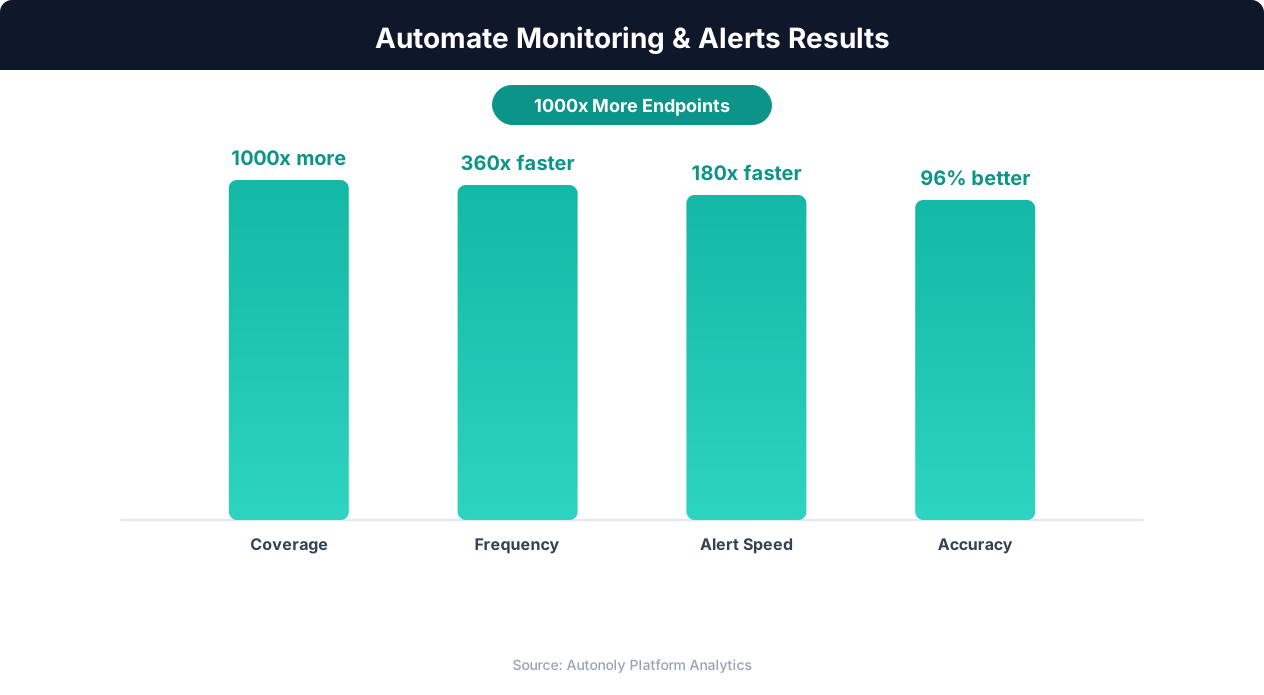
Downtime reduction from automated monitoring workflows
Key Insight: Website downtime costs businesses an average of $5,600 per minute. Automated monitoring pays for itself by preventing even a single extended outage (Gartner).
How Autonoly Detects Web Page Changes
Autonoly's approach to website monitoring goes far beyond simple text comparison. The Browser Automation engine renders each page in a full Playwright browser, executing JavaScript, loading dynamic content, and handling all the complexity of modern web applications. This is critical because many websites generate content dynamically — a simple HTTP request would miss most of the actual page content.
The AI Agent Chat lets you describe what you want to monitor in natural language. Instead of writing CSS selectors or XPath expressions, you can say "monitor the pricing table on this page" or "alert me when new job listings appear." The AI understands your intent and focuses on the relevant page sections.
Intelligent Change Detection
Not all changes matter. A website might update a timestamp, rotate an ad banner, or change a session token — none of these are meaningful to you. Autonoly uses intelligent diffing that distinguishes between substantive content changes and noise. The AI understands page structure and filters out irrelevant modifications, so your team only gets alerted about changes that actually matter.
You can configure the sensitivity level. For some pages, any text change is important. For others, you only care about specific sections — a pricing table, a product list, or a particular paragraph. The Data Extraction capabilities let you define precisely which page elements to track.
What Your Slack Alerts Include
Each Slack notification contains a clear summary of what changed, where on the page the change occurred, the old content versus the new content, and a direct link to the page. For pages where multiple changes occurred simultaneously, the alert groups them logically so your team can quickly assess the situation.
For historical tracking, you can add Google Sheets as a secondary destination to build a change log over time. This is valuable for audit trails, compliance documentation, and trend analysis.
Customization and Advanced Monitoring
The Visual Workflow Builder lets you build sophisticated monitoring pipelines. You can chain multiple monitoring steps together — for example, checking a page for changes, then extracting updated data if changes are found, then formatting and routing the results based on content type.
Logic & Flow conditions let you create different alert paths. Price decreases go to the sales channel, new product additions go to the product channel, and terms of service changes go to the legal channel. This targeted routing prevents alert fatigue and ensures the right people see the right changes.
Scheduling and Frequency
Website monitoring can run on any schedule that makes sense for your use case. High-priority pages can be checked hourly, while less critical pages might be checked daily or weekly. Autonoly handles the scheduling automatically and retries failed checks without manual intervention. Learn more about scheduling patterns in our workflow automation glossary.
Beyond Simple Monitoring
Website change detection is often the starting point for more complex automation. When a change is detected, you might want to trigger a data extraction pipeline, update a dashboard, or kick off a competitive analysis workflow. Autonoly's Integrations make it easy to connect monitoring to downstream actions. Visit the templates library for pre-built monitoring workflows, and check the pricing page to find the plan that fits your monitoring volume. The SSH & Terminal feature enables running custom scripts for specialized change analysis, while the Data Processing feature helps normalize and transform detected changes for consumption by other systems. For more on the underlying extraction technology, see our web scraping glossary and API integration glossary.
Key Insight: 91% of enterprises report that automated monitoring has eliminated blind spots in their infrastructure that manual checks consistently missed (Splunk Observability Report).
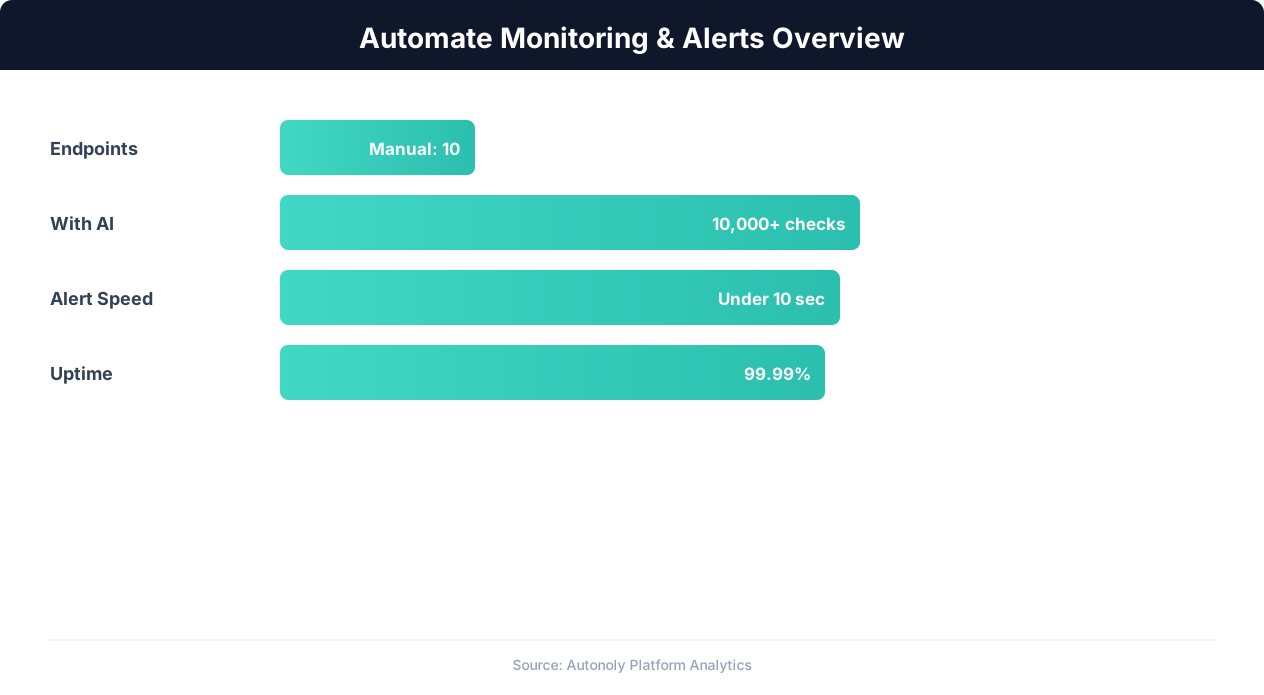
Monitoring automation detection rates across alert types
Key Insight: Organizations with automated monitoring experience 78% fewer critical incidents due to early warning detection and proactive alerting (Datadog Infrastructure Report).
Getting Started
To begin monitoring website changes, open the AI Agent Chat and describe which pages you want to track and what types of changes matter to you. The agent creates the monitoring workflow automatically, including page rendering, change detection, and Slack delivery. You can fine-tune the configuration in the Visual Workflow Builder at any time — adding new URLs, adjusting sensitivity, or routing alerts to additional channels. Browse the templates library for pre-built website monitoring workflows that cover common use cases like pricing page tracking and documentation change alerts.
Further Reading
Explore more about the tools and techniques used in this workflow: Ecommerce Price Monitoring, Schedule Automated Workflows, Website Monitoring, Scheduled Execution.