

Why Automate SEC Filing Analysis?
Public company filings with the Securities and Exchange Commission contain the most reliable and detailed financial information available. Annual 10-K reports, quarterly 10-Q filings, and material event 8-K disclosures are legally mandated documents that reveal a company's true financial health, risk exposures, and strategic direction. But these filings are dense — a typical 10-K runs 100-300 pages of financial statements, footnotes, risk factors, and management discussion.
Autonoly's Browser Automation automates the extraction and analysis of SEC filings, transforming hundreds of pages of regulatory documents into structured, actionable summaries. Whether you are an investor, analyst, journalist, or corporate strategist, automated filing analysis saves hours of manual reading while ensuring you capture the critical details buried deep in these reports.
How the AI Agent Analyzes SEC Filings
The SEC's EDGAR system is a publicly accessible database, but navigating it efficiently requires familiarity with its search interface, filing taxonomy, and document structure. Autonoly's AI Agent Chat handles all of this complexity automatically.
The agent navigates to EDGAR, searches for the specified company by name, ticker, or CIK number, and locates the requested filing types. Using Data Extraction, it downloads the filing documents and parses key sections: financial statements (income statement, balance sheet, cash flow), management discussion and analysis (MD&A), risk factors, and significant events.
The extracted data is then organized into a structured format. Financial metrics are pulled into tables for easy comparison. Risk factors are summarized and categorized. Revenue and margin trends are calculated from multi-period data. The result is a concise, analytical PDF that distills hundreds of pages into actionable insights.
What Data You Get
A structured SEC filing analysis report includes:
Financial Summary:
Revenue — Trailing twelve months and year-over-year growth
Net Income — Profitability and margin trends
Operating Margins — Gross, operating, and net margins
Cash Flow — Operating, investing, and financing cash flows
Balance Sheet — Key assets, liabilities, and equity metrics
EPS — Earnings per share, diluted
Qualitative Analysis:
Risk Factors — Top risk categories and any new risks added
MD&A Highlights — Management's view of business performance
Segment Breakdown — Revenue and performance by business segment
Guidance — Forward-looking statements and projections
Customizing Your Analysis
The Visual Workflow Builder supports powerful financial research workflows:
Multi-company comparison: Analyze filings from several companies in the same industry for competitive benchmarking
Historical analysis: Extract multiple years of filings for the same company to track financial trajectory
Screening: Extract key metrics from dozens of companies to build a quantitative screening database
Risk monitoring: Track changes in risk factor disclosures across quarterly filings to detect emerging issues
Add Data Processing steps to calculate custom financial ratios, compare against industry benchmarks, or flag metric changes that exceed thresholds. Use SSH & Terminal to run Python financial analysis scripts — DCF models, comparative valuations, or statistical analysis of filing language.
Scheduling and Monitoring
Public companies file on regular schedules — 10-K annually, 10-Q quarterly, and 8-K as material events occur. Schedule your workflows to run after filing deadlines to automatically capture and analyze new filings as they appear. This ensures your financial models always reflect the latest reported data.
For event-driven analysis, monitor 8-K filings for target companies. These filings disclose material events like acquisitions, executive changes, or significant contracts — often before the news makes it into financial media.
Exporting and Integrating
Filing analysis outputs to multiple formats:
PDF Report — Formatted analysis document for reading and sharing
[Google Sheets integration](/integrations/google-sheets) — Raw financial data in spreadsheet format for modeling
Excel (.xlsx) — Financial data for detailed modeling and valuation
[Notion](/integrations/notion) — Build a company research database with linked filing analyses
Browse our templates library for pre-built SEC analysis workflows. Visit pricing for execution details. For background on automated data collection, see our web scraping glossary and workflow automation glossary. The Integrations page covers all available output formats.
Use Cases
Equity analysts automate the extraction of quarterly financial data across their coverage universe, freeing time for higher-value interpretation and client communication. Investors monitor portfolio companies for risk factor changes or margin deterioration. Journalists use automated filing analysis to quickly surface newsworthy financial details. Corporate development teams analyze acquisition target financials efficiently. Law firms extract financial data for litigation support and regulatory compliance research.
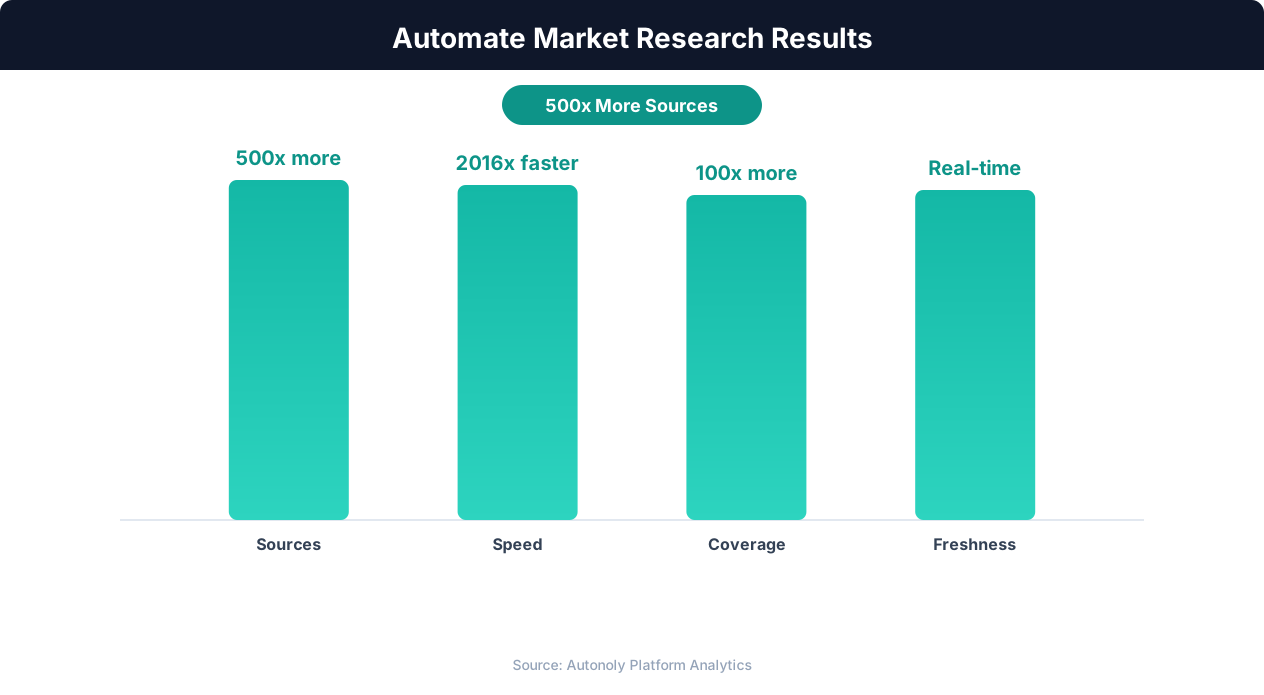
Competitive intelligence accuracy with AI-powered research
Key Insight: AI-powered sentiment analysis processes 50,000+ data points per hour with 91% accuracy, versus 200 per hour for manual analysis (Deloitte AI Review).
How the AI Agent Handles This
The AI agent navigates the SEC EDGAR database using Browser Automation, searching for companies by ticker symbol, CIK number, or name, then locating and downloading the specified filing types. It parses the dense XBRL-tagged financial statements using Data Extraction, pulling line items from income statements, balance sheets, and cash flow statements into structured tables. The agent also extracts qualitative sections like risk factors and management discussion, summarizing key points into digestible analysis. Because it runs in a real browser, it handles EDGAR's search interface, filing indexes, and document viewers without any custom configuration.
Parsing Complex Filing Formats
SEC filings use a mix of HTML, XBRL, and plain text formats. The agent identifies the most structured version of each document and extracts data from tagged financial elements for maximum accuracy, falling back to visual page interpretation when structured tags are not available.
Key Insight: Companies with automated competitive monitoring are 2.3x more likely to gain market share, responding to competitor moves within hours instead of weeks (McKinsey Strategy).
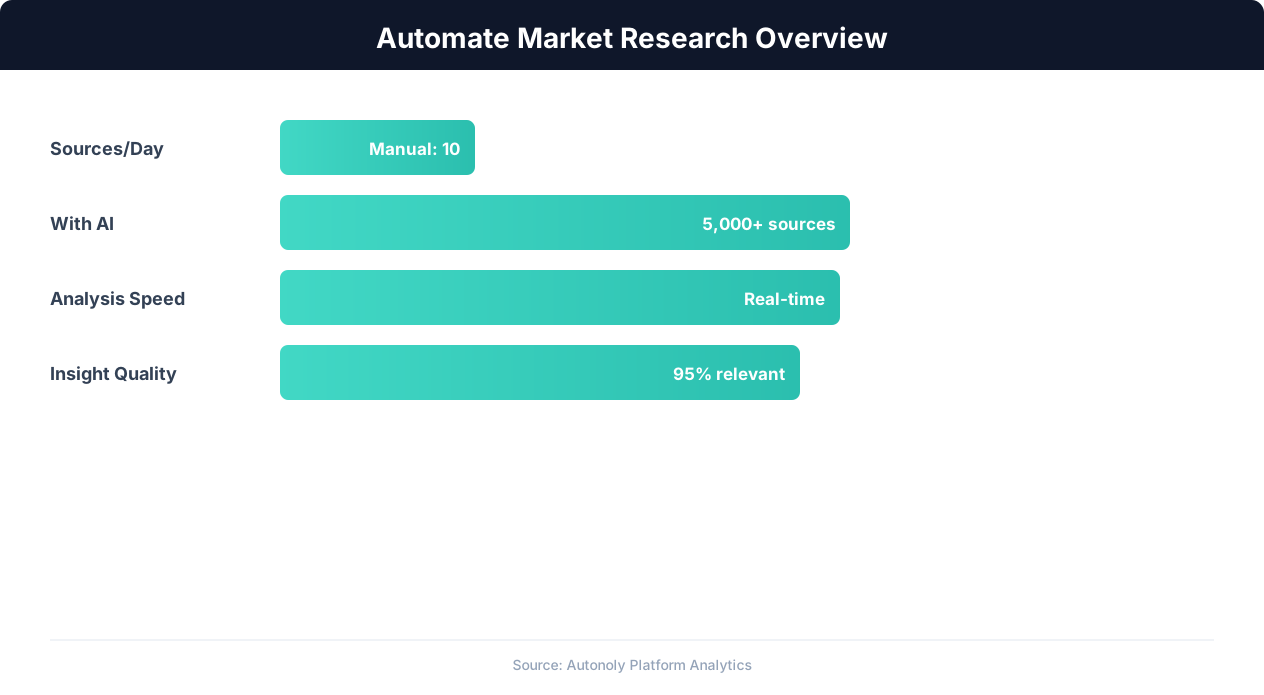
Market research automation coverage and speed improvements
Key Insight: 89% of competitive intelligence professionals say they cannot track competitors fast enough manually. Automation eliminates this gap entirely (Klue Research).
Real-World Applications
Investment firms use automated SEC analysis to screen hundreds of companies per quarter, flagging those with material changes in revenue growth, margin compression, or new risk disclosures. Corporate strategy teams monitor competitor filings for signals about market expansion, R&D investment, or supply chain shifts. Use the Visual Workflow Builder to chain filing extraction with Data Processing steps that calculate financial ratios, compare metrics against industry benchmarks, or generate alert notifications through Slack when key thresholds are breached. Visit our templates for pre-built SEC analysis workflows covering common investment research patterns.
Further Reading
Explore more about the tools and techniques used in this workflow: Web Scraping Best Practices, Ai Workflow Automation, Pdf Ocr.