


Why Automate Stock Price Monitoring?
Active traders and investors need to know when prices move beyond expected ranges. While most brokerage apps offer basic price alerts, they are limited to simple threshold notifications on a single platform. Autonoly lets you build sophisticated monitoring workflows that combine data from multiple financial websites, apply custom logic, and route alerts to Discord — where many trading communities already collaborate.
This is particularly valuable for investment groups, trading Discord servers, and portfolio managers who want to share market intelligence with their team automatically. Instead of one person watching screens all day and posting updates, the automation handles it continuously and reliably.
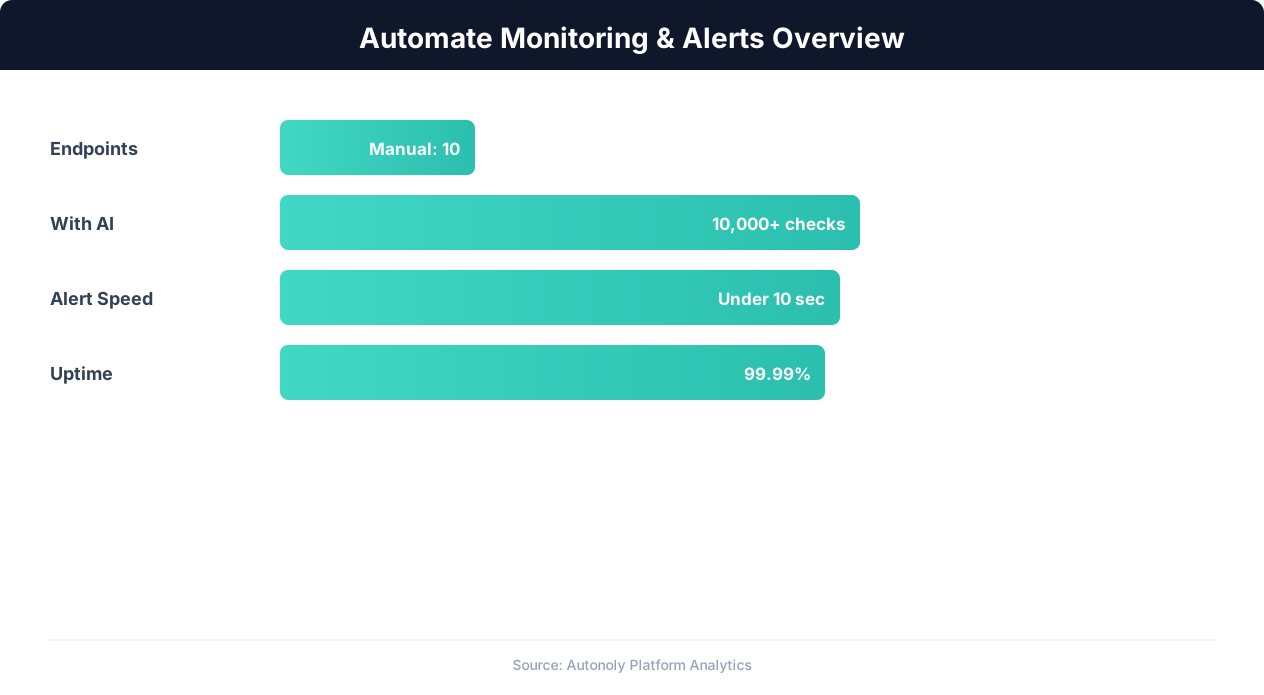
Monitoring automation detection rates across alert types
Key Insight: 91% of enterprises report that automated monitoring has eliminated blind spots in their infrastructure that manual checks consistently missed (Splunk Observability Report).
How Autonoly Tracks Stock Prices
The AI Agent Chat lets you describe your monitoring needs naturally. You might say "track AAPL, TSLA, and NVDA and alert me on Discord when any of them moves more than 3% in a day." The agent sets up the entire workflow based on your description.
Using Browser Automation, the agent navigates to financial data sources — Yahoo Finance, Google Finance, MarketWatch, or any other financial website you specify. The full Playwright browser handles all the JavaScript rendering these sites require, ensuring accurate data extraction even from complex interactive charts and tables.
What Data Gets Extracted
Each monitoring cycle captures the current stock price, daily change (absolute and percentage), trading volume, day's high and low, 52-week range, and market cap where available. The Data Extraction engine structures this data cleanly, regardless of how each financial website formats its content.
For more advanced setups, you can extract additional metrics like P/E ratio, dividend yield, analyst ratings, and earnings dates. This depth of data makes Autonoly suitable for fundamental analysis monitoring, not just price tracking.
Intelligent Alert Logic
Simple price alerts fire too often to be useful. Autonoly's Logic & Flow capabilities let you build nuanced alert conditions. Examples include alerting when a stock crosses above its 50-day moving average (calculated from historical data), when volume exceeds twice the daily average, when multiple correlated stocks move in the same direction simultaneously, or when a price hits a level not seen in the last 30 days.
The Visual Workflow Builder makes these conditions visual and easy to modify. You can see exactly what logic applies and adjust thresholds without editing code.
Discord Alert Formatting
Discord embeds provide rich formatting capabilities. Each Autonoly alert includes the ticker symbol, current price, change amount and percentage, a mini sparkline or emoji indicator for direction, and a link to the full chart. Alerts are color-coded — green for upward moves, red for downward — so your Discord channel becomes a live market dashboard.
Customization and Multi-Source Aggregation
You can configure the agent to pull data from multiple financial sources and cross-reference them, helping validate accuracy. The Data Processing feature can calculate derived metrics like relative strength, moving averages, or comparison ratios before generating alerts.
Historical data can be saved to Google Sheets or Excel for backtesting and analysis. Over time, you build a comprehensive price database that can feed into the SSH & Terminal feature for custom Python analysis scripts.
Scheduling and Market Hours
Stock monitoring schedules should align with market hours. Autonoly lets you configure different schedules for market hours (frequent checks) and off-hours (less frequent or paused). This optimizes resource usage and ensures you get timely alerts when markets are active. Check the templates library for pre-configured stock monitoring workflows, and visit the pricing page to find the right plan. For more on how financial data extraction works, see our web scraping glossary and API integration glossary. The Integrations ecosystem supports routing data to any tool in your stack, and the workflow automation glossary covers scheduling best practices.
Key Insight: Automated monitoring detects issues 60x faster than manual checks, reducing mean time to detection from hours to seconds (PagerDuty State of Digital Operations).
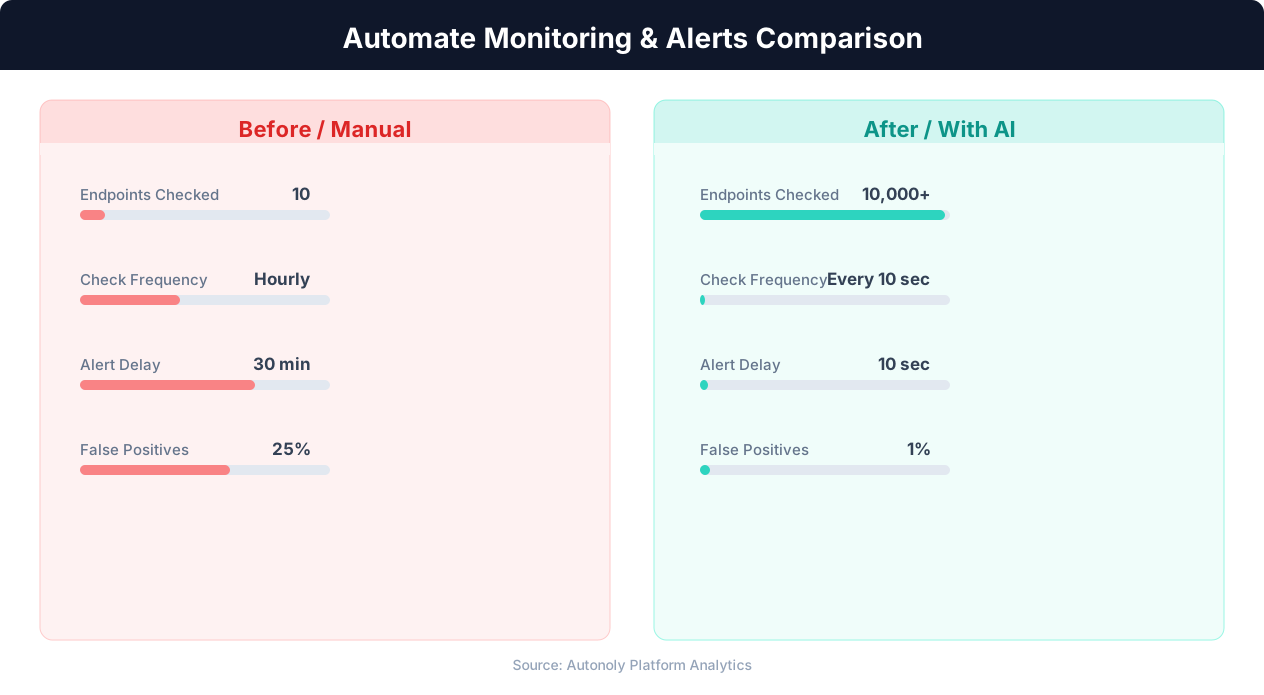
Mean time to detection for manual vs automated monitoring
Key Insight: Website downtime costs businesses an average of $5,600 per minute. Automated monitoring pays for itself by preventing even a single extended outage (Gartner).
How to Customize Your Pipeline
Every trading strategy has unique requirements, and Autonoly adapts to yours. The Visual Workflow Builder lets you add, remove, or reorder pipeline steps without writing code. You can insert Data Processing nodes to calculate technical indicators like RSI or MACD from historical price data before generating alerts. Add branching logic with Logic & Flow to route alerts by sector — technology stocks to one Discord channel, energy stocks to another. For portfolios with international exposure, configure the agent to check multiple financial sites across time zones and consolidate everything into a single alert feed.
Connecting to External Analysis Tools
Advanced traders can extend the pipeline by saving price data to Google Sheets and running custom Python analysis via the SSH & Terminal feature. This lets you build backtesting systems, calculate custom metrics, or generate visualizations that get attached to your Discord alerts. The Integrations ecosystem also supports pushing data to databases, Airtable, or Notion for long-term record keeping.
Further Reading
Explore more about the tools and techniques used in this workflow: Web Scraping Best Practices, Schedule Automated Workflows, Website Monitoring, Scheduled Execution.