
The Marketing Automation Landscape: Beyond Email Drips
When most people hear "marketing automation," they think of email drip campaigns. And while email automation was the first generation of marketing automation, the field has expanded dramatically. Modern marketing automation encompasses every repetitive marketing task that follows a pattern: Understanding what automation is and the breadth of modern marketing automation reframes what the term really covers: SEO monitoring, social media management, lead capture and scoring, competitive intelligence, content distribution, ad performance tracking, and reporting. The marketing teams that treat automation as a comprehensive operational strategy rather than a single-channel tactic are the ones gaining competitive advantage.
The typical marketing team in a mid-size company spends an enormous amount of time on operational work that generates no creative value. Checking keyword rankings. Pulling social media analytics. Copying data from ad platforms into spreadsheets. Formatting reports. Scheduling social posts across multiple platforms. Updating CRM records from form submissions. Monitoring competitor content. Each of these tasks takes 15-60 minutes individually, but collectively they consume 30-50% of a marketing team's productive hours. These are hours not spent on strategy, creative development, customer research, or campaign optimization, the activities that actually move the needle.
The marketing automation market reflects this broad opportunity. It is projected to reach $13.7 billion by 2030, growing at a 12.3% CAGR. But the market is fragmented: most marketing teams use 6-12 different tools, each automating one narrow slice of their operations. HubSpot for email. Hootsuite for social. SEMrush for SEO. Google Analytics for web metrics. Salesforce for CRM. A spreadsheet for the reporting that ties it all together. The integration gaps between these tools create manual work that undermines the automation each tool provides individually.
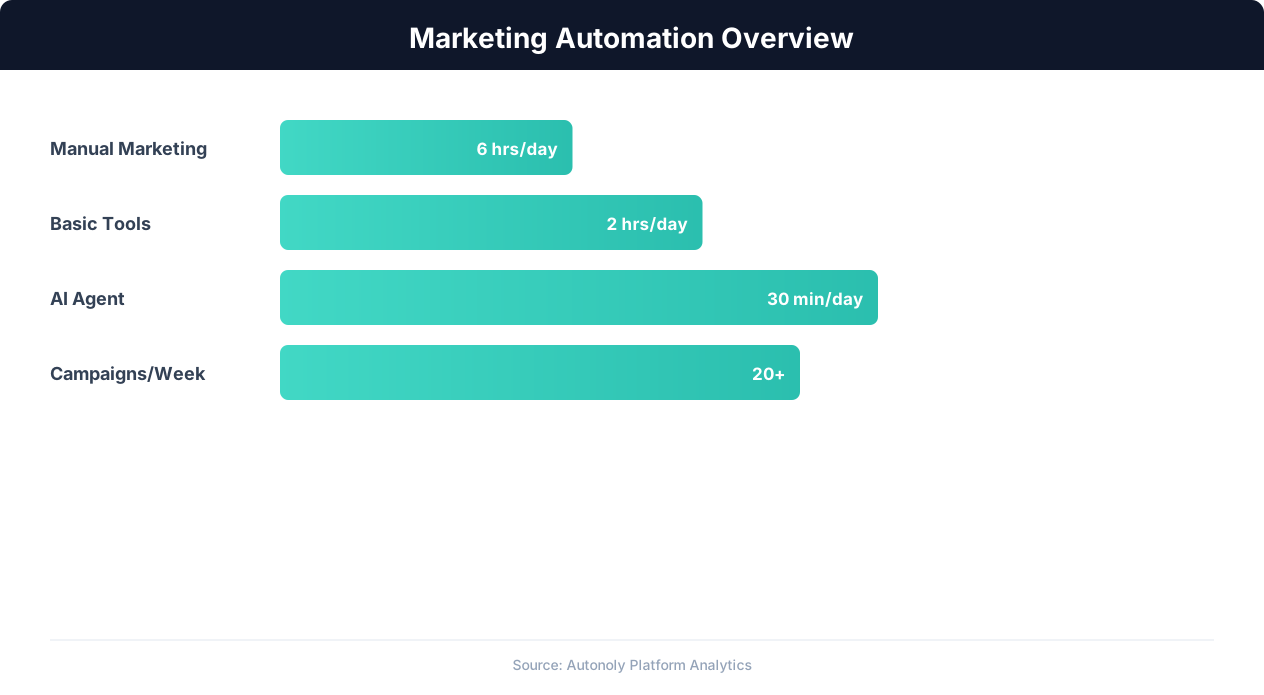
This is where the next evolution of marketing automation comes in. Instead of buying a tool for each task and manually bridging the gaps, teams are building end-to-end workflows that connect across platforms. A single workflow can check keyword rankings, pull the data into a spreadsheet, identify pages that dropped in rank, generate a Slack alert for the content team, and create a task in the project management tool, all without a human touching any of the intermediate steps. This workflow-first approach to marketing automation is what separates operationally excellent marketing teams from those drowning in manual work.
The playbook in this guide covers the three highest-impact areas for marketing automation: SEO monitoring (where timely data directly impacts organic traffic and revenue), social media management (where consistent execution across platforms demands significant time), and lead capture (where speed and data quality directly impact conversion rates). For each area, we cover what to automate, how to build the workflows, and how to measure the impact.
SEO Monitoring Automation: Rank Tracking, Audits, and Alerts
SEO is a domain where timely data drives decisions. A page that drops from position 3 to position 12 for a high-value keyword loses significant traffic, but if you only check rankings monthly, you might not notice the drop until weeks of lost traffic have already accumulated. Automated SEO monitoring provides continuous visibility into your organic search performance, enabling rapid response to ranking changes, technical issues, and competitive movements.
Automated Rank Tracking
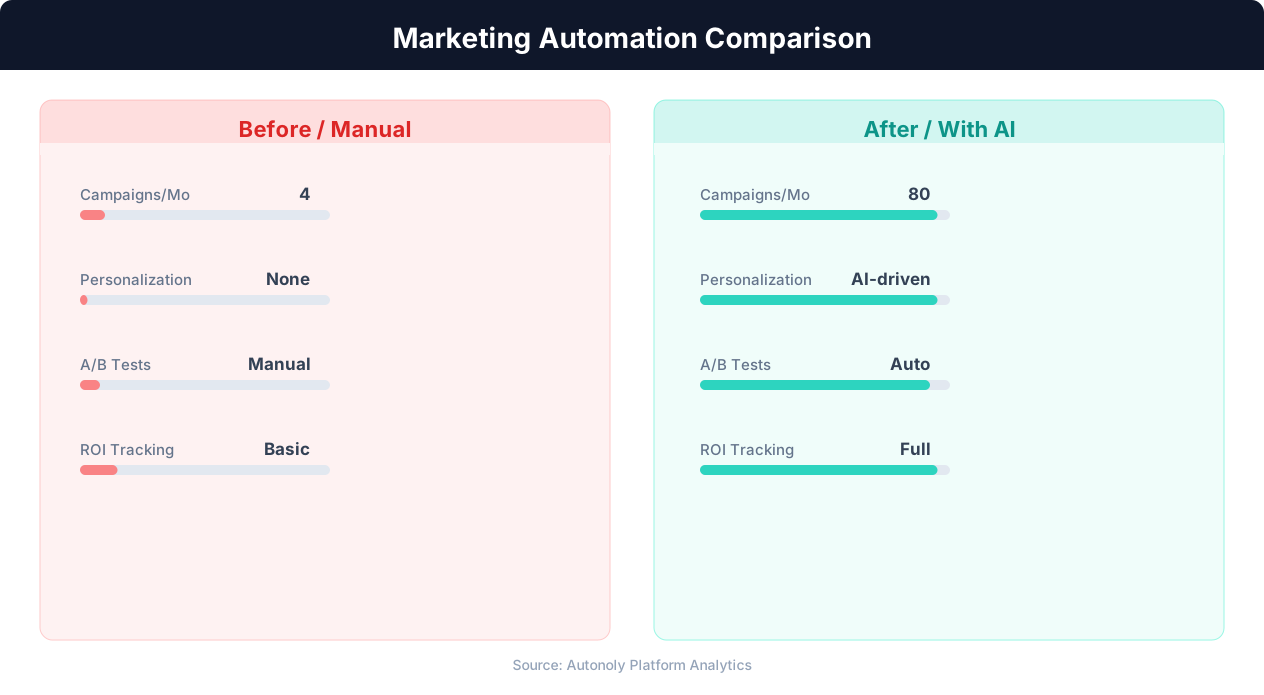
The foundation of SEO monitoring is tracking your keyword rankings over time. An automated rank tracking workflow takes a list of target keywords, checks your current position for each keyword on Google (and optionally Bing), records the results with a timestamp, and compares against previous positions to identify changes. This can run daily or weekly depending on how volatile your target keywords are. A prebuilt workflow to automate SEO rank tracking to a spreadsheet gives you this monitoring out of the box, and scheduled execution keeps it running on the cadence you choose.
Building this workflow involves navigating Google search results programmatically and recording where your domain appears. The workflow searches for each keyword, scans the results page for your domain, and records the position (1-100) or notes if your domain does not appear in the first 10 pages. Results are written to a spreadsheet or dashboard with columns for keyword, current rank, previous rank, change (up or down), search volume (pulled from a keyword research tool), and the URL that ranks.
The real value comes from change detection and alerting. Configure alerts for significant ranking changes: any keyword that drops 5+ positions, any page that falls off page one, any keyword where you were not ranking that now appears in the top 20 (new opportunity), or any keyword where a specific competitor overtakes you. These alerts are delivered via email or Slack, prompting the SEO team to investigate and respond immediately rather than discovering issues weeks later in a monthly report.
Automated Technical SEO Audits
Technical SEO issues silently erode your organic performance. Broken links, slow page load times, missing meta descriptions, duplicate content, and crawl errors all suppress your rankings. An automated technical SEO audit workflow crawls your website periodically, checks for common issues, and reports findings in a structured format.
The audit workflow visits each page on your site (starting from the sitemap or a crawl from the homepage), checks for: pages returning 404 or 500 status codes, pages missing title tags or meta descriptions, pages with duplicate title tags, images without alt attributes, pages exceeding a load time threshold, and internal links pointing to redirected or broken URLs. The output is a prioritized issue list that the development and content teams can work through systematically.
Competitor SEO Monitoring
Understanding what your competitors rank for, and where they are gaining or losing ground, informs your content strategy. An automated competitor monitoring workflow tracks your top 3-5 competitors' rankings for your shared keyword set. When a competitor gains a page-one position for a keyword you are targeting, you get an alert. When a competitor publishes new content targeting keywords in your space, you know about it within days rather than discovering it months later.
This competitive intelligence feeds directly into content planning. If a competitor just published a comprehensive guide on a topic you rank for, you know you need to update and improve your content to defend your position. If a competitor starts ranking for keywords you have not targeted yet, you have identified a content gap to fill. Automation turns competitive SEO analysis from an occasional strategic exercise into a continuous intelligence feed.
Lead Capture Automation: From Form Submission to Sales-Ready Pipeline
The speed and quality of your lead capture process directly impact conversion rates. Research consistently shows that responding to a lead within 5 minutes makes you 9 times more likely to connect compared to a 30-minute response time. And lead data quality determines whether your sales team wastes time on unqualified prospects or focuses on high-potential opportunities. Automation addresses both speed and quality.
Form Submission Processing
The lead capture workflow begins when a prospect submits a form on your website, downloads a content asset, or takes another conversion action. A workflow that captures form submissions straight to a spreadsheet is the simplest entry point, and it pairs naturally with a full automated lead generation pipeline upstream. Without automation, this form submission sits in a database until someone checks it, which might be hours or the next business day. With automation, the form submission triggers an immediate workflow: the lead data is validated (is the email address real? is the company name legitimate?), enriched with additional data, scored against your ideal customer profile, and routed to the appropriate next step, all within seconds of submission.
The validation step catches junk submissions before they pollute your pipeline. Check the email address format and domain (reject obviously fake addresses like [email protected]). Verify the domain exists and is not a known disposable email service. Cross-reference the company name against a business database to confirm it is real. These automated checks filter out 15-25% of form submissions that would otherwise waste sales team time.
Lead Enrichment
A form submission typically provides minimal data: name, email, maybe company and job title. That is not enough for effective sales follow-up. Automated enrichment workflows take the submitted data and augment it with publicly available information. Using the email domain, the workflow finds the company website, extracts company size, industry, location, and description. Using the person's name and company, it finds their LinkedIn profile and extracts their full job title, tenure, and seniority level. Using the company domain, it checks technology databases to identify what tools the company already uses.
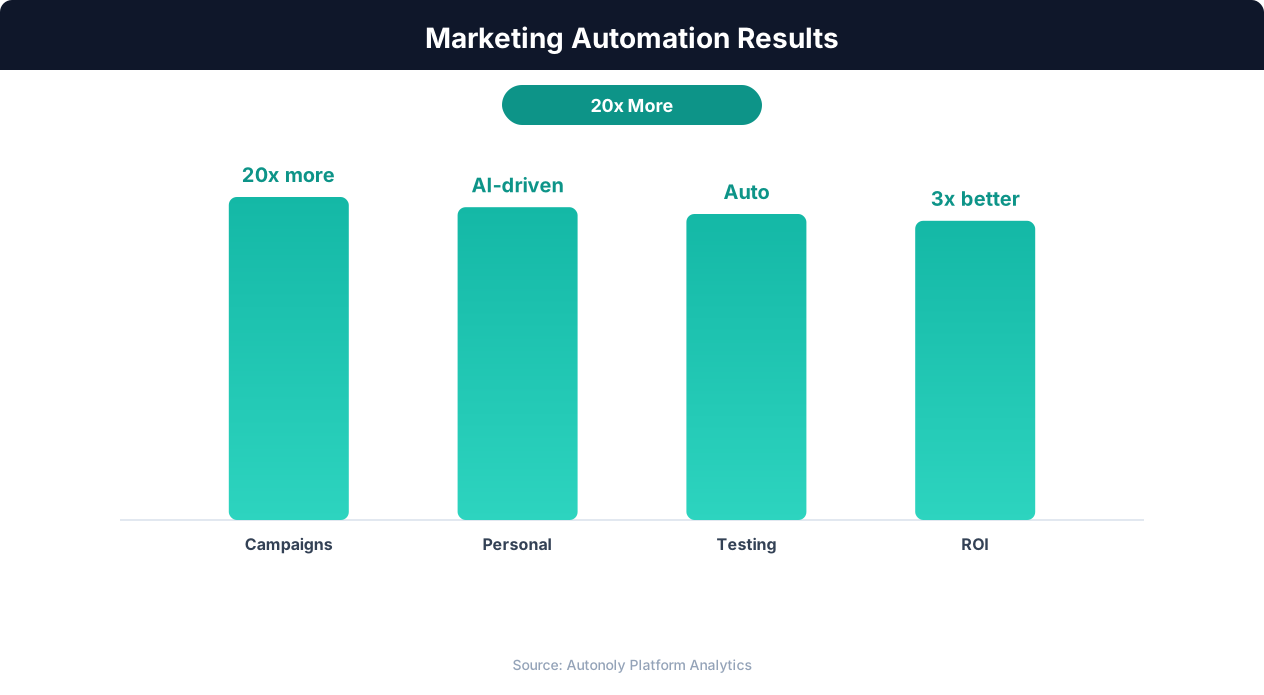
The enriched lead record now contains everything a sales rep needs for a meaningful first conversation: the prospect's role and seniority, their company's size and industry, the technology stack they use, and any recent company news or events that provide conversation hooks. This enrichment happens in seconds, not the 15-30 minutes it would take a sales rep to research manually.
Lead Scoring and Routing
Not all leads deserve the same response. A VP at a 500-person company in your target industry who downloaded your pricing guide is far more valuable than a student who downloaded a blog ebook. Automated lead scoring assigns a numeric value based on firmographic fit (company size, industry, location), demographic fit (job title, seniority, department), and behavioral signals (what content they engaged with, how many pages they visited, whether they viewed the pricing page).
High-scoring leads (your ideal customer profile) are routed immediately to sales via Slack notification, CRM assignment, and an automated email notification to the assigned rep. Medium-scoring leads enter a nurture sequence designed to build engagement and move them toward sales-readiness. Low-scoring leads receive a standard thank-you email and are added to your general marketing database for long-term nurture.
The routing logic can be sophisticated. Route by geography (leads in different regions go to different sales reps), by company size (enterprise leads go to your enterprise sales team), by product interest (inferred from which content they engaged with), or by round-robin assignment for balanced workload distribution. All of this happens automatically within seconds of the form submission.
Speed-to-Lead Response
The automated workflow can trigger an immediate response to the lead: a personalized email acknowledging their submission, providing the content they requested, and suggesting a next step. For high-value leads, the workflow can also schedule a calendar link for a call or demo, pre-populated with available times from the assigned sales rep's calendar. This instant, personalized response dramatically improves connection rates compared to a generic auto-reply followed by a manual outreach 24 hours later.
Content Operations Automation: Research, Distribution, and Repurposing
Content marketing generates 3x more leads per dollar than paid advertising, but it is resource-intensive. The production cycle from research to publication to distribution involves dozens of discrete tasks, many of which are repetitive and rule-based. Automating the operational aspects of content marketing frees creative resources for the work that actually requires human creativity and judgment.
Content Research Automation
Before writing any content, marketers need to research: what questions is the audience asking? What are competitors writing about? What keywords have search volume and achievable difficulty? What statistics and data points will make the content authoritative? Manual research for a single long-form article can take 2-4 hours of browsing, reading, and note-taking.
Automated research workflows accelerate this process significantly. A topic research workflow can search Google for a target keyword, extract the titles and meta descriptions of the top 20 results, identify common subtopics and questions covered across those results, and compile a content brief that maps the competitive landscape for that topic. A statistics research workflow can search for recent data and studies on a topic, extract key findings with source citations, and produce a reference document the writer can draw from. A question research workflow can scrape "People Also Ask" results, Reddit threads, Quora questions, and forum discussions related to the topic to identify the specific questions the audience wants answered.
These research workflows do not replace the content strategist's judgment about what to write or how to position it. They replace the hours of manual browsing and copy-pasting that precede the strategic decisions. A content strategist who receives a comprehensive research brief can make better decisions faster than one who spends half their time collecting the information needed to make those decisions.
Content Distribution Automation
Publishing a piece of content is just the beginning. Effective distribution requires posting to social media (multiple platforms, multiple times with different angles), sending to email subscribers, submitting to relevant communities and aggregators, notifying partners and collaborators, updating internal links from related content, and adding to content libraries and resource pages. For a team publishing 2-4 pieces of content per week, the distribution work alone can consume an entire person's time.
An automated distribution workflow takes a newly published URL and executes a distribution checklist: post to LinkedIn with a professional summary and the article link, post to Twitter with a hook and the link, share to relevant Slack communities or Discord channels with a contextual introduction, update the email newsletter draft with the new content, add the URL to the site's content index or resource page, and submit to industry aggregators or directories where relevant. Each distribution channel is formatted appropriately, and the workflow logs which channels received the content for tracking.
Content Repurposing Automation
A single piece of long-form content can be repurposed into 10-15 derivative assets: blog post excerpts for social media, key takeaways for email newsletters, data points for infographics, quotes for image posts, and summaries for different audiences. The creative decision of how to repurpose is human, but the execution of extracting, reformatting, and distributing those derivative assets can be automated.
A repurposing workflow takes a published article URL, extracts the content, identifies key sections and quotable passages, formats them for different channels (character limits, image dimensions), and queues them in the content calendar for distribution over the following weeks. This extends the lifespan and reach of every piece of content without requiring additional creative work from the team.
Content Performance Tracking
Closing the loop on content operations, automated performance tracking monitors how each piece of content performs over time. The workflow pulls traffic data from Google Analytics, ranking data from the SEO monitoring workflow, social engagement metrics from each platform, and conversion data (leads generated, email signups) from your marketing automation platform. All of this data feeds into a content performance dashboard that shows which topics, formats, and distribution channels deliver the best results, directly informing future content strategy decisions.
Automated Competitive Intelligence for Marketing Teams
Knowing what your competitors are doing, what they are publishing, how their messaging is evolving, and where they are investing their marketing efforts, is essential for strategic decision-making. But competitive intelligence is one of the most neglected marketing activities because manual monitoring is tedious and time-consuming. Automation makes continuous competitive monitoring practical and valuable.
Website and Content Monitoring
An automated competitor monitoring workflow visits each competitor's website on a regular schedule (daily or weekly) and detects changes. New blog posts, updated pricing pages, new feature announcements, revised messaging on the homepage, new landing pages, these are all signals that inform your marketing strategy. The workflow extracts new content titles and summaries, takes screenshots of changed pages, and compiles a weekly competitive intelligence digest that your marketing team reviews in 10 minutes rather than spending hours browsing competitor sites.
For content strategy specifically, tracking what competitors publish reveals their keyword targets, content themes, and strategic priorities. If three competitors all publish content on a specific topic within a month, that is a strong signal that the topic is gaining importance in your market. If a competitor starts publishing significantly more content (frequency increase), they may be investing in organic growth as a strategy. These patterns are visible only with consistent, automated monitoring.
Pricing and Feature Change Detection
Competitor pricing changes directly impact your positioning and sales conversations. An automated workflow that monitors competitor pricing pages detects changes within 24 hours: new pricing tiers, price increases or decreases, feature additions or removals, and changes to free tier limitations. When a pricing change is detected, the workflow sends an alert to the marketing and sales teams with a before-and-after comparison.
💡 Key Insight
Marketing automation delivers an average ROI of $5.44 for every $1 spent, making it one of the highest-return investments.
Feature announcement monitoring is similarly valuable. When a competitor launches a new feature, your sales team needs to know immediately so they can address it in competitive conversations. Your marketing team needs to know so they can adjust positioning. Your product team needs to know so they can evaluate the competitive landscape. The automated workflow catches these announcements from competitor blogs, press releases, social media, and product changelog pages, ensuring your organization is never caught off guard.
Social Media and Review Monitoring
Monitoring competitor social media provides insight into their community engagement strategy, content themes, and audience sentiment. Automated workflows track competitor social accounts for posting frequency, engagement rates, content types, and audience growth. Sudden spikes in competitor engagement may indicate a successful campaign worth analyzing. Declining engagement may signal a strategy shift or audience fatigue.
Review monitoring on platforms like G2, Capterra, and Trustpilot reveals what customers say about competitor products. Automated workflows extract new reviews, categorize them by sentiment and topic, and identify recurring complaints or praise. Competitor weaknesses highlighted in reviews become marketing opportunities for your positioning. Common praise points in competitor reviews indicate table-stakes features your product must match.
Advertising Intelligence
Monitoring competitor ad campaigns reveals their paid acquisition strategy. Which keywords are they bidding on? What ad copy are they testing? Which landing pages are they driving traffic to? Automated workflows can track competitor ads on Google (using search result monitoring for target keywords) and on social platforms (using ad library monitoring where available). This intelligence informs your own ad strategy: competing on the same keywords, differentiating your messaging, or identifying keyword gaps where competitors are not advertising.
The output of all these monitoring workflows feeds into a competitive intelligence dashboard that gives your marketing, sales, and product teams a single view of the competitive landscape, updated automatically and continuously. This replaces the quarterly competitive analysis deck that is outdated before it is finished with a living, current competitive intelligence system that informs daily decisions.
Building Your Marketing Automation Stack: Tools and Integration
An effective marketing automation stack is not about buying the most tools. It is about choosing the right tools and connecting them into workflows that eliminate manual work. Here is how to think about building your stack.
Core Platform Categories
Marketing Automation Platform (MAP): HubSpot, Marketo, ActiveCampaign, or Mailchimp. This is your email automation engine and typically your marketing CRM. It handles email sequences, form hosting, basic lead scoring, and campaign analytics. Most marketing teams already have a MAP. The question is whether they are using it to its full potential.
SEO Tools: SEMrush, Ahrefs, or Moz for keyword research, rank tracking, and site auditing. These tools provide the data. Automation makes the data actionable by pulling it into your workflows rather than requiring manual dashboard checks.
Social Media Management: Buffer, Hootsuite, Sprout Social, or Later for scheduling, publishing, and basic analytics. These tools handle the posting. Automation handles the content preparation, cross-platform adaptation, and analytics aggregation that these tools do not fully address.
Analytics: Google Analytics, Mixpanel, or Amplitude for website and product analytics. The data exists in these tools. Automation extracts the specific metrics you need and delivers them to the people who need them, rather than requiring everyone to learn each analytics interface.
CRM: Salesforce, HubSpot CRM, or Pipedrive for managing the lead-to-customer journey. Automation ensures data flows cleanly between your marketing tools and CRM, eliminating the manual data entry that causes CRM data quality to decay.
The Integration Layer
The critical layer is what connects these tools into end-to-end workflows. This is where platforms like Autonoly, Zapier, and Make operate. The integration layer moves data between tools, triggers workflows based on events, and handles the logic that no single tool provides. When a lead fills out a form (MAP event), enrich the lead (web research), score it (logic), route it to the CRM (data push), and notify the sales rep (Slack message). No single tool does all of this. The integration layer orchestrates it.
Autonoly's advantage in the marketing automation stack is its ability to interact with any website through browser automation, not just platforms with pre-built API integrations. This means it can extract data from competitor websites, scrape search results for rank tracking, pull analytics from platforms without APIs, and interact with any tool your team uses, even legacy or niche platforms that Zapier and Make do not support.
Stack Architecture Principles
Keep your stack as simple as possible. Every additional tool adds complexity, cost, and potential points of failure. Before adding a new tool, ask whether an automation workflow could accomplish the same thing with tools you already have. A browser automation workflow that checks Google search results for your target keywords might replace a $200/month rank tracking subscription for a small team.
Standardize on data formats and naming conventions. When data flows between tools, inconsistent formatting ("New York" in one tool, "NY" in another, "new york" in a third) creates matching and deduplication problems. Define canonical formats in your transformation layer and enforce them in every workflow.
Document your workflows. As your automation stack grows, understanding what triggers what and what data flows where becomes critical for debugging issues and onboarding new team members. Maintain a visual map of your automation workflows showing triggers, actions, and data flows between tools. This documentation is an investment that pays dividends as complexity grows.
Measuring Marketing Automation ROI: Metrics That Matter
Marketing automation is an investment, and proving its ROI ensures continued support and expansion. The key is measuring the right things: not just efficiency gains but business impact.
Efficiency Metrics
Time saved per workflow: For each automated workflow, calculate the manual time it replaced. If your social media posting workflow saves 5 hours per week and your SEO reporting workflow saves 3 hours per week, that is 8 hours, roughly a full workday, returned to your team weekly. Across all marketing automation workflows, total time savings typically reach 15-25 hours per week for a mid-size marketing team.
Task completion rate: Track what percentage of scheduled automated tasks complete successfully. A well-configured workflow should have a 95%+ success rate. Below 90% indicates reliability issues that need addressing. This metric also reveals which workflows need attention and which are running smoothly.
Speed improvements: Measure how long key processes take before and after automation. Lead response time (from form submission to first contact) is a critical one: if automation reduces this from 4 hours to 5 minutes, that is a 48x improvement with documented impact on conversion rates. Reporting turnaround time (from data collection to delivered report) is another: reducing a weekly report from 4 hours of manual compilation to 15 minutes of automated generation plus review.
Quality Metrics
Lead quality improvement: If automated enrichment and scoring are working, the proportion of marketing-qualified leads that convert to sales-qualified leads should improve. Track this conversion rate before and after implementing lead automation. A 10-20% improvement in MQL-to-SQL conversion is common when automated scoring replaces manual qualification.
💡 Key Insight
Automated marketing workflows increase lead nurturing efficiency by 450% compared to manual follow-up processes.
Data accuracy: Automated data collection reduces human error in reporting. Compare the accuracy of automated reports against previous manually compiled reports (spot-checking a sample of data points). Automated reporting typically reduces data errors by 80-90% because the same extraction and calculation logic runs identically every time.
Coverage and consistency: Automation enables tasks that were previously skipped due to time constraints. If competitive monitoring only happened quarterly when done manually but now happens weekly through automation, you have 13x more frequent intelligence. If social posting was inconsistent (3 posts one week, 0 the next) but automation delivers 5 posts every week, consistency improves dramatically.
Business Impact Metrics
Revenue influenced by automation: Track leads that were sourced, enriched, scored, or nurtured by automated workflows and calculate the revenue from deals that originated from or were influenced by those leads. This ties automation directly to business outcomes rather than just efficiency.
Customer acquisition cost (CAC) reduction: Total marketing spend divided by new customers acquired. As automation reduces the labor component of marketing operations, CAC should decrease. Track CAC over time and correlate changes with automation implementation milestones.
Content performance improvement: If automated SEO monitoring and competitive intelligence inform better content strategy, track whether organic traffic, keyword rankings, and content-driven conversions improve over time. Attribute a portion of these improvements to the intelligence that automation provides.
Calculating Total ROI
A comprehensive ROI calculation includes: direct tool costs (automation platform subscriptions), direct time savings (hours saved multiplied by blended team hourly rate), quality improvements (value of better lead scoring, more accurate reporting), and business impact (revenue influenced, CAC reduction). For most marketing teams, automation ROI exceeds 5x within the first year, with the majority of value coming from time savings and lead quality improvements. Document this ROI quarterly to maintain organizational support for continued automation investment.
Getting Started: Building Your First Marketing Automation Workflow
Starting marketing automation can feel overwhelming given the breadth of possibilities. The most successful teams start small, prove value quickly, and expand methodically. Here is a practical path to getting started.
Week 1: Choose Your First Workflow
Select one workflow that addresses your biggest time drain. The three best starting points for most marketing teams are: (1) automated SEO rank tracking for your top 20-30 keywords, delivered to a spreadsheet weekly, (2) automated social media posting from a content calendar, or (3) automated lead enrichment for new form submissions. Each of these delivers immediate, measurable time savings and requires minimal setup.
If you are unsure which to start with, track your team's time for one week. Have each team member note what they spend time on and how long it takes. The task that consumes the most collective hours across the team is your highest-impact automation candidate.
Week 2: Build and Test
Using a platform like Autonoly, build your chosen workflow. For rank tracking: describe the task ("check these 25 keywords on Google, record our position for each, and put the results in this Google Sheet"), test it with a subset of keywords, and validate the results. For social posting: set up your content calendar spreadsheet, build the workflow that reads from it and posts to your platforms, and test with a few posts. For lead enrichment: configure the workflow to trigger on form submissions, test with sample submissions, and verify the enriched data is accurate.
The testing phase is critical. Run the workflow 5-10 times and manually verify every output. Look for data extraction errors, formatting issues, and edge cases. Fix issues before scheduling the workflow for recurring execution. A workflow that produces inaccurate data is worse than no workflow at all because it creates false confidence in bad information.
Weeks 3-4: Schedule and Monitor
Once validated, schedule your workflow to run on its appropriate cadence (daily, weekly, or event-triggered). Monitor the first 5-10 automated runs closely. Check outputs for accuracy, verify that timing is working correctly, and confirm that data is flowing to the right destinations. After this monitoring period, you should have confidence that the workflow runs reliably without constant oversight.
Month 2: Add Your Second and Third Workflows
With one workflow running smoothly, add the next two from the list above. Each workflow builds on your growing familiarity with the automation platform and your understanding of what works well for automated execution. By the end of month two, you should have three workflows running, collectively saving 8-15 hours per week.
Month 3 and Beyond: Expand Strategically
With the foundation in place, start connecting workflows into more sophisticated chains. Your lead enrichment workflow feeds data to a lead scoring workflow that triggers routing to the sales team. Your SEO rank tracking feeds a competitive analysis workflow that generates a monthly competitive report. Your social posting workflow connects to an analytics extraction workflow that measures performance.
Each new workflow should solve a specific problem that your team experiences regularly. Do not automate hypothetical tasks or edge cases. Automate the things that your team actually does every week and wishes they did not have to do manually. This demand-driven approach ensures every automation delivers real value and avoids the trap of building elaborate systems that nobody actually uses.
Common Mistakes to Avoid
Do not try to automate everything at once. Do not skip the testing and validation phase. Do not set up workflows and forget about them (schedule a monthly review to verify they are still running correctly and producing accurate data). Do not automate processes that are broken (fix the process first, then automate the fixed version). And do not forget to measure: track the time saved and quality improved by each workflow so you can demonstrate ROI and prioritize future automation investments.




Social Media Automation: Scheduling, Cross-Posting, and Analytics
Social media management is one of the most time-consuming marketing activities because it requires consistent presence across multiple platforms, each with its own content format, optimal posting time, and engagement patterns. Automation addresses the operational burden while preserving the creative and community aspects that make social media effective.
Content Scheduling and Cross-Posting
The most basic and highest-impact social media automation is scheduled posting. Instead of manually logging into each platform throughout the day to publish content, you prepare content in batches and schedule it for optimal posting times across all platforms. A weekly content preparation session produces 15-20 posts that are then distributed automatically throughout the week at platform-specific optimal times.
Cross-posting automation goes a step further by adapting content for each platform automatically. A single piece of content might become a LinkedIn article excerpt, a Twitter thread, an Instagram carousel caption, and a Facebook post, each formatted for the platform's conventions (character limits, hashtag practices, image dimensions). The automation handles the formatting adaptation and schedules each version for the optimal time on its respective platform. A ready-to-use workflow to automate social media cross-posting handles this distribution across every channel.
Effective scheduling workflows pull content from a content calendar (typically a spreadsheet or project management tool where the marketing team plans content themes and topics). The workflow reads the scheduled content, formats it for each target platform, attaches relevant images or media, and queues it for posting at the designated time. This centralized calendar approach ensures consistent messaging across platforms without the risk of forgetting to post on one platform or posting inconsistent content.
Engagement Monitoring and Response Workflows
Posting is half of social media. The other half is engagement: monitoring mentions, comments, and messages, then responding appropriately. Automated monitoring workflows track brand mentions across all platforms, aggregate them into a single dashboard or feed, and categorize them by sentiment (positive, neutral, negative) and urgency (question requiring response, complaint requiring escalation, praise that could be amplified).
Negative mentions and customer complaints are flagged for immediate human response, since these situations require empathy and judgment that automation should not handle. Positive mentions can trigger automated engagement: a like, a thank-you response, or a retweet/share. Neutral mentions are logged for trend analysis. This triage system ensures that the most important social interactions get human attention while routine engagement happens automatically.
Social Media Analytics Automation
Every platform provides analytics, but they are siloed. Your LinkedIn analytics live on LinkedIn, your Twitter analytics on Twitter, and your Instagram insights on Instagram. Comparing performance across platforms requires manually pulling data from each, copying it into a spreadsheet, and building charts. This reporting process easily consumes 2-4 hours per week.
An automated analytics workflow extracts performance metrics from each platform on a daily or weekly basis: follower growth, post impressions, engagement rate, link clicks, and audience demographics. The data flows into a unified spreadsheet or dashboard where cross-platform comparison is automatic. The marketing team opens one dashboard and sees which platforms are performing best, which content types drive the most engagement, and how social metrics trend over time, without spending any time on data collection. The same approach applies to any reporting task you currently do by hand, as our guide to automating Google Sheets workflows explains.
The most valuable analytics automation is not just descriptive (what happened) but diagnostic (why did it happen). Correlating posting time with engagement rate reveals optimal posting windows. Correlating content type (video, image, text, link) with performance by platform reveals which formats work where. Tracking engagement rate against follower count over time shows whether audience growth is coming with or without engagement quality. These insights emerge naturally from consistent, automated data collection that would be impractical to maintain manually.