


Why Automate Tuition Payment Reminders?
For private schools, charter schools, tutoring centers, and educational programs that charge tuition, timely payment collection is essential to financial stability. Late payments create cash flow problems that ripple through the entire organization — delaying vendor payments, complicating payroll planning, and forcing administrators to spend time on collections rather than education. When a significant percentage of families pay late each month, the cumulative impact on cash flow can threaten the institution's ability to meet its own financial obligations on time.
The root cause is rarely financial hardship alone. Many families simply forget the due date amid busy schedules — juggling work, childcare, extracurricular activities, and household management means that a tuition payment without a timely reminder easily slips off the radar. Studies in behavioral economics consistently show that simple payment reminders significantly reduce late payments across industries. A professional, friendly email arriving five days before the due date is often the only nudge a family needs to submit payment on time. Without that nudge, the business office spends hours making individual phone calls, sending personal emails, and having uncomfortable conversations that strain the school-family relationship.
Automating tuition reminders with Google Sheets and Gmail ensures every family receives consistent, professional payment notices without your business office manually sending individual emails. The system scales from a small tutoring practice with 20 families to a private school with 500, using the same spreadsheet-based workflow. Every family is treated equally with the same communication cadence, removing the inconsistency that occurs when staff members handle collections manually — some families get reminded, others get overlooked, and the process depends entirely on who is in the office that week.
This automation is valuable for private and parochial schools, Montessori schools, tutoring centers, music and dance studios, after-school programs, and any educational organization that bills families directly. Use the AI Agent Chat to set up and customize your reminder workflow through natural conversation. Browse our templates library for pre-built tuition reminder workflows.
How the AI Agent Sends Reminders
Your billing ledger in Google Sheets tracks each student's financial status: student name, parent or guardian name, parent email, tuition amount, payment plan details (annual, semester, monthly), due date, payments received, and current outstanding balance. The agent reads this data monthly and identifies families with balances due in the upcoming billing cycle.
The Data Processing engine generates personalized reminder emails for each family. The email includes the student's name, the amount due, the due date, accepted payment methods, and a link to your payment portal or instructions for check payments. The tone is friendly and professional — a helpful reminder, not a demand.
For families on payment plans, the email specifies the current installment amount rather than the full annual tuition. Families who have already paid for the upcoming period are automatically skipped, so they never receive an unnecessary reminder.
Emails are sent through Gmail from your school's official email address. The agent logs send status for each family back to the spreadsheet, creating a record of all billing communication.
Handling Late Payments
The Logic & Flow engine enables tiered communication based on payment status:
Pre-due reminder: Sent 5-7 days before the due date. Friendly tone with payment details and instructions.
Due date reminder: Sent on the due date for families who have not yet paid. Slightly more direct, emphasizing the due date is today.
Past-due notice: Sent 7-14 days after the due date. Firmer tone noting the overdue status and any applicable late fees.
Final notice: Sent 30 days past due. Formal language outlining consequences and requesting immediate attention.
Each tier uses a different email template. The agent automatically selects the correct template based on the family's payment status and how many days past the due date. You can customize the escalation timeline and language to match your institution's policies.
What Data You Get
Your tuition tracking spreadsheet captures comprehensive billing data:
Student Name — Which student the balance belongs to
Parent / Guardian — Primary billing contact
Tuition Amount — Monthly or period amount due
Payment Plan — Annual, semester, quarterly, or monthly
Due Date — Next payment due date
Balance Due — Current outstanding amount
Reminder Stage — Pre-due, due-date, past-due, or final notice
Send Timestamp — When the most recent reminder was delivered
Payment Status — Paid, pending, overdue, or payment plan active
Customizing Your Billing Workflow
The Visual Workflow Builder lets you adapt the reminder system to your billing structure. Schools with multiple payment plan options — annual, semester, quarterly, or monthly — can configure different reminder schedules for each plan type. The Data Processing engine handles the date calculations for each plan.
For schools that offer sibling discounts, financial aid, or scholarships, these adjustments should be reflected in the balance column of your spreadsheet. The agent sends reminders based on the actual balance due, so discounted families receive accurate amounts.
You can also add a payment receipt confirmation. When a payment is recorded in the spreadsheet, the agent sends a receipt email to the family confirming the amount received and the remaining balance. This closes the communication loop and reduces inquiries to your business office.
Integration Options
Send reminders through Gmail from your school's official email address for professional branding. Track all billing data in Google Sheets for easy access by your business office and finance committee. Add Slack notifications to alert your business office when a batch of reminders goes out, along with a summary of families with overdue balances. The Data Processing engine generates monthly accounts receivable reports delivered via email. Visit the Integrations page for all connection options.
Use Cases
Private and parochial schools managing monthly tuition payments for hundreds of families with tiered escalation
Montessori schools handling flexible payment plans with per-family billing schedules
Tutoring centers collecting session fees and package payments on recurring monthly cycles
Music and dance studios reminding families about monthly lesson fees and recital costs
After-school programs billing for seasonal enrollment with semester-based payment schedules
Summer camps collecting installment payments leading up to camp start dates
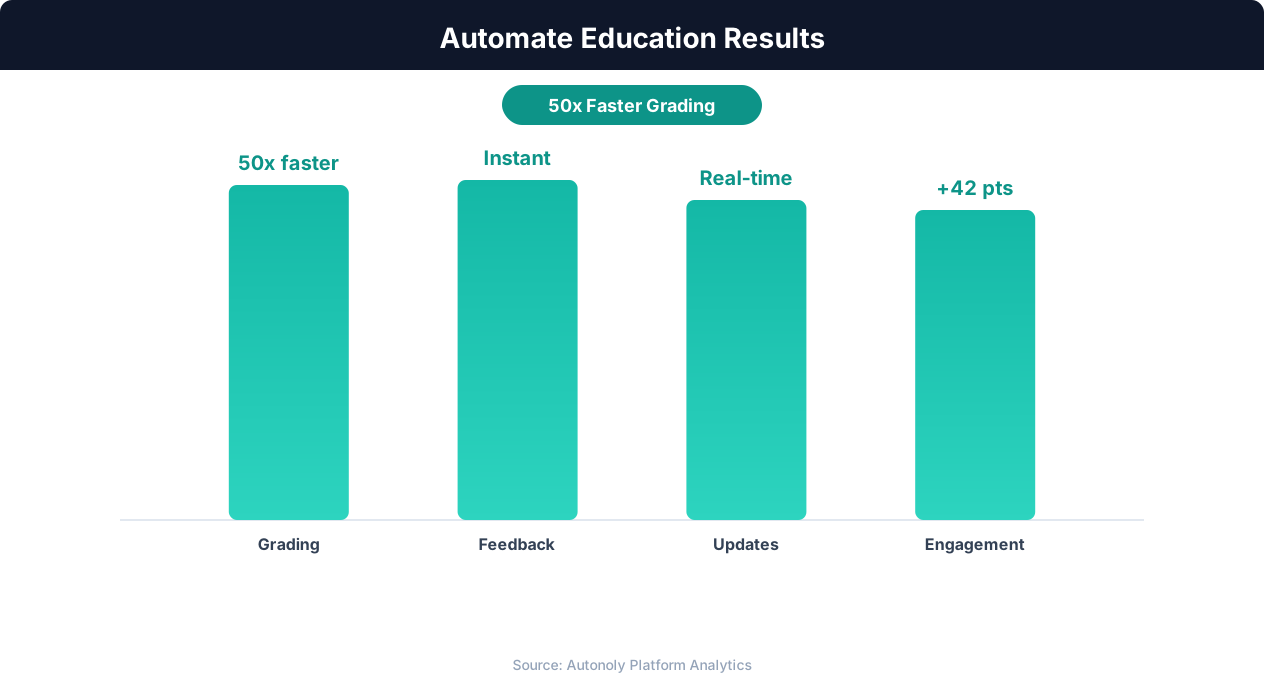
Student engagement improvements from automation
Key Insight: Institutions using enrollment automation see 34% higher conversion rates from inquiry to enrollment due to faster, more personalized responses (NACAC).
How the AI Agent Does It
The agent reads your billing ledger from Google Sheets, identifies families with upcoming or outstanding balances, and generates personalized reminder emails using Data Processing. Emails are sent through Gmail with the appropriate template based on payment status. Send status and escalation stage are logged back to the spreadsheet. The Logic & Flow engine automatically selects the correct email template based on how many days before or after the due date — pre-due reminders are friendly, due-date reminders are direct, and past-due notices escalate in formality, all without manual intervention.
Key Insight: 72% of educators report that administrative burden is their top source of burnout. Automating routine tasks is the most effective intervention (Gallup Education).
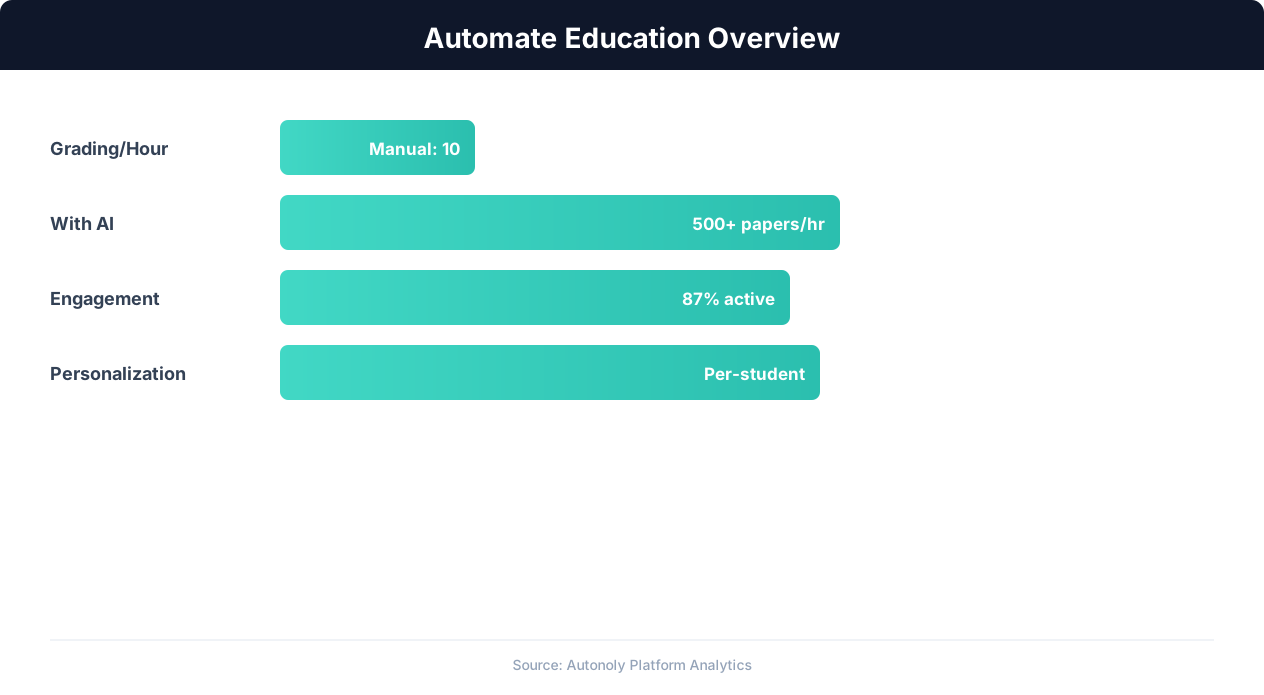
Education automation adoption rates across institution types
Key Insight: Automated grading and feedback systems improve student performance by 18% by providing instant, consistent feedback on assignments (EdTech Magazine).
Scheduling and Automation
The reminder workflow runs monthly, timed to your billing cycle. If tuition is due on the first of each month, schedule the pre-due reminder for the 25th of the prior month. The Visual Workflow Builder lets you set exact dates and add multiple reminder passes throughout the month for different escalation tiers. Each monthly run reads the current spreadsheet data, so any payments received between reminder sends are reflected in the next communication — a family that pays after the pre-due reminder will not receive the due date reminder.
For seasonal billing (semester or annual payments), the workflow runs only during billing months. Configure the schedule to activate in August for fall semester and January for spring semester, remaining dormant during months when no payments are due. Add Logic & Flow conditions to handle different payment plans, skip paid families, and generate monthly AR summaries for your finance team via Gmail. Check pricing to see how many automated runs are included in your plan.
Further Reading
Explore more about the tools and techniques used in this workflow: Automate Email Reports, No Code Automation Guide, Email Campaigns, Scheduled Execution.