


Why Automate Industry Report Analysis?
Industry reports from firms like Gartner, Forrester, McKinsey, Statista, and CB Insights contain the highest-quality market intelligence available — market sizes, growth forecasts, competitive landscapes, and trend analysis backed by rigorous methodology. But these insights are locked in dense PDF documents, behind paywalls, or scattered across dozens of research publications. The manual process of reading reports, extracting key statistics, and organizing findings into a usable format takes hours per report.
Autonoly's Browser Automation automates the extraction of key data points from published industry research, organizing statistics, forecasts, and findings into a structured Google Sheets database. This transforms scattered research into a centralized, searchable market intelligence repository.
How the AI Agent Processes Industry Reports
Industry research is published in many formats — web pages, PDF downloads, interactive dashboards, press releases, and blog posts. Autonoly's AI Agent Chat navigates all of these formats using a real browser session.
The agent searches for published research on your target topics, navigates to research firm websites and publication pages, and uses Data Extraction to pull key data points. It identifies and extracts market sizes, growth rates (CAGR), forecast periods, key players, market share estimates, and trend descriptions.
For reports published as web content (executive summaries, press releases, blog posts about report findings), the agent extracts the structured data directly. For reports behind registration walls, it can navigate signup flows with your credentials. The agent focuses on extracting quantitative data points and qualitative insights rather than reproducing copyrighted full-text content.
What Data You Get
A structured industry report extraction includes:
Market Size — Current market value in dollars or units
Growth Rate — CAGR or year-over-year growth percentage
Forecast Period — Time range of projections
Key Players — Leading companies in the market
Market Share — Top company share percentages when available
Trends — Major market trends and drivers
Challenges — Key market obstacles and risks
Source — Report name, publisher, publication date, and URL
Each data point includes source attribution for verification and citation purposes.
Customizing Your Research Pipeline
The Visual Workflow Builder enables comprehensive research automation:
Multi-source aggregation: Extract data from Gartner, Forrester, Statista, and industry blogs in one workflow, building a cross-referenced market intelligence database
Historical trending: Extract market size data from multiple annual reports to build time-series forecasts
Competitive landscape mapping: Focus extraction on competitive positioning data — market share, strategic quadrants, and vendor rankings
Topic monitoring: Track specific emerging topics across research publications to identify when analysts start covering new trends
Add Data Processing steps to normalize market size figures across currencies and methodologies, calculate implied growth trajectories, or flag discrepancies between different research firms' estimates. Use SSH & Terminal for statistical analysis, forecast modeling, or automated report generation.
Scheduling and Research Monitoring
Research firms publish new reports, updates, and forecasts throughout the year. Schedule monthly monitoring to catch new publications relevant to your focus areas. The workflow identifies new reports since the last run and extracts key findings automatically.
This is especially valuable for strategy teams that need to maintain current market sizing models and for investors tracking specific industries for emerging opportunities.
Exporting and Integrating
Research intelligence flows to your strategic planning tools:
[Google Sheets integration](/integrations/google-sheets) — Live market intelligence database with historical data
Excel (.xlsx) — Download for financial modeling and presentation decks
[Notion](/integrations/notion) — Build a team knowledge base of market research
[Airtable](/integrations/airtable) — Create relational market maps linking industries, companies, and trends
Browse our templates library for pre-built research automation workflows. Visit pricing for execution details. Explore our web scraping glossary and workflow automation glossary for foundational concepts. The Integrations page covers all output options.
Use Cases
Strategy teams maintain centralized market intelligence databases that aggregate findings from dozens of reports. Investors track market size and growth projections for portfolio sectors. Product marketers extract TAM/SAM/SOM data for go-to-market planning. Consultants build industry expertise databases for client engagements. Founders populate investor pitch decks with credible market data from recognized research firms. Business development teams identify high-growth markets for expansion planning.
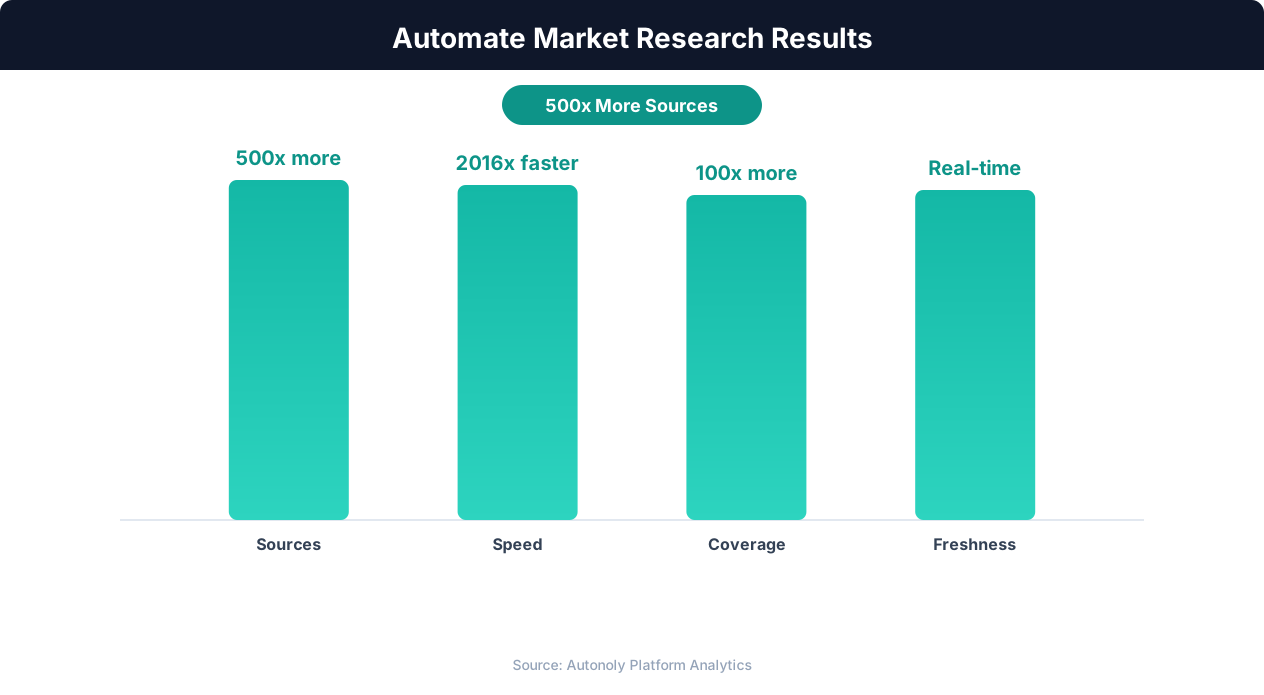
Competitive intelligence accuracy with AI-powered research
Key Insight: 89% of competitive intelligence professionals say they cannot track competitors fast enough manually. Automation eliminates this gap entirely (Klue Research).
How the AI Agent Handles This
The AI agent navigates research firm websites, publication pages, and report databases using Browser Automation in a real browser session. It handles diverse publishing formats — web-based executive summaries, interactive dashboards, press releases, and registration-gated content — without any site-specific configuration. The Data Extraction engine identifies and extracts quantitative data points like market sizes, growth rates, forecast periods, and key player rankings from each source. The agent focuses on structured data extraction rather than full-text reproduction, pulling the specific statistics and findings your analysis requires while respecting intellectual property.
Handling Registration Walls
Many research firms gate their content behind free registration or login forms. The agent navigates these flows using your credentials, accessing the same depth of content you would see when browsing manually.
Key Insight: AI-powered sentiment analysis processes 50,000+ data points per hour with 91% accuracy, versus 200 per hour for manual analysis (Deloitte AI Review).
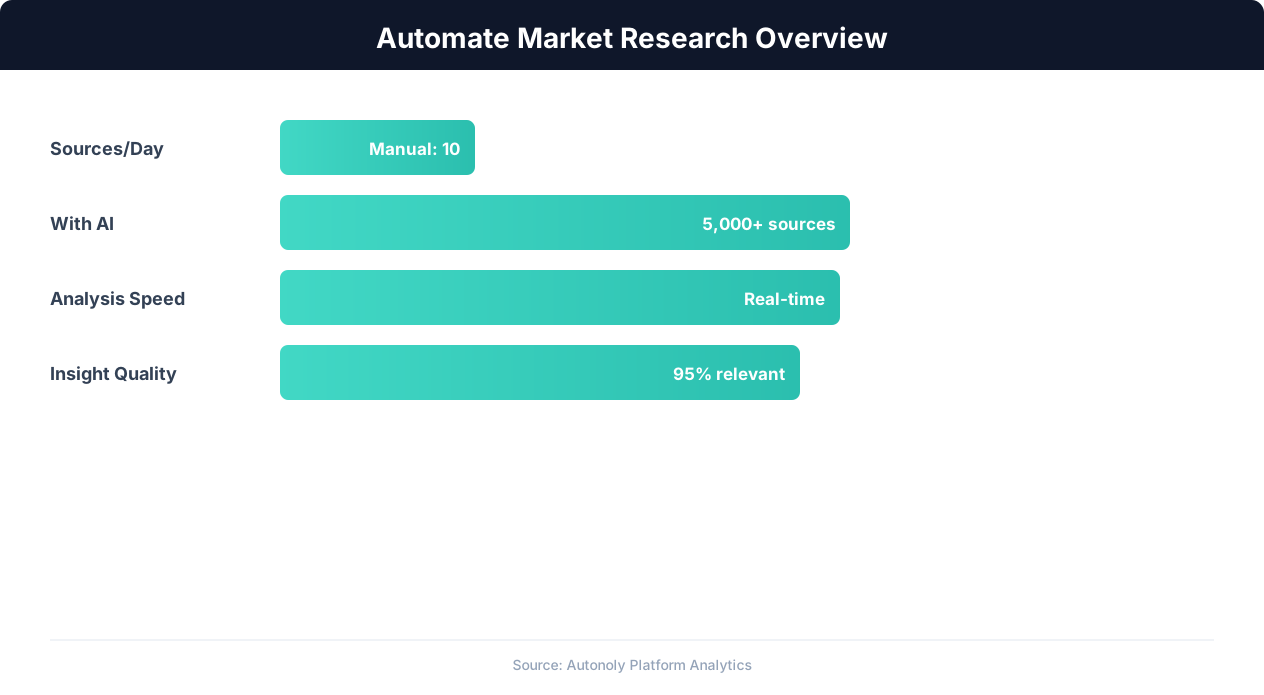
Market research automation coverage and speed improvements
Key Insight: Automated market research delivers insights 10x faster than manual methods while covering 5x more sources and competitors (Crayon Competitive Intelligence Report).
Scheduling and Recurring Runs
Schedule monthly research monitoring through the Visual Workflow Builder to automatically capture new publications as they appear. Each run identifies reports published since the last execution and extracts key findings into your growing market intelligence database. Use Logic & Flow to route findings by industry vertical or data type — market sizes to one sheet, competitive rankings to another, trend analyses to a third. Add Data Processing steps to normalize figures across currencies and methodologies, flag discrepancies between different firms' estimates, or calculate implied growth trajectories. Explore our templates for pre-built research monitoring workflows tailored to common strategy and investment use cases.
Further Reading
Explore more about the tools and techniques used in this workflow: Ai Workflow Automation, No Code Automation Guide, Pdf Ocr.