


Why Automate Crunchbase Scraping?
Crunchbase is the definitive database for startup and company intelligence, tracking funding rounds, key people, acquisitions, and growth metrics for millions of companies worldwide. Investors, sales teams, recruiters, and market researchers rely on Crunchbase data for deal sourcing, prospect qualification, competitive analysis, and market mapping. However, Crunchbase's pricing for API access and advanced features puts comprehensive data access out of reach for many teams.
Autonoly's Browser Automation gives you structured access to Crunchbase's publicly visible data, extracting company profiles into a Google Sheets spreadsheet where you can analyze, filter, and act on the information.
How the AI Agent Scrapes Crunchbase
Crunchbase's website uses sophisticated JavaScript rendering and requires careful navigation to access company data. Autonoly's AI Agent Chat handles this by running a real browser session that navigates the platform exactly as a human researcher would.
The agent opens Crunchbase, uses the search and discovery features to find companies matching your criteria, and applies Data Extraction to pull data from company cards and profile pages. It handles Crunchbase's pagination, dynamic content loading, and search result filtering seamlessly.
For comprehensive company profiles, the agent navigates into individual company pages to extract detailed information — full funding history, investor names, key people, technology stack, employee count trends, and company description. This multi-level extraction produces rich company profiles suitable for investment analysis or enterprise sales prospecting.
What Data You Get
A standard Crunchbase extraction includes:
Company Name — Official company name
Founded Year — When the company was established
Headquarters — Location of main office
Industry — Primary industry categories
Total Funding — Cumulative funding raised
Last Funding Round — Most recent round type and amount
Funding Stage — Seed, Series A, B, C, etc.
Employee Count — Estimated headcount range
Founders — Names of founding team members
Website — Company website URL
Description — Company overview
Additional fields like investor names, board members, acquisition history, and technology details are available from detail pages.
Customizing Your Extraction
The Visual Workflow Builder supports powerful Crunchbase research workflows:
Funding stage filtering: Extract only companies at specific stages (Seed, Series A, etc.) for stage-appropriate prospecting or investment screening
Growth signal detection: Target companies that raised within the last 6 months — they are actively hiring and buying tools
Geographic analysis: Map startup density and funding activity across cities or regions
Industry mapping: Extract all companies in a specific vertical to build comprehensive market maps
Chain Data Processing steps to calculate funding velocity, identify companies with unusually large rounds, or cross-reference with your existing CRM to find net-new prospects. Use SSH & Terminal for advanced analysis like market sizing models or competitive cluster analysis.
Scheduling and Deal Flow
For investors and sales teams, fresh deal flow is everything. Schedule weekly Crunchbase scrapes to catch newly funded companies, recent launches, and updated company profiles. Each run identifies new additions since the last execution, keeping your pipeline current without manual effort.
Combine Crunchbase data with LinkedIn lead extraction for a complete prospecting workflow — identify funded companies on Crunchbase, then extract decision-maker profiles from LinkedIn for personalized outreach.
Exporting and Integrating
Company data flows to your preferred tools:
[Google Sheets integration](/integrations/google-sheets) — Live deal flow dashboard for collaborative research
Excel (.xlsx) — Download for financial modeling and presentations
[Notion](/integrations/notion) — Build a company research wiki
[Airtable](/integrations/airtable) — Create a visual deal pipeline with linked records
Browse our templates library for pre-built Crunchbase scraping workflows. Visit pricing for execution details. For foundational concepts, see our workflow automation glossary. The Integrations page lists all supported output destinations.
Use Cases
VCs and angel investors use Crunchbase data to build deal flow pipelines filtered by stage, sector, and geography. Enterprise sales teams target recently funded companies — they have budget and are actively buying. Recruiters identify fast-growing startups to source engineering talent. Competitive intelligence teams track competitor funding and hiring activity. Market analysts map startup ecosystems to identify emerging technology clusters and investment trends.
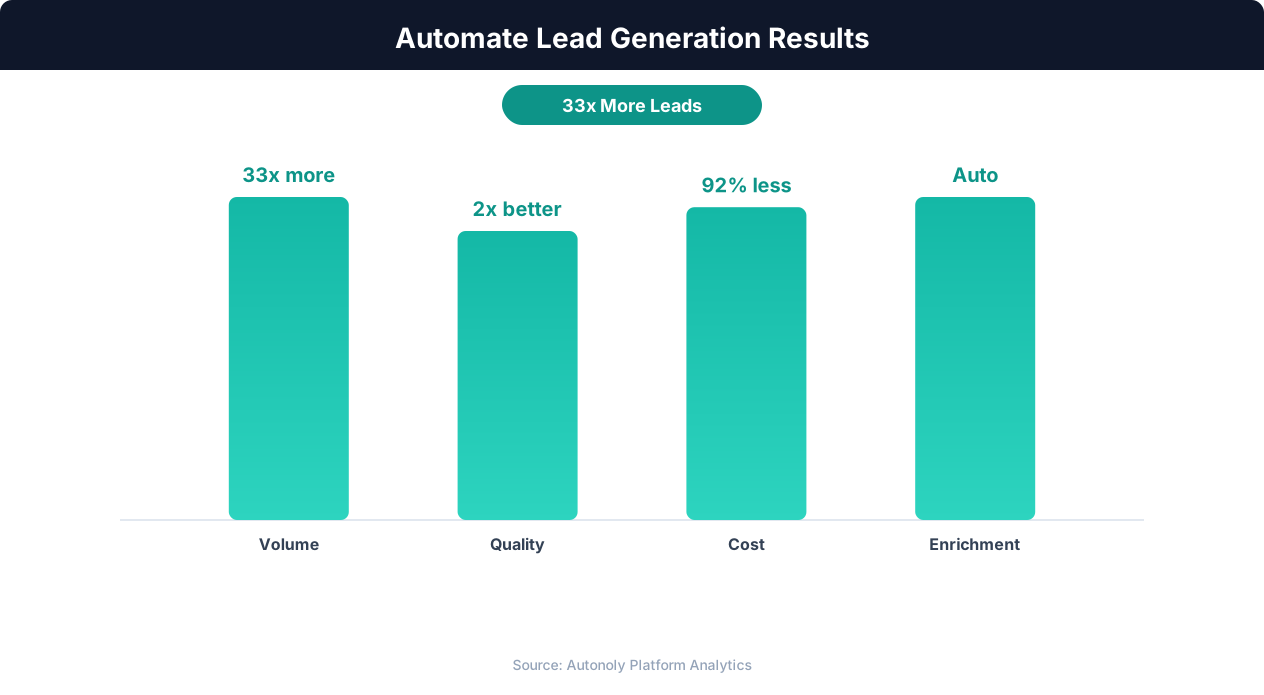
Lead quality scores with automated enrichment and scoring
Key Insight: Companies using automated lead scoring see a 77% increase in lead conversion rates by focusing sales effort on the highest-potential prospects (Aberdeen Group).
How the AI Agent Handles This
The AI agent navigates Crunchbase using Browser Automation in a real browser session, handling the platform's JavaScript-heavy interface, search filters, and dynamic content loading without any site-specific configuration. It enters your search criteria, paginates through results, and clicks into individual company profiles to extract detailed funding histories, team information, and growth metrics. The Data Extraction engine identifies data patterns across both search result cards and detail pages, producing consistent structured output regardless of how Crunchbase renders the information.
Working Within Access Limits
The agent respects Crunchbase's usage patterns and works within the context of your account, whether free or Pro. It navigates with human-like timing to avoid triggering rate limits, and extracts all publicly visible data available at your access level.
Key Insight: Lead response time drops from an average of 42 hours to under 5 minutes with automation, increasing contact rates by 900% (InsideSales.com).
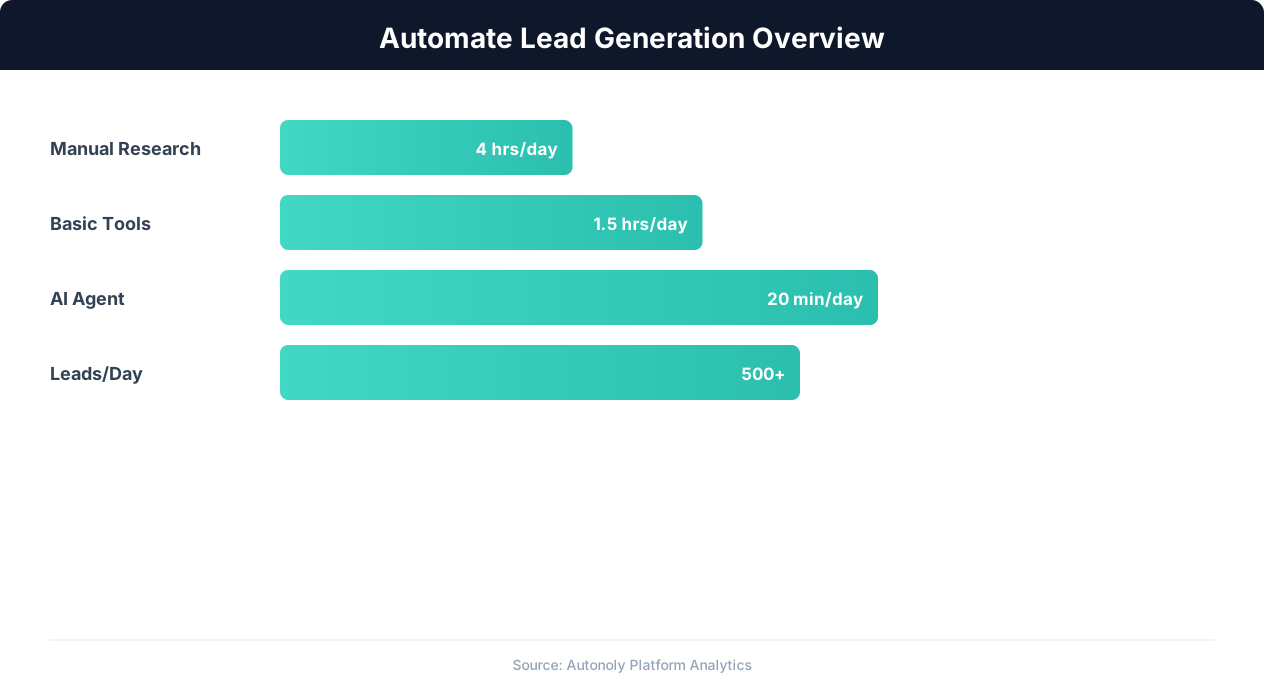
Lead generation automation funnel performance metrics
Key Insight: Automated lead generation produces 50% more sales-ready leads at 33% lower cost per lead compared to manual prospecting (Marketo Research).
Scheduling and Recurring Runs
Set up weekly Crunchbase scrapes through the Visual Workflow Builder to maintain a continuously updated deal flow or prospect pipeline. Each run identifies companies that are newly added or recently funded since the last execution, keeping your data fresh without manual intervention. Use Logic & Flow to automatically route high-priority leads — recently funded startups in your target vertical — to a separate sheet or notification channel. Combine Crunchbase data with LinkedIn extraction using Data Processing steps for a complete prospecting workflow. Visit our templates for pre-built startup research workflows you can deploy immediately.
Further Reading
Explore more about the tools and techniques used in this workflow: Automate Lead Generation, Best Web Scraping Tools.