What Is an AI Agent? A Simple Definition
An AI agent is a software system that can perceive its environment, make decisions, and take actions to achieve a goal — with minimal or no human intervention. Unlike a traditional chatbot that follows scripted rules, or even a modern AI assistant that answers questions, an AI agent actually does things. It browses websites, fills out forms, extracts data, calls APIs, writes files, and chains together multi-step workflows on its own.
Think of it this way:
- A search engine gives you links to find answers yourself.
- A chatbot gives you a pre-written answer from a script.
- An AI assistant generates a thoughtful answer using a large language model.
- An AI agent goes out, does the work, and comes back with results.
The key distinction is autonomy. An AI agent does not wait for you to tell it every step. You give it a goal — "Find the 50 top-rated Italian restaurants in Chicago, extract their contact info, and put it in a spreadsheet" — and it figures out how to accomplish that goal. It decides which websites to visit, how to navigate them, what data to extract, and how to structure the output.
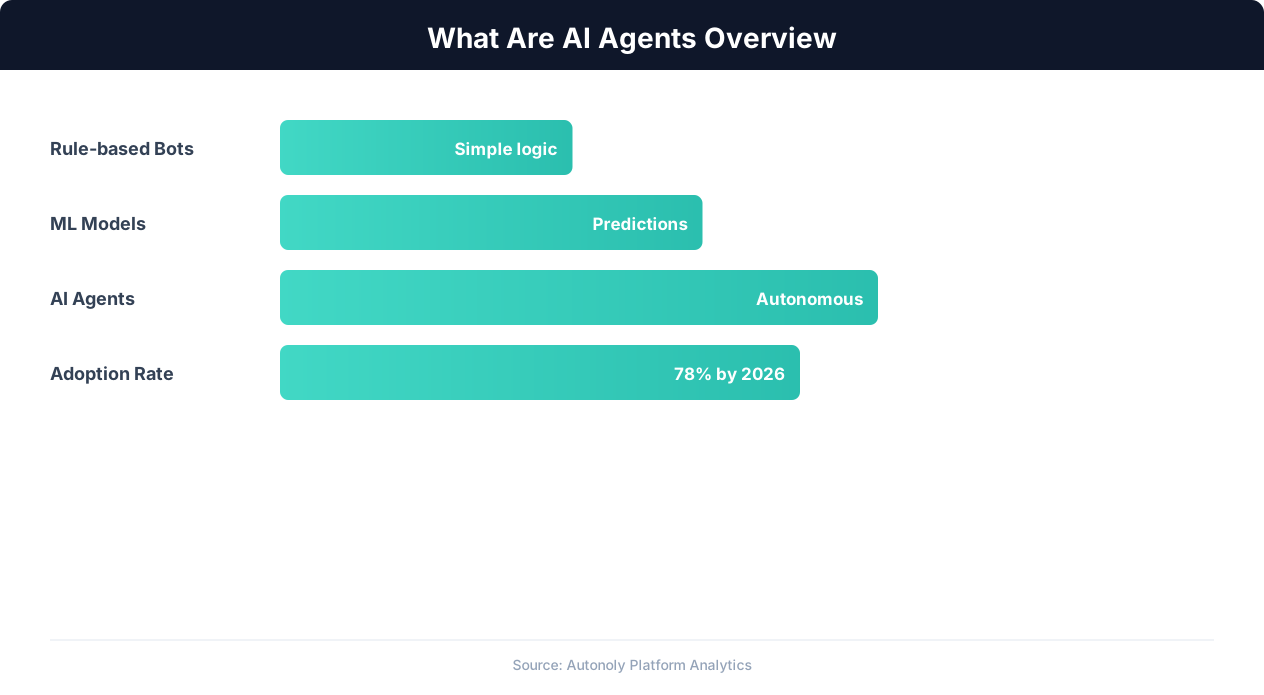
This is not science fiction. AI agents are in production today, handling tasks that used to require hours of manual work or complex multi-tool automation setups. And the pace of adoption is accelerating: Gartner projects that soon, 33% of enterprise software applications will include agentic AI, up from less than 1% in 2024.
The Core Ingredients of an AI Agent
Every AI agent, regardless of complexity, has three fundamental components:
- Perception: The ability to observe and interpret its environment — reading web pages, processing API responses, understanding screenshots, parsing documents.
- Reasoning: A decision-making engine (typically a large language model like Claude, GPT-4, or Gemini) that determines what to do next based on what it perceives.
- Action: The ability to affect its environment — clicking buttons, typing text, calling APIs, writing data, sending messages.
These three components form a loop. The agent perceives, reasons about what to do, acts, perceives the result of its action, reasons about what to do next, and so on — until the goal is achieved or it determines the goal cannot be completed. This perception-reasoning-action loop is what makes an AI agent fundamentally different from static software. It adapts. It recovers from errors. It handles situations it has never seen before.
Chatbot vs. AI Assistant vs. AI Agent: What Is the Difference?
These three terms are often used interchangeably, but they describe fundamentally different levels of AI capability. Understanding the distinctions matters because it determines what you can actually automate.
| Capability | Chatbot | AI Assistant | AI Agent |
|---|---|---|---|
| How it responds | Follows scripted rules and decision trees | Generates answers using an LLM (e.g., ChatGPT, Claude) | Plans and executes multi-step tasks autonomously |
| Understands context | Limited — matches keywords | Strong — understands nuance and intent | Deep — maintains context across actions and sessions |
| Takes actions | No — only provides information | Limited — can call a few pre-defined functions | Yes — browses the web, uses tools, writes data, chains tasks |
| Handles errors | Fails or escalates immediately | Can rephrase or ask clarifying questions | Retries, adapts strategy, finds alternative approaches |
| Multi-step workflows | No | No (single-turn or short conversations) | Yes — plans and executes complex sequences |
| Learns from experience | No | Within a conversation only | Across sessions — remembers what worked and what did not |
| Example | "Our hours are 9-5 Mon-Fri" | "Based on your question, here's a summary of our return policy..." | Navigates your e-commerce site, processes the return, generates a label, and emails it to the customer |
Why the Distinction Matters
If you need to answer FAQs, a chatbot is sufficient. If you need to generate content or have natural conversations, an AI assistant works well. But if you need to automate actual work — the kind that requires navigating software, making decisions, handling edge cases, and producing deliverables — you need an AI agent.
The AI agent category is where the industry is heading. McKinsey estimates that AI agents could automate up to 60-70% of current worker tasks by 2030. Not replace workers entirely, but handle the repetitive, structured, and semi-structured work that consumes the majority of knowledge workers' time.
Most platforms that call themselves "AI agents" today are really AI assistants with a few tool integrations. True AI agents — ones that can autonomously browse the web, interact with any application, and build complete workflows — are a newer and more powerful category. Autonoly's AI agent falls into this true agent category, with live browser control and autonomous task execution that goes far beyond simple function calling.
How AI Agents Work: The Perception-Reasoning-Action Loop
Understanding how AI agents work under the hood helps you evaluate which agent platforms are genuinely capable and which are marketing hype. Every real AI agent follows the same fundamental architecture, regardless of the specific implementation.
The Agent Loop (Step by Step)
Here is what happens when you give an AI agent a task like "Go to LinkedIn, find 20 marketing directors at SaaS companies in Austin, and export their names, titles, and company names to a Google Sheet":
Step 1: Goal Interpretation (Reasoning)
The agent's LLM brain parses your request and breaks it down into sub-tasks: (1) navigate to LinkedIn, (2) perform a search with specific filters, (3) extract profile data from 20 results, (4) structure the data, (5) write it to Google Sheets. It also identifies potential obstacles: LinkedIn may require login, search results may need pagination, and rate limiting could be an issue.
Step 2: Environment Perception
The agent opens a browser (a real browser, not a simulated one) and navigates to LinkedIn. It reads the page — DOM elements, visible text, interactive elements, page structure. Some agents also take screenshots and use vision models to understand the page visually, which helps with complex layouts and dynamic content.
Step 3: Action Execution
Based on what it sees, the agent decides on an action: click the search bar, type a query, apply filters. It executes this action in the browser, just as a human would. The page updates.
Step 4: Observation and Adaptation
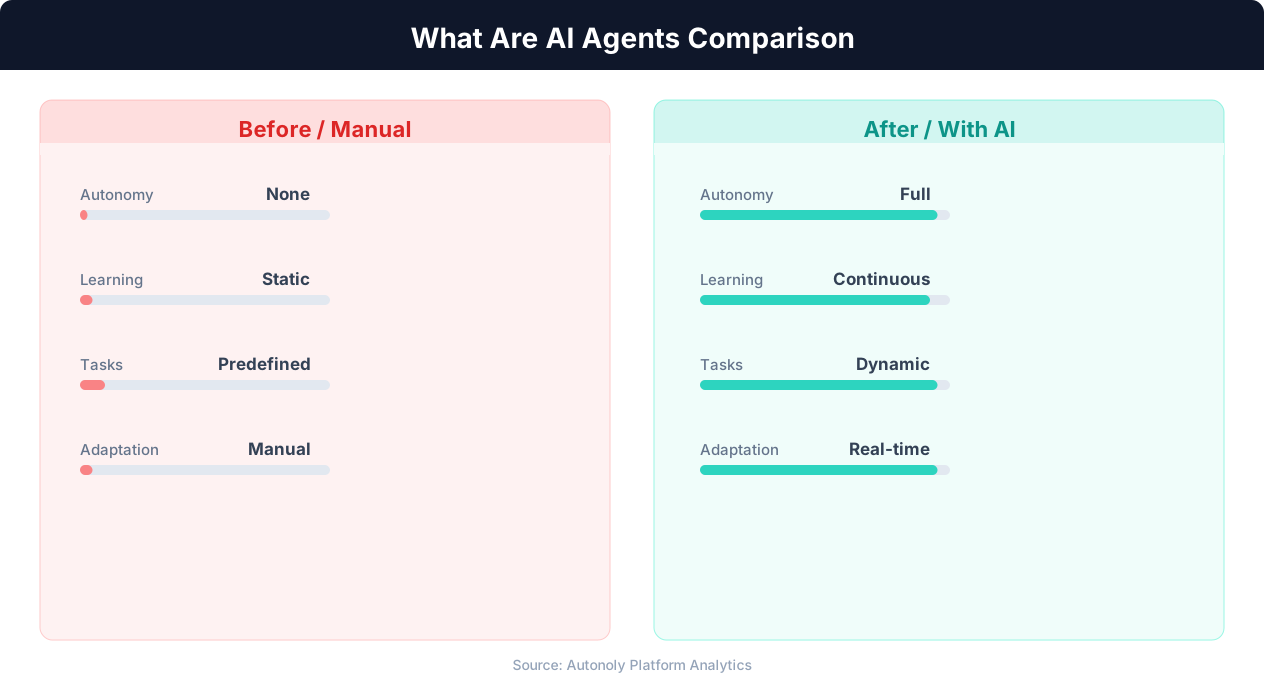
The agent observes the result of its action. Did the search return results? Did an error modal appear? Is there a CAPTCHA? Based on the observation, it decides the next action. If something unexpected happens — a popup, a different page layout, an error message — the agent adapts. It does not crash or stop. It reasons about the new situation and adjusts its approach.
Step 5: Iteration
Steps 2-4 repeat in a loop. The agent extracts data from the first profile, moves to the next, handles pagination, and continues until it has collected all 20 results. Each iteration informs the next — if it learns that a certain extraction method works better, it applies that knowledge to subsequent profiles.
Step 6: Output and Reporting
Once the task is complete, the agent structures the data and writes it to the specified output (in this case, Google Sheets). It reports back to the user with a summary of what was accomplished, any issues encountered, and the location of the output.
The Architecture Diagram
Visually, the agent loop looks like this:
    +------------------+
    |   USER GOAL      |
    +--------+---------+
             |
             v
    +--------+---------+
    |   REASONING      |  (LLM: Claude, GPT-4, etc.)
    |   - Plan steps   |
    |   - Pick action   |
    |   - Handle errors |
    +--------+---------+
             |
        +----+----+
        |         |
        v         v
  +---------+ +----------+
  | PERCEIVE| |   ACT    |
  | - Read  | | - Click  |
  |   page  | | - Type   |
  | - See   | | - Call   |
  |   screen| |   API    |
  | - Parse | | - Write  |
  |   data  | |   data   |
  +---------+ +----------+
        |         |
        +----+----+
             |
             v
    +--------+---------+
    |   OBSERVE RESULT  |
    |   - Did it work?  |
    |   - What changed? |
    +--------+---------+
             |
             v
        (Loop back to REASONING)
             |
        Until goal is achieved
             |
             v
    +--------+---------+
    |   DELIVER OUTPUT  |
    +------------------+
What Makes Some Agents Better Than Others
The quality of an AI agent depends on three things:
- The reasoning model: More capable LLMs (Claude 3.5/4, GPT-4o) make better decisions, recover from errors more gracefully, and handle ambiguous situations more intelligently.
- The tool set: Agents with access to real browsers (via Playwright or similar), file systems, APIs, and data stores can do more than agents limited to a few pre-built integrations.
- The memory system: Agents that remember what worked on previous tasks — which selectors are reliable on a given site, which approach works for a particular type of extraction — improve over time. Cross-session learning is what separates true AI agents from stateless assistants that start from scratch every time.
Types of AI Agents: From Reactive to Multi-Agent Systems
Not all AI agents are created equal. The field of artificial intelligence categorizes agents into several types based on their sophistication, memory, and decision-making approach. Understanding these types helps you evaluate what kind of agent you actually need for your use case.
1. Reactive Agents (Simple Reflex Agents)
Reactive agents respond to the current situation without considering history or future consequences. They follow if-then rules: if the page shows a login form, enter credentials and click submit. They do not plan ahead, and they do not learn.
Example: A web scraper that always follows the same sequence of clicks to extract data from a specific page. If the page layout changes, it breaks.
Limitations: Cannot handle unexpected situations, no learning, no planning. Brittle in real-world environments where websites and applications change frequently.
2. State-Based Agents (Model-Based Reflex Agents)
These agents maintain an internal model of the world that tracks how things have changed over time. They remember what they have already done in the current session and use that context to make better decisions.
Example: A browser automation agent that tracks which pages it has already visited, which data it has already extracted, and which forms it has already filled — avoiding duplicates and unnecessary revisits.
Improvement over reactive: Handles partial observability (the agent cannot see everything at once) and avoids repeating actions.
3. Goal-Based Agents
Goal-based agents go beyond reacting to the current state — they actively plan toward a goal. They evaluate possible actions based on whether each action brings them closer to the desired outcome. This is where modern AI agents start to get interesting.
Example: An agent tasked with "find the cheapest flight from NYC to London on June 15th" that compares multiple airline sites, handles different UI patterns on each, and tracks the best price found so far. It plans its approach (which sites to check, in what order) and adapts if a site is unavailable.
Key capability: Planning and sub-goal decomposition. The agent breaks a complex goal into smaller achievable steps and executes them in a logical order.
4. Learning Agents (Utility-Based Agents)
Learning agents improve their performance over time. They remember what strategies worked and which failed, and they apply this knowledge to future tasks. This is the most powerful type of single-agent system.
Example: An AI agent that learns which CSS selectors are most reliable for extracting product prices from Amazon (because the site's structure changes frequently). After extracting data from hundreds of product pages, it knows which patterns are stable and which are fragile — and it automatically chooses the robust approach.
Key capability: Cross-session memory and strategy optimization. The agent gets better at its job over time, much like an employee learning the nuances of their role.
5. Multi-Agent Systems
Multi-agent systems coordinate multiple specialized agents working together on a complex task. Each agent has a specific role, and a coordinator manages the overall workflow.
Example: A lead generation pipeline where Agent A searches LinkedIn for prospects, Agent B enriches the data by visiting company websites, Agent C verifies email addresses through an API, and Agent D drafts personalized outreach messages. Each agent is optimized for its specific sub-task, and they pass data between each other.
Key capability: Parallelism, specialization, and scalability. Multi-agent systems can handle tasks that would be too complex or time-consuming for a single agent.
Where the Industry Is Today
Most production AI agents today are goal-based agents with some learning capabilities. Fully autonomous learning agents and sophisticated multi-agent systems are emerging but still early. The progression from reactive to learning to multi-agent is the trajectory of the entire industry — and it is moving fast.
Autonoly operates in the goal-based and learning agent category: the agent plans multi-step workflows autonomously, executes them through live browser control, and applies cross-session learning to improve over time.
Real-World Examples: What AI Agents Actually Do Today
Theory is helpful, but seeing what AI agents do in practice makes the concept concrete. Here are five categories of real-world agent tasks that are in production today — not demos, not prototypes, but actual workflows running in businesses.
1. Browser Automation and Web Interaction
AI agents that control a real web browser can interact with any website, even those without APIs. This is one of the most powerful capabilities because it means the agent is not limited to platforms with pre-built integrations.
Real task: A recruiting agency uses an AI agent to post job listings across 8 different job boards (Indeed, LinkedIn, Glassdoor, ZipRecruiter, etc.). Each board has a completely different interface. The agent navigates each site, fills out the posting form (adapting to each site's unique layout and required fields), uploads the job description, and confirms the posting. What took a recruiter 2-3 hours now takes 15 minutes.
Real task: An e-commerce brand uses an agent to monitor competitor pricing daily. The agent visits 12 competitor websites, finds matching products, extracts current prices, and updates a comparison spreadsheet. It handles site redesigns, pop-ups, cookie consent banners, and dynamic content loading — all the things that break traditional scrapers.
2. Data Extraction and Structuring
AI agents excel at extracting unstructured data from websites and documents and converting it into structured, usable formats.
Real task: A real estate investment firm uses an AI agent to extract property data from county assessor websites across 15 states. Each county has a different website with a different layout and different data fields. The agent navigates each site, searches for specific parcels, extracts assessed values, tax information, ownership history, and zoning data — then normalizes it all into a single consistent spreadsheet format.
Real task: A market research team uses an agent to compile competitive intelligence. The agent visits competitor websites, extracts pricing pages, feature lists, customer testimonials, and press releases. It structures this into a comparison matrix that would take an analyst a full week to build manually.
3. Workflow Building and Automation Creation
The most advanced AI agents do not just execute tasks — they build reusable automation workflows that can run repeatedly without the agent.
Real task: A marketing team describes their lead qualification process to an AI agent: "When a form submission comes in, look up the company on LinkedIn, check their employee count and industry, score them based on our ICP criteria, and route hot leads to Slack and cold leads to a nurture email sequence." The agent builds this entire workflow, including the logic, connections, and data mappings — producing a visual automation that the team can review, modify, and run on autopilot.
This is the approach Autonoly's AI agent takes: you describe what you want in plain English, the agent explores the web to understand the task, then builds a reusable workflow that runs on its own.
4. Form Filling and Application Processing
AI agents handle repetitive form-filling tasks that consume hours of human time.
Real task: An insurance agency uses an AI agent to fill out carrier quote request forms. The agent takes client information from the agency's management system, navigates to each carrier's portal, fills out multi-page quote forms (adapting to each carrier's different form layout and requirements), and downloads the quotes. What took an agent 30 minutes per carrier per client now takes 3 minutes.
5. Research and Report Generation
AI agents can conduct research across multiple sources and synthesize findings into coherent reports.
Real task: A venture capital firm uses an AI agent to perform due diligence on potential investments. The agent researches the company's web presence, extracts Crunchbase data, checks patent databases, analyzes social media sentiment, reads Glassdoor reviews, and compiles everything into a structured due diligence report. The agent produces in 20 minutes what a junior analyst would produce in 8 hours — and it runs 24/7.
The AI Agent Landscape: Major Players and Trends
The AI agent ecosystem today is rapidly maturing. What was a niche research area three years ago is now a core product category for both startups and tech giants. Here is where the landscape stands.
The Numbers
Gartner projects that 40% of enterprise AI spending will go toward agent-based systems by the end of the current year, up from roughly 5% in 2024. This is one of the fastest adoption curves in enterprise technology history, driven by the dramatic productivity gains agents deliver and the maturation of underlying LLM technology.
The global AI agent market is projected to reach $47 billion by 2030 (Markets and Markets), growing at a 44.8% CAGR. Early adopters are reporting 3-10x ROI within the first year of deployment, which is fueling the acceleration.
Major Players and Approaches
Anthropic (Claude + MCP): Anthropic's Model Context Protocol (MCP) is emerging as an open standard for connecting AI agents to external tools and data sources. MCP provides a unified way for agents to interact with databases, APIs, file systems, and web services. Claude's strong reasoning capabilities make it one of the most capable agent brains available.
OpenAI (Function Calling + Assistants API): OpenAI's approach centers on function calling — letting the LLM decide when to invoke external tools — and the Assistants API, which provides built-in state management, code execution, and file handling. Their Operator agent, launched in early the current year, demonstrated browser-based task execution for consumers.
Google DeepMind (Gemini + Project Mariner): Google is integrating agentic capabilities into Gemini, with Project Mariner focused on browser-based agents. Their advantage is deep integration with Google's ecosystem (Search, Sheets, Gmail, Calendar).
Zapier (Central + Agents): Zapier has extended its automation platform with AI agents that can reason about which Zaps to run and when. Their advantage is the massive library of pre-built integrations (7,000+ apps), though their agents are limited to actions available through those integrations — they cannot interact with arbitrary websites.
n8n (AI Agents): The open-source automation platform n8n has added AI agent nodes that can reason about workflow execution. Their self-hosted model appeals to enterprises with data sovereignty requirements.
Specialized Agent Platforms: Startups like Autonoly, Induced AI, MultiOn, and Adept are building purpose-built AI agent platforms. These platforms focus on browser control, visual task execution, and workflow generation — capabilities that general-purpose platforms are still developing.
The Convergence Trend
The most important trend in the the current year landscape is convergence. Automation platforms are adding AI agents. AI companies are adding automation. Browser extension tools are adding workflow capabilities. Everyone is moving toward the same destination: AI-powered, agent-driven automation that can interact with any application.
The differentiators are shifting from "do you have an AI agent?" (everyone will) to "how autonomous is your agent?" and "how reliably does it handle the messy real world?" Can it handle CAPTCHAs? Does it recover from pop-ups? Can it work with sites that change their layout monthly? Can it learn from failures and improve? These are the questions that separate genuine agent platforms from AI-washed automation tools.
AI Agents for Business: Use Cases by Department
AI agents are not a single-department technology. They deliver value across every function of a business. Here is how different departments are deploying AI agents today.
Sales
- Lead research and enrichment: Agents browse LinkedIn, company websites, and data providers to build detailed prospect profiles automatically.
- CRM data entry: Agents extract information from emails, call notes, and meeting transcriptions and update CRM records — eliminating the #1 complaint of sales reps (manual data entry).
- Competitive intelligence: Agents monitor competitor websites, pricing pages, and product launches, delivering weekly briefings to the sales team.
- Proposal generation: Agents gather relevant case studies, pricing data, and client requirements, then draft customized proposals for review.
Marketing
- Content research: Agents research topics across the web, compile statistics, identify trending angles, and produce research briefs that cut content creation time by 50%.
- SEO monitoring: Agents check keyword rankings, analyze competitor content, identify content gaps, and flag technical SEO issues — daily, not monthly.
- Social media management: Agents monitor brand mentions, compile engagement analytics across platforms, and draft response suggestions for the social team.
- Ad campaign data aggregation: Agents pull performance data from Google Ads, Meta, LinkedIn, and TikTok into unified dashboards — no more manual CSV exports.
Operations
- Vendor management: Agents monitor vendor portals for invoice status, delivery updates, and pricing changes.
- Compliance monitoring: Agents check regulatory websites for updates, review internal processes against requirements, and flag gaps.
- Data migration: Agents extract data from legacy systems (even those without APIs) through browser automation and load it into new platforms.
- Report generation: Agents pull data from multiple sources (ERPs, CRMs, spreadsheets, web portals) and compile it into standardized reports.
💡 Key Insight
Gartner projects 33% of enterprise software will include agentic AI by 2028, up from less than 1% in 2024.
Customer Success
- Health score monitoring: Agents check product usage dashboards, support ticket trends, and NPS data to flag at-risk accounts.
- Onboarding automation: Agents set up new customer accounts, configure initial settings, send welcome sequences, and schedule kickoff calls.
- Renewal preparation: Agents compile account history, usage metrics, and expansion opportunities into renewal briefs 60 days before contract end.
HR and Recruiting
- Resume screening: Agents review applications against job criteria, score candidates, and shortlist the top matches for human review.
- Interview scheduling: Agents coordinate availability across candidates and interviewers, send calendar invites, and handle rescheduling.
- Background research: Agents verify publicly available professional information and compile candidate summaries.
Finance
- Invoice processing: Agents extract data from invoices (PDF, email, portal), match to purchase orders, and create entries in accounting systems.
- Expense auditing: Agents review expense reports against policy, flag violations, and route approvals.
- Financial data collection: Agents aggregate financial data from bank portals, payment processors, and revenue platforms into consolidated views.
The common thread across all departments: AI agents eliminate the manual, repetitive, cross-application work that knowledge workers spend 40-60% of their time doing. They do not replace strategic thinking, relationship building, or creative work. They replace the drudgery that prevents people from doing more of that high-value work.
Limitations and Risks: What AI Agents Cannot Do (Yet)
AI agents are powerful, but they are not magic. Being honest about their limitations helps you deploy them effectively and set appropriate expectations. Here is what you need to know.
Reliability Is Not 100%
AI agents make mistakes. They misinterpret ambiguous instructions, click the wrong button, extract incorrect data, or get stuck in loops. Current state-of-the-art agents complete complex multi-step web tasks successfully about 70-85% of the time — impressive compared to a few years ago, but not reliable enough for unsupervised mission-critical operations.
What this means practically: AI agents should augment human workflows, not replace oversight entirely. For high-stakes tasks (financial transactions, legal submissions, medical data), a human-in-the-loop review step is essential. For lower-stakes tasks (data collection, research, content drafting), agents can operate more autonomously.
Hallucination and Confabulation
Because AI agents are powered by large language models, they can "hallucinate" — generate plausible-sounding but incorrect information. An agent might report that it extracted data from a website when it actually fabricated the numbers, or claim a task was completed when it was not.
Mitigation: Good agent platforms include verification mechanisms — screenshots of actions taken, logs of every step, and validation checks on outputs. Autonoly, for example, provides a live browser view so you can watch the agent work in real time, and produces visual workflow artifacts that you can inspect and verify.
Security and Access Concerns
AI agents that browse the web and interact with business systems need credentials and access. This raises legitimate security questions:
- Credential management: How are login credentials stored and used? Are they encrypted? Who has access?
- Scope of access: Can the agent access only what it needs, or does it have broad permissions?
- Data handling: Where does extracted data go? Is it stored securely? Is it retained longer than necessary?
- Prompt injection: Malicious websites could potentially manipulate an AI agent by embedding hidden instructions in page content.
Best practices: Use dedicated service accounts with minimal permissions for agent access. Choose platforms with strong encryption, audit logging, and the ability to restrict agent actions to specific domains and workflows. Review agent outputs before they trigger downstream actions in critical systems.
Cost Considerations
AI agents consume LLM tokens at a much higher rate than simple chatbot interactions. A single complex agent task might require 50,000-200,000 tokens as the agent reasons through multiple steps, processes page content, and makes decisions. At current pricing, a complex task might cost $0.10-0.50 in LLM inference — trivial for high-value tasks, but potentially significant at high volume.
Website and Platform Restrictions
Not all websites welcome automated interaction. Rate limiting, CAPTCHAs, terms of service restrictions, and bot detection can prevent agents from completing tasks. While modern agents handle many of these challenges, some websites are specifically designed to block automated access.
The Judgment Gap
AI agents lack true judgment. They cannot assess whether a task should be done, only how to do it. They do not understand business context, political dynamics, ethical nuances, or reputational risk the way a human does. An agent asked to send an email to every contact in a database will do exactly that — even if some of those contacts are inappropriate recipients.
The bottom line: AI agents are best thought of as extremely capable but junior employees. They can follow instructions, adapt to situations, and produce good work. But they need clear direction, reasonable guardrails, and periodic oversight. The organizations getting the most value from AI agents are those that pair agent capabilities with human judgment — not those trying to eliminate humans from the process entirely.
Getting Started with AI Agents: A Practical Guide
If you are new to AI agents, the number of platforms, approaches, and use cases can feel overwhelming. Here is a practical framework for getting started.
Step 1: Identify Your Highest-Value Repetitive Task
Start with one task. Choose something that:
- You or your team does repeatedly (at least weekly)
- Takes 30+ minutes each time
- Involves multiple applications or websites
- Follows a relatively consistent process
- Does not require deep human judgment at every step
Good starter tasks: competitive price monitoring, lead list building, report generation from multiple data sources, job posting across multiple boards, CRM data cleanup.
Step 2: Choose the Right Type of Agent Platform
Your choice depends on your technical comfort level and requirements:
No-code agent platforms (e.g., Autonoly, Zapier Agents): Best for business users who want to describe tasks in natural language and have the agent handle execution. No programming required. You describe what you want, the agent builds and executes it.
💡 Key Insight
AI agents can reduce manual workflow time by 60-80%, with complex web tasks achieving 70-85% autonomous success rates.
Low-code agent frameworks (e.g., n8n with AI nodes, LangChain): Best for technical users who want more control over agent behavior and custom integrations. Requires some programming or scripting ability.
Developer agent frameworks (e.g., Anthropic Agent SDK, OpenAI Assistants API): Best for engineering teams building agent capabilities into their own products. Requires significant programming expertise.
Step 3: Start Small and Validate
Run the agent on your chosen task 5-10 times. Monitor its execution closely. Check the outputs for accuracy. Identify where it struggles and where it excels. Most agent platforms let you watch the agent work in real time (Autonoly shows you the live browser session) so you can understand exactly what it is doing.
Step 4: Refine and Expand
Based on your initial results:
- Refine instructions where the agent misunderstood or made errors
- Add error handling for common failure points
- Set up the workflow to run on a schedule if the task is recurring
- Expand to your second and third use cases
Step 5: Scale with Confidence
Once you have 3-5 agent workflows running reliably, you have a framework for scaling. You understand how to write effective agent instructions, what tasks are suitable for automation, and how to validate outputs. At this point, start thinking about department-wide deployment and more complex multi-step workflows.
Common Mistakes to Avoid
- Starting too complex: Do not begin with a 20-step workflow involving 5 different applications. Start with something simple and build up.
- Vague instructions: "Do research on competitors" is too vague. "Go to competitor.com/pricing, extract plan names and prices, and put them in a table" is specific enough for an agent to execute reliably.
- No human review: Always review agent outputs for the first 10-20 executions. Trust but verify until you have confidence in the agent's reliability for that specific task.
- Ignoring cost: Monitor your token usage and costs, especially for high-volume tasks. Optimize agent instructions to reduce unnecessary reasoning steps.
The Future: Where AI Agents Are Heading
AI agents are evolving rapidly. Here is what the next 2-3 years likely hold, based on current trajectories and research directions.
Near-Term (the current year-the current year): Reliability Breakthroughs
The biggest limitation of current AI agents — reliability on complex tasks — is the focus of massive R&D investment. Anthropic, OpenAI, and Google are all working on improved reasoning capabilities that will push complex task success rates from the current 70-85% range toward 90-95%. This reliability improvement will unlock use cases that currently require too much human oversight to be practical.
Expect to see AI agents handling more financial transactions, more customer-facing interactions, and more compliance-sensitive workflows as reliability improves.
Near-Term: Protocol Standardization
Anthropic's Model Context Protocol (MCP) is establishing a standard for how AI agents connect to external tools and services. As MCP adoption grows — and it is growing fast, with hundreds of MCP servers already available for common services — agents will be able to plug into new data sources and tools with minimal configuration. This is analogous to how REST APIs standardized web service communication: MCP is doing the same for agent-to-tool communication.
Medium-Term (the current year-the current year): Multi-Agent Orchestration
Single agents handling single tasks will give way to orchestrated multi-agent systems where specialized agents collaborate on complex workflows. A manager agent will decompose a complex business process into sub-tasks, assign them to specialized agents (a browser agent, a data agent, a communication agent), coordinate their execution, and synthesize the results.
This is already happening in research labs. Production-grade multi-agent orchestration is 12-18 months away for mainstream platforms.
Medium-Term: Proactive Agents
Today's agents are reactive — you tell them what to do. Future agents will be proactive — they will notice opportunities and problems and suggest actions. "Your competitor just lowered their price on Product X by 15%. Here is a summary of the change and three response options for your review." The agent monitors, detects, analyzes, and proposes — all before you ask.
Longer-Term (the current year-2030): Ambient Agents
The end state of AI agent evolution is ambient intelligence: agents that are always on, always monitoring, always optimizing. They manage routine business operations autonomously, escalating to humans only for genuinely novel situations or decisions that require human judgment.
This is not about replacing humans. It is about creating a new layer of intelligent automation that handles the 60-70% of knowledge work that is predictable, repeatable, and rule-governed — freeing humans to focus on the creative, strategic, and relational work that actually requires human intelligence.
What This Means for You Today
The organizations that will benefit most from the AI agent revolution are those that start building expertise now. Not because today's agents are perfect — they are not. But because the learning curve is real. Understanding how to instruct agents, which tasks to automate, how to validate outputs, and how to integrate agent workflows into business processes takes time and practice.
The companies that start experimenting with AI agents today will be running sophisticated agent-powered operations today. The companies that wait until the current year to start will be three years behind.
Try Autonoly's AI agent to see what autonomous task execution looks like in practice. Describe a task in plain English, watch the agent work through live browser control, and see how cross-session learning makes the agent smarter over time.